


Alienware Gaming Monitors
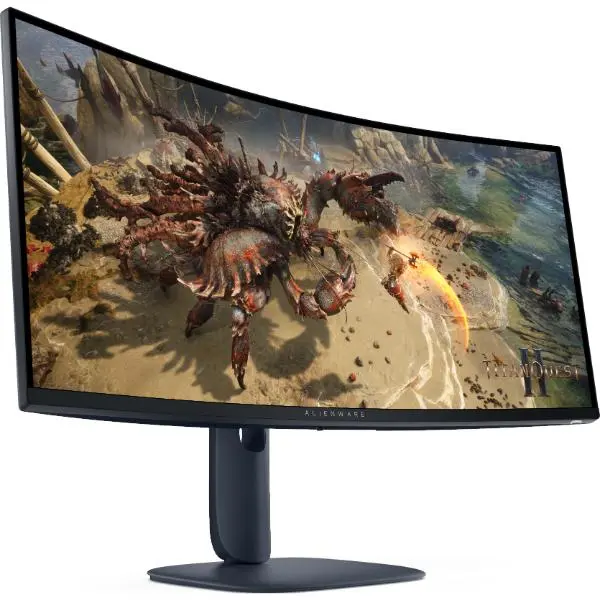
Dell Alienware AW3425DWM 34-Inch Curved Gaming Monitor
Expand your view and immerse yourself in every match with a 34-inch ultrawide WQHD display, 180Hz refresh rate, 1500R curvature and responsive gaming performance.
Experience Ultrawide Gaming with Alienware
The Dell Alienware AW3425DWM is designed for gamers who want a wider field of view, fluid motion and immersive visuals. Its 34-inch curved screen combines WQHD resolution with a 21:9 aspect ratio, giving compatible games and applications more horizontal screen space.
With a 180Hz refresh rate, response-time options as low as 1ms GTG in Extreme mode, and support for AMD FreeSync Premium and VESA AdaptiveSync, this monitor is built for responsive PC gaming. DisplayHDR 400 certification and 95% DCI-P3 colour coverage add visual depth and colour vibrancy to compatible content.
Key Highlights
Curved Ultrawide Display
Enjoy a wide 21:9 viewing area with a 1500R curve for an immersive gaming setup.
Fluid Gaming Motion
A high refresh rate helps deliver smooth motion in fast-paced and competitive games.
WQHD Resolution
See detailed game environments and work across a generous ultrawide desktop.
Enhanced Visuals
VESA DisplayHDR 400 and 95% DCI-P3 coverage enhance compatible visual content.
Smooth, Responsive Gaming Performance
The AW3425DWM's 180Hz refresh rate is suited to fast-moving games where smooth animation and responsive visual feedback matter. Its selectable response-time modes let you choose between Fast, Super Fast and Extreme settings according to your preference and gameplay.
- 180Hz refresh rate: supports fluid motion at the monitor's maximum supported resolution when paired with a compatible connection and graphics output.
- Up to 1ms GTG: the specified response time in Extreme mode; actual performance can vary with the selected setting and operating conditions.
- AMD FreeSync Premium: helps reduce screen tearing and stuttering with compatible hardware.
- VESA AdaptiveSync: provides adaptive refresh-rate support for compatible systems.
Immersive Curved Display and Colour
The 1500R curved VA panel wraps the wide screen around your viewing area, while its 3000:1 native contrast ratio supports deeper dark tones than a typical 1000:1 display. WQHD resolution provides 3440 × 1440 pixels in a 21:9 format, making the monitor useful for immersive gaming, multitasking and wide-format content.
VESA DisplayHDR 400
HDR support for compatible games, video and other content.
95% DCI-P3
Wide colour coverage for rich and vibrant supported content.
ComfortView Plus
Hardware-based low-blue-light technology designed to help maintain colour quality.
Technical Specifications
Dell Alienware AW3425DWM — key specifications at a glance.
Screen Size
34-inch
Curved ultrawide
Resolution
WQHD
3440 × 1440 pixels
Refresh Rate
180Hz
Maximum supported rate
Specifications are based on Dell's published product information and may vary by region or product revision. Maximum refresh rate depends on the connection, graphics hardware, settings and supported video mode.
Who Is the Alienware AW3425DWM For?
Competitive and Action Gaming
The 180Hz refresh rate, adaptive sync and selectable fast response modes support smooth gameplay in compatible titles.
Immersive Open-World Games
The wide 21:9 display and 1500R curve create an expansive viewing experience in games that support ultrawide resolutions.
Multitasking and Productivity
Use the additional horizontal workspace for side-by-side windows, timelines, dashboards and everyday desktop applications.
Entertainment and Content
Enjoy compatible ultrawide video and HDR-enabled content with wide colour coverage and DisplayHDR 400 support.
Before You Buy
- Check your graphics hardware: running demanding games at 3440 × 1440 and high refresh rates requires a compatible graphics card and suitable performance.
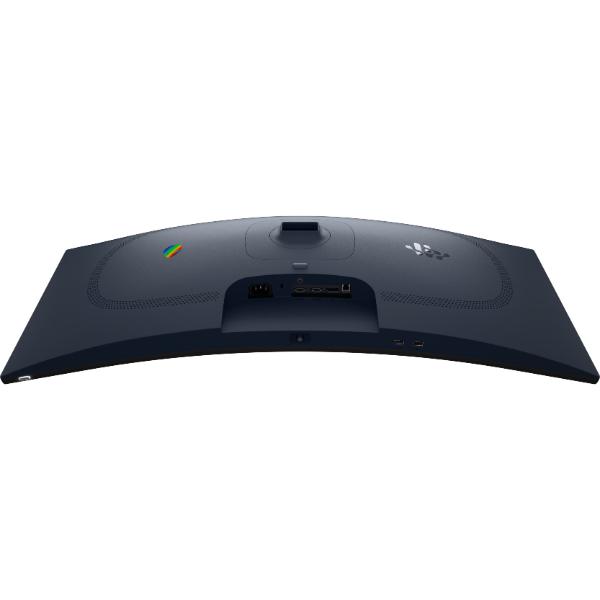
- Use a compatible connection: DisplayPort 1.4 and HDMI 2.1 are available. Confirm your device and cable support the desired resolution, refresh rate, HDR and adaptive-sync settings.
- Consider desk space: the 34-inch ultrawide screen is wider than a typical 16:9 monitor. Check your desk dimensions and viewing distance.
- Understand ultrawide support: some games and video sources may not use the entire 21:9 screen area.
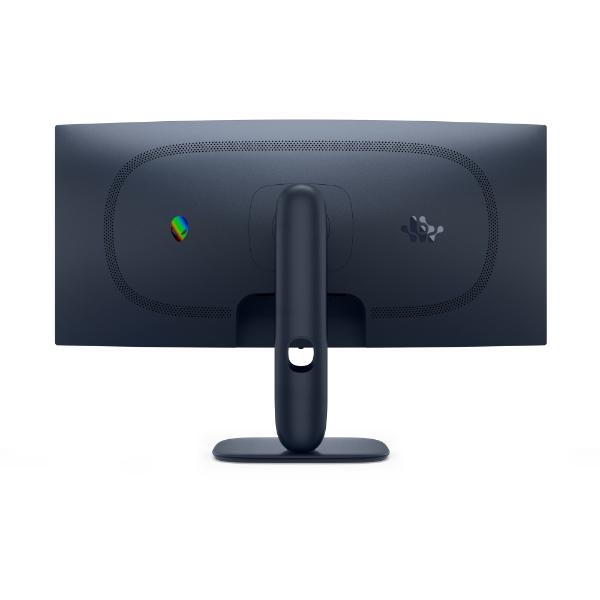
- Plan your mounting setup: the monitor supports 100 × 100 mm VESA mounting. Check the mount's weight rating and compatibility before installation.
Frequently Asked Questions
What is the maximum resolution of the Alienware AW3425DWM?
The monitor supports a native WQHD ultrawide resolution of 3440 × 1440 pixels, with a maximum refresh rate of 180Hz when the connection and system support the required mode.
Does the AW3425DWM support 180Hz gaming?
Yes. It supports up to 180Hz at 3440 × 1440. The available refresh rate depends on the connected device, port, cable and configured display mode.
Which adaptive-sync technologies does it support?
Dell lists AMD FreeSync Premium and VESA AdaptiveSync support to help reduce tearing and stuttering with compatible hardware.
Does this monitor support HDR?
Yes. The AW3425DWM supports VESA DisplayHDR 400. HDR results depend on the source content, application, system configuration and display settings.
Can I connect more than one device?
The monitor has two HDMI ports and one DisplayPort input. Picture-in-Picture and Picture-by-Picture are also listed among its features. The USB hub includes a Type-B upstream connection and two Type-A downstream ports.
Can the monitor be mounted on a monitor arm?
Yes. It supports a 100 × 100 mm VESA mount. Make sure the arm is rated for the monitor's size and weight and is installed according to its instructions.
Is the AW3425DWM suitable for work as well as gaming?
Yes. Its 21:9 ultrawide format can provide useful horizontal workspace for multitasking, supported creative applications and everyday productivity, alongside gaming features.
Upgrade Your Gaming Setup with Clarion Computers
Make more room for your games, content and multitasking with the Dell Alienware AW3425DWM 34-inch curved ultrawide gaming monitor. Explore your options with Clarion Computers.
Explore Clarion Computers