


Samsung Essential Monitor S3
Samsung S3 22-Inch Full HD IPS 120Hz Monitor
Enjoy clear Full HD visuals and smooth everyday performance with the Samsung Essential Monitor S3 LS22F320GAWXXL. Featuring an IPS panel, 120Hz refresh rate, 5ms response time and eye-care features, this compact monitor is designed for productivity, entertainment and casual gaming.
Key Highlights
Product Overview
The Samsung Essential Monitor S3 LS22F320GAWXXL is a 22-inch-class Full HD monitor designed for home and office desktops. Its IPS panel offers consistent colours across wide viewing angles, while the 1920 × 1080 resolution provides clear detail for documents, web browsing, video streaming and everyday applications. The 120Hz refresh rate also supports smoother motion than a standard 60Hz display when the connected device is configured for a compatible refresh rate.
Full HD Resolution for Everyday Clarity
The Full HD resolution of 1920 × 1080 pixels gives the monitor a 16:9 widescreen format suited to everyday computing and entertainment. Its compact screen size makes it a practical option for desks where space is limited, while still providing room for common office applications, online learning and media playback.
IPS Panel with Wide Viewing Angles
The IPS display is designed to maintain clear images and consistent colours when viewed from different positions. With 178° horizontal and vertical viewing angles, it can suit shared viewing and everyday multitasking. The monitor supports up to 16.7 million colours and has a typical brightness of 250 cd/m².
Smooth 120Hz Refresh Rate
With a maximum refresh rate of 120Hz, the LS22F320GAWXXL can display motion more smoothly in compatible applications, games and videos. Its 5ms GTG response time supports everyday display performance. Samsung notes that the default refresh rate is 60Hz and can be adjusted to 120Hz; the available refresh rate depends on the connected source and its capabilities.
Eye Saver Mode and Flicker Free Technology
Eye Saver Mode helps reduce blue-light output, while Flicker Free technology is designed to reduce visible screen flicker. These features can support a more comfortable viewing experience during long study, work or entertainment sessions.
Game Picture Mode
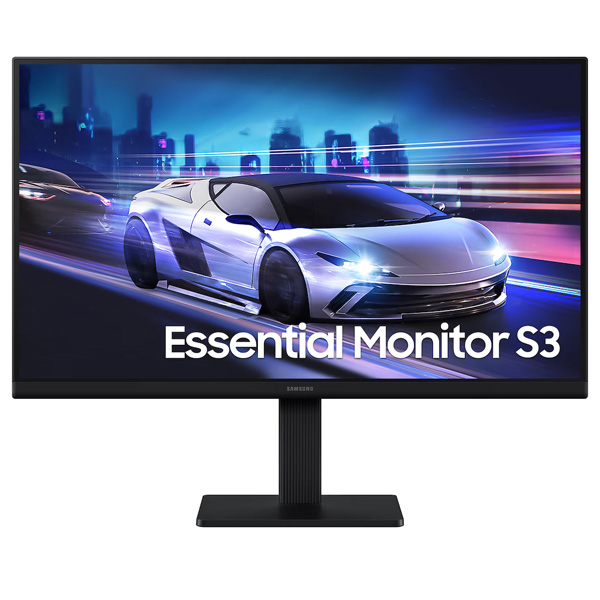
Game Picture Mode allows image settings such as colour and contrast to be adjusted for gaming. This can help make details in different scenes easier to see. The monitor is suitable for casual gaming, but it does not support AMD FreeSync or NVIDIA G-Sync according to Samsung's specifications.
Slim Design and Practical Connectivity
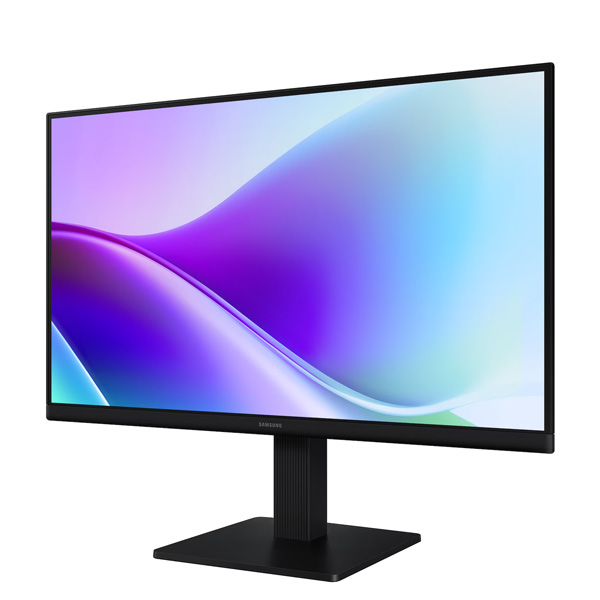
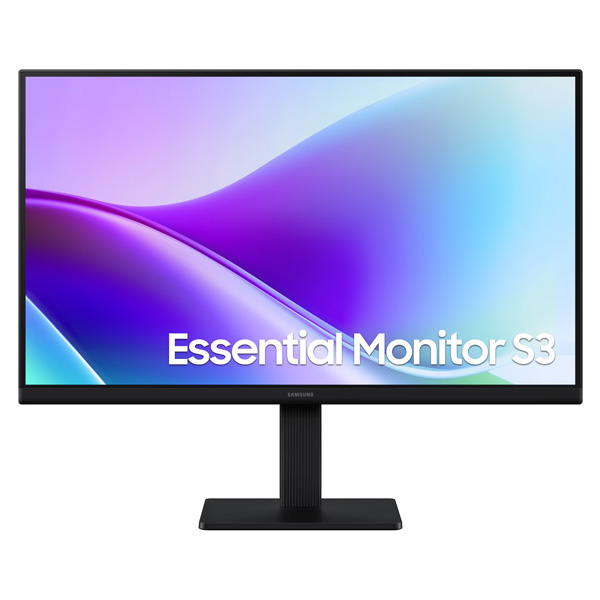
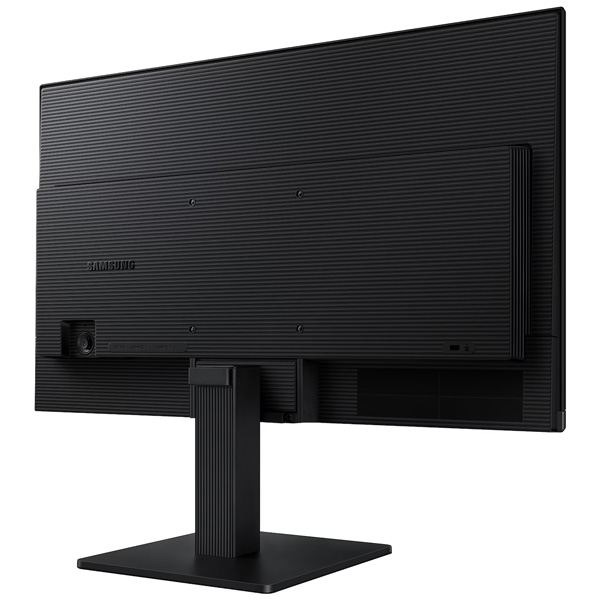
The monitor features a black finish, a simple tilt-adjustable stand and a slim three-sided borderless design. Two HDMI 1.4 ports provide connections for compatible computers and other HDMI-equipped devices. A 100 × 100mm VESA mounting pattern is available for compatible monitor arms or wall mounts.
Technical Specifications
| Specification | Details |
|---|---|
| Brand | Samsung |
| Series | Essential Monitor S3 S32GF |
| Model Number | LS22F320GAWXXL |
| Screen Size | 22-inch class / 54.6 cm |
| Panel Type | IPS |
| Screen Shape | Flat |
| Aspect Ratio | 16:9 |
| Active Display Size | 47.60 × 26.77 cm (H × V) |
| Resolution | Full HD 1920 × 1080 |
| Refresh Rate | Up to 120Hz |
| Response Time | 5ms GTG |
| Brightness | 250 cd/m² typical; 200 cd/m² minimum |
| Static Contrast Ratio | 1000:1 typical |
| Dynamic Contrast Ratio | Mega |
| Viewing Angles | 178° horizontal / 178° vertical |
| Colour Support | Up to 16.7 million colours |
| Colour Gamut | 72% NTSC (CIE 1931) |
| Eye Saver Mode | Yes |
| Flicker Free | Yes |
| Game Picture Mode | Yes |
| Image Size | Yes |
| Energy Saving Solution | Yes |
| Off Timer Plus | Yes |
| Auto Source Switch | Yes |
| Windows Certification | Windows 11 |
| AMD FreeSync | No |
| NVIDIA G-Sync | No |
| HDMI Ports | 2 × HDMI 1.4 |
| HDCP Version | HDCP 1.4 over HDMI |
| Headphone Output | No |
| USB Hub | No |
| USB-C | No |
| Built-in Speakers | No |
| Front / Rear / Stand Colour | Black |
| Stand Type | Simple stand |
| Tilt | -2° (±2°) to +21° (±2°) |
| VESA Mount | 100 × 100mm |
| Dimensions with Stand (W × H × D) | 48.99 × 40.00 × 17.51 cm |
| Dimensions without Stand (W × H × D) | 48.99 × 29.19 × 3.62 cm |
| Package Dimensions (W × H × D) | 58.50 × 10.00 × 33.40 cm |
| Weight with Stand | 2.1 kg |
| Weight without Stand | 1.6 kg |
| Maximum Power Consumption | 25W |
| Power Supply | AC 100–240V |
| Power Adapter | External adapter |
| Country of Origin | Vietnam |
Who Is This Monitor For?
- Office and home computing: Full HD resolution supports documents, spreadsheets, browsing and everyday applications.
- Students and online learning: The compact screen size fits study desks and home workstations.
- Casual gaming: A refresh rate of up to 120Hz supports smoother motion with compatible devices.
- Entertainment: The IPS panel and widescreen format are suitable for video streaming and general media use.
- Compact desktop setups: The slim design and VESA mounting support offer flexibility for smaller workspaces.
Things to Know Before Buying
- The default refresh rate is 60Hz; select 120Hz in compatible settings to use the maximum refresh rate.
- The monitor has two HDMI 1.4 ports but no DisplayPort or USB-C connection listed in Samsung's specifications.
- It does not include built-in speakers, a headphone output, a USB hub or adaptive sync support.
- For the best results at 120Hz, ensure your computer and connection support the desired display mode.
- A compatible VESA 100 × 100mm mount can be used if you prefer a monitor arm or wall-mount setup.
Frequently Asked Questions
What is the resolution of the Samsung LS22F320GAWXXL?
It features Full HD resolution of 1920 × 1080 pixels.
Does this monitor support 120Hz?
Yes. It supports a maximum refresh rate of 120Hz. Samsung notes that the default is 60Hz and can be adjusted to 120Hz when supported by the connected source.
Does the monitor have built-in speakers?
No. Samsung lists no built-in speakers and no headphone output for this model.
How many HDMI ports are available?
The monitor has two HDMI 1.4 ports.
Can this monitor be wall-mounted?
Yes. It supports a 100 × 100mm VESA mounting pattern. Use a compatible mount rated for the monitor's dimensions and weight.
Build Your Next Gaming PC
Find the essential components for your next PC build with Clarion Computers. Explore quality components to create a setup that matches your performance goals and budget.