


Samsung Essential Monitor S3
22-Inch Full HD IPS Monitor
Enjoy clear Full HD visuals, smoother 100Hz performance and comfortable viewing features in a compact monitor designed for everyday productivity and entertainment.
Samsung LS22D300GAWXXL Monitor Overview
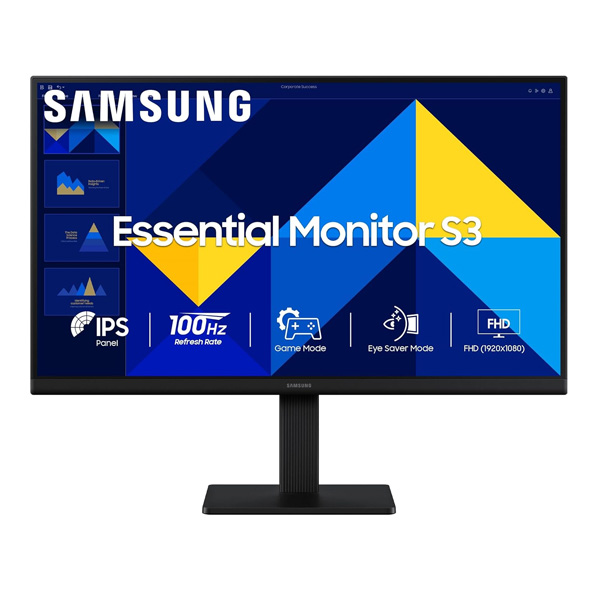
The Samsung Essential Monitor S3 LS22D300GAWXXL is a 22-inch-class Full HD monitor designed for everyday computing, office work, study and home entertainment. Its 1920 × 1080 resolution delivers clear text and detailed visuals, while the IPS panel helps maintain consistent colours across a wide viewing angle.
With a maximum refresh rate of 100Hz and a 5ms grey-to-grey response time, the monitor offers smoother motion than a standard 60Hz display when configured for its higher refresh rate. Game Mode, Eye Saver Mode and Flicker Free technology add useful features for daily use.
Full HD IPS Display
The Full HD resolution provides a practical balance of clarity and everyday performance on a compact screen. IPS panel technology helps colours remain clear and consistent when viewing the display from different positions, making it suitable for individual work and shared viewing.
- 1920 × 1080 Full HD resolution
- Flat display with a 16:9 aspect ratio
- IPS panel technology
- 178° horizontal and vertical viewing angles
- Up to 16.7 million colours
- 72% NTSC colour gamut (CIE 1931)
Smooth 100Hz Refresh Rate
The monitor supports a refresh rate of up to 100Hz, helping scrolling, compatible video and fast-moving on-screen content appear smoother than at 60Hz. The default refresh rate is 60Hz and can be adjusted to 100Hz in the monitor settings when supported by the connected device and configuration.
- Maximum refresh rate of 100Hz
- 5ms GTG response time
- Game Mode for adjusting picture settings in games
- Suitable for casual gaming and everyday entertainment
Eye Comfort Features
Samsung includes viewing features designed to support comfortable everyday use, whether you are studying, working with documents or browsing for extended periods.
- Eye Saver Mode: Helps reduce blue-light emissions for more comfortable viewing.
- Flicker Free: Designed to reduce screen flicker.
- Eco Saving Plus: Provides a power-saving feature.
- Image Size: Offers an image-sizing option.
- Off Timer Plus: Provides a convenient display shutoff option.
Slim Three-Sided Borderless Design
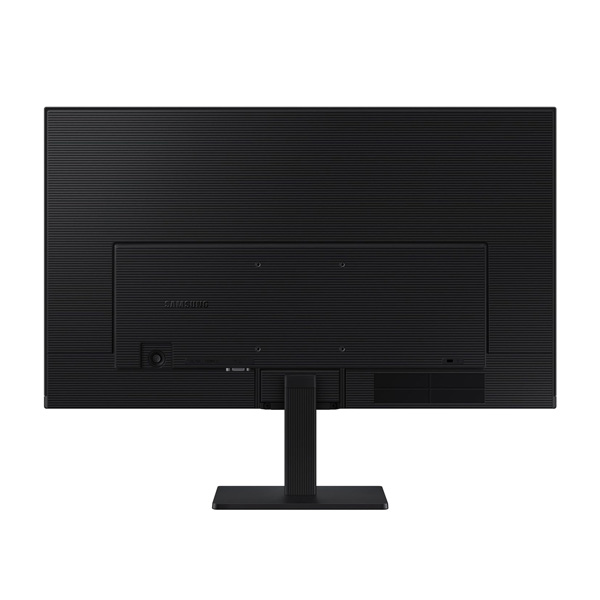
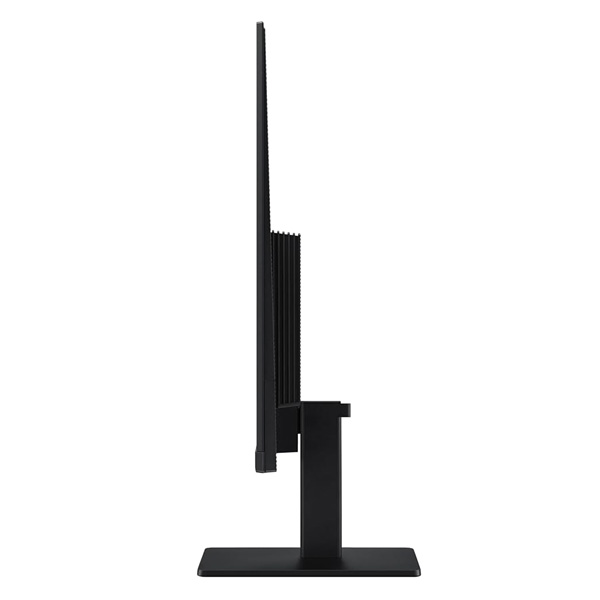
The black monitor features a slim three-sided borderless design that gives the screen a clean, modern appearance. Its compact footprint makes it a practical option for desks with limited space, home offices, study tables and everyday computer setups.
- Black front, rear and stand
- Simple stand design
- Tilt adjustment from approximately -2° to +21°
- 100 × 100mm VESA wall-mount compatibility
HDMI and VGA Connectivity
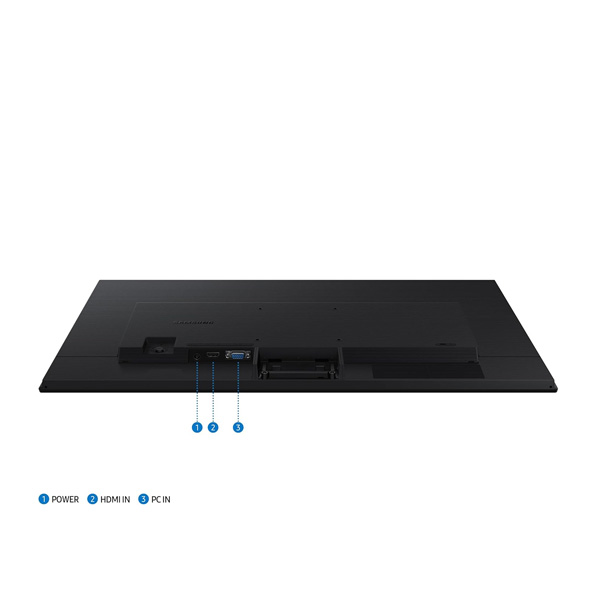
The monitor offers HDMI and VGA connections for compatible desktop computers, laptops and other video sources. HDMI is suitable for modern devices, while VGA can be useful with compatible legacy equipment.
- 1 × HDMI 1.4
- 1 × VGA (D-Sub)
- No USB hub
- No USB-C connectivity
- No built-in speakers or headphone output
For audio, use the audio output available on your computer or connect separate speakers or headphones directly to the appropriate device.
Technical Specifications
| Display | |
|---|---|
| Brand | Samsung |
| Series | Essential Monitor S3 S30GD |
| Model | LS22D300GAWXXL |
| Screen Size | 22-inch class / 54.6cm |
| Panel Type | IPS |
| Screen Shape | Flat |
| Aspect Ratio | 16:9 |
| Resolution | 1920 × 1080 (Full HD) |
| Refresh Rate | Maximum 100Hz; default 60Hz |
| Response Time | 5ms GTG |
| Typical Brightness | 250 cd/m² |
| Minimum Brightness | 200 cd/m² |
| Static Contrast Ratio | 1000:1 (typical) |
| Dynamic Contrast | Mega |
| Viewing Angle | 178° / 178° |
| Colour Support | Maximum 16.7 million colours |
| Colour Gamut | 72% NTSC (CIE 1931) |
| Features | |
| Eye Saver Mode | Yes |
| Flicker Free | Yes |
| Game Mode | Yes |
| Eco Saving Plus | Yes |
| Image Size | Yes |
| Off Timer Plus | Yes |
| Windows Certification | Windows 11 |
| AMD FreeSync | No |
| NVIDIA G-Sync | No |
| Smart Features | No |
| Connectivity and Audio | |
| HDMI | 1 × HDMI 1.4 |
| VGA (D-Sub) | 1 × |
| HDCP | HDMI 1.4 |
| Headphone Output | No |
| USB Hub | No |
| USB-C | No |
| Built-in Speakers | No |
| Design and Power | |
| Front / Rear / Stand Colour | Black |
| Stand Type | Simple stand |
| Tilt Adjustment | Approximately -2° to +21° |
| VESA Mount | 100 × 100mm |
| Dimensions with Stand (W × H × D) | 489.9 × 400.0 × 175.1mm |
| Dimensions without Stand (W × H × D) | 489.9 × 291.9 × 36.2mm |
| Weight with Stand | 2.1kg |
| Weight without Stand | 1.6kg |
| Maximum Power Consumption | 25W |
| Power Supply | AC 100–240V, external adapter |
| Power Cable Length | 1.5m |
| Included HDMI Cable | Yes |
| Country of Origin | Vietnam |
Who Should Choose This Monitor?
- Office professionals: A compact Full HD display for documents, spreadsheets, email and everyday work.
- Students: A practical option for online classes, assignments, research and browsing.
- Home users: Suitable for general computing and watching videos on a desktop setup.
- Casual gamers: The 100Hz refresh rate and Game Mode offer useful features for casual gaming.
Things to Know Before Buying
- The monitor supports Full HD resolution, not 1440p or 4K.
- The maximum refresh rate is 100Hz; the default setting is 60Hz.
- It does not include built-in speakers or a headphone output.
- HDMI and VGA are provided; USB-C and a USB hub are not available.
- FreeSync and G-Sync are not supported.
Frequently Asked Questions
What is the resolution of the Samsung LS22D300GAWXXL?
It offers Full HD resolution of 1920 × 1080 pixels.
Does this monitor support 100Hz?
Yes. It supports up to 100Hz, which can be selected in the monitor settings when supported by the connected device and configuration.
Does it use an IPS panel?
Yes. The monitor uses an IPS panel with 178° horizontal and vertical viewing angles.
Which connectivity options are available?
It has one HDMI 1.4 port and one VGA (D-Sub) port.
Is the monitor suitable for gaming?
It is suitable for casual gaming, with a maximum 100Hz refresh rate, 5ms GTG response time and Game Mode. It does not support AMD FreeSync or NVIDIA G-Sync.
Can it be wall-mounted?
Yes. It supports a 100 × 100mm VESA mounting pattern when used with a compatible mount.
Build Your Next Gaming PC
Find the essential components for your next PC build with Clarion Computers. Explore quality components to create a setup that matches your performance goals and budget.