
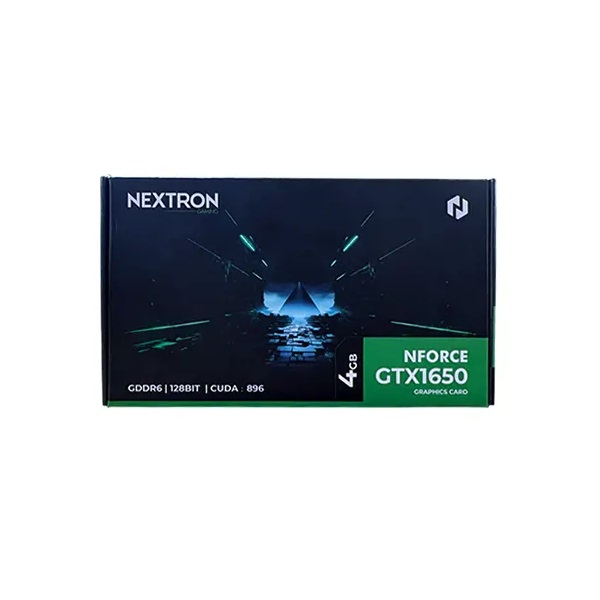
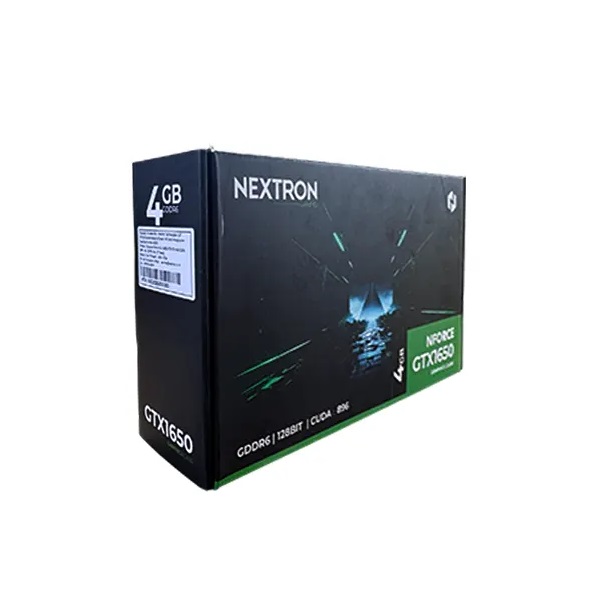

Nextron GTX 1650
4GB GDDR6 Graphics Card
Dedicated Graphics for Gaming and Everyday PC Use
Buy the Nextron GTX 1650 4GB GDDR6 graphics card from Clarion Computers for your compatible desktop upgrade. Built on NVIDIA Turing architecture, this dedicated graphics card combines 4GB GDDR6 memory with DirectX 12 support, GeForce Game Ready Drivers and HDMI and DisplayPort connectivity.
BUILD YOUR EVERYDAY GAMING PC
A practical graphics upgrade for a compatible desktop
Looking for a GTX 1650 4GB graphics card for gaming, study or everyday creative work? The Nextron GTX 1650 GDDR6 is an option for entry-level 1080p gaming builds, particularly for lighter games and esports titles at suitable settings. Check benchmarks for your favourite games and pair the card with a balanced processor, sufficient RAM and a compatible power supply.
NVIDIA Turing processing
The GTX 1650 uses NVIDIA Turing architecture to provide dedicated graphics processing for compatible games and applications. It can be a useful upgrade from older or less capable integrated graphics.
4GB GDDR6 memory
Dedicated video memory stores graphics resources such as textures and frame buffers. Adjust texture quality and resolution to suit the card’s 4GB capacity, especially in more demanding games.
DirectX 12 and Game Ready Drivers
DirectX 12 API support enables compatible games and applications. Use an NVIDIA driver version that supports your graphics card and operating system for game compatibility and available fixes.
HDMI and DisplayPort connections
The supplied specification lists HDMI 2.0b and DisplayPort 1.4. G-SYNC Compatible operation requires a supported monitor, connection and driver configuration. Confirm the exact output layout before purchase.
Nextron GTX 1650 4GB GDDR6 specifications
| Brand | Nextron |
|---|---|
| Graphics processor | NVIDIA GeForce GTX 1650 |
| Video memory | 4GB GDDR6 |
| Architecture | NVIDIA Turing |
| Bus interface | PCI Express 3.0 |
| Graphics API | DirectX 12 |
| Adaptive sync | G-SYNC Compatible with a supported display and setup |
| Driver support | NVIDIA GeForce Game Ready Drivers |
| Listed display connections | HDMI 2.0b / DisplayPort 1.4 |
FIND THE RIGHT FIT
Practical use cases
Entry-level 1080p gaming
Build around lighter games and esports titles with settings suited to the GTX 1650. Performance depends on the game, processor and graphics configuration.
Older desktop upgrades
Add dedicated graphics to a compatible desktop after checking its expansion slot, case clearance and power-supply connections.
Everyday creative work
Use supported GPU acceleration for light photo editing and design tasks. Check application requirements before choosing it for complex projects.
Home and study PCs
Connect a compatible display for study, presentations, everyday applications and entertainment alongside occasional gaming.
PLAN YOUR NEXT GRAPHICS UPGRADE
Buy Nextron GTX 1650 from Clarion Computers
Choose the Nextron GTX 1650 4GB GDDR6 for your compatible desktop build. Check Clarion Computers for the current price, availability, exact card dimensions, power requirements, warranty terms and delivery options before ordering.
Visit Clarion Computers →BEFORE YOU BUY
Frequently asked questions
Where can I buy the Nextron GTX 1650 4GB GDDR6?
Shop with Clarion Computers. Check the current product listing for pricing, stock availability and purchase terms.
Is the GTX 1650 suitable for 1080p gaming?
It is an entry-level option for lighter games and esports at appropriate settings. Demanding titles may require lower settings, and some newer games exceed its capabilities. Check game-specific requirements and benchmarks.
Can I install this graphics card in my existing desktop?
Confirm a suitable PCIe expansion slot, sufficient case clearance, compatible firmware and an appropriate power supply. Card dimensions and power connectors must be checked for the exact Nextron model.
Does it need an additional power connector?
Do not assume that every GTX 1650 uses the same power arrangement. Confirm the supplied Nextron card’s connector requirements and recommended power supply with Clarion Computers.
Will G-SYNC Compatible work with any monitor?
No. It requires a supported adaptive-sync display, suitable connection and correct NVIDIA driver settings. Check your monitor’s compatibility and connection guidance.
Does the graphics card’s GDDR6 memory need to match my system RAM?
No. The card’s GDDR6 video memory is separate from your desktop’s system RAM. Compatibility depends on the motherboard, expansion slot, power supply and physical fit.
Where should I connect my monitor after installation?
Connect the monitor to an output on the graphics card to use its display connection. Select the matching input on your monitor and install a compatible NVIDIA driver.
What is the price and warranty at Clarion Computers?
Refer to the current Clarion Computers listing for the latest price and warranty coverage. Confirm delivery options and the warranty claim process before purchase.