
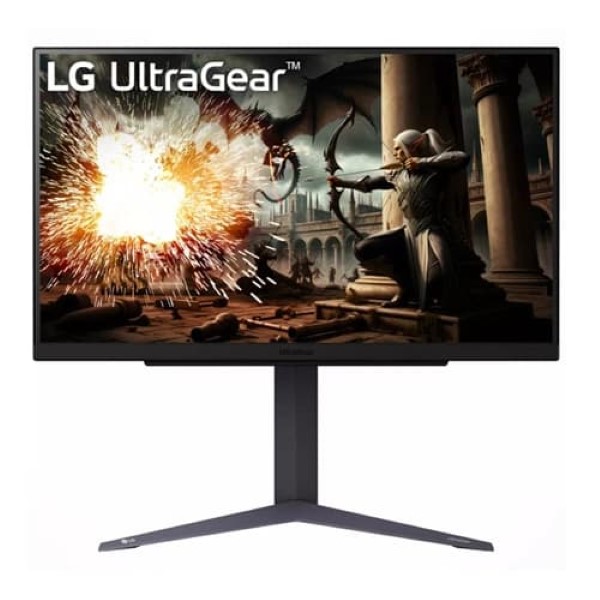
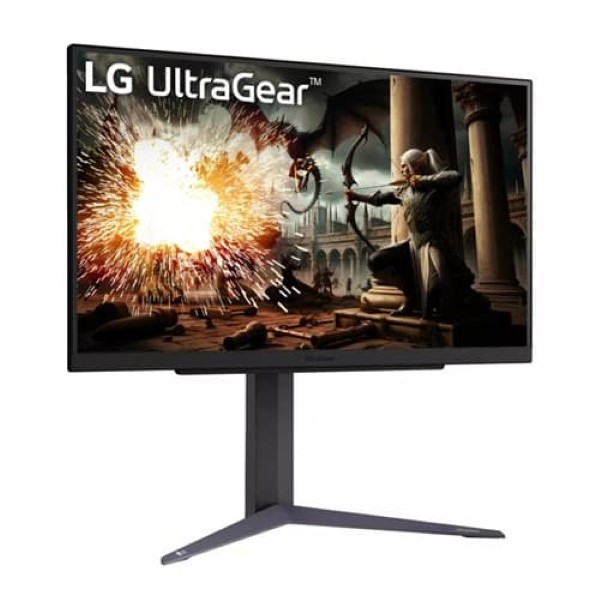
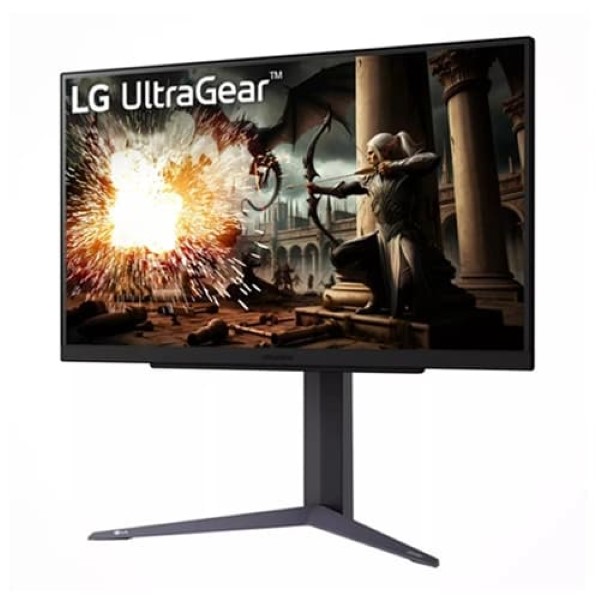
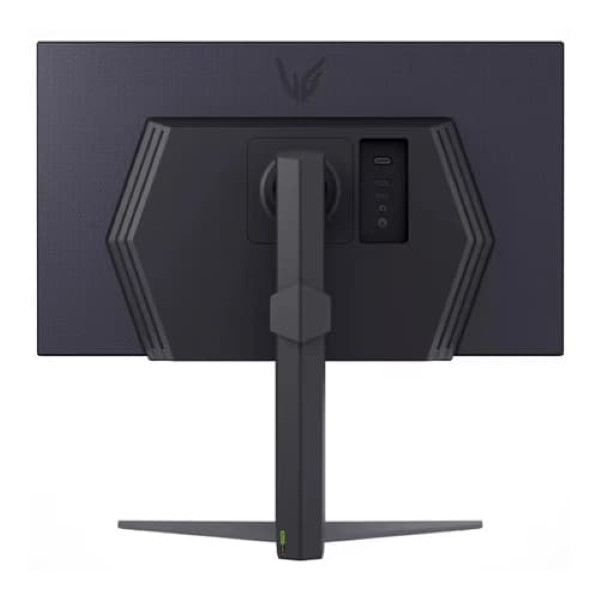
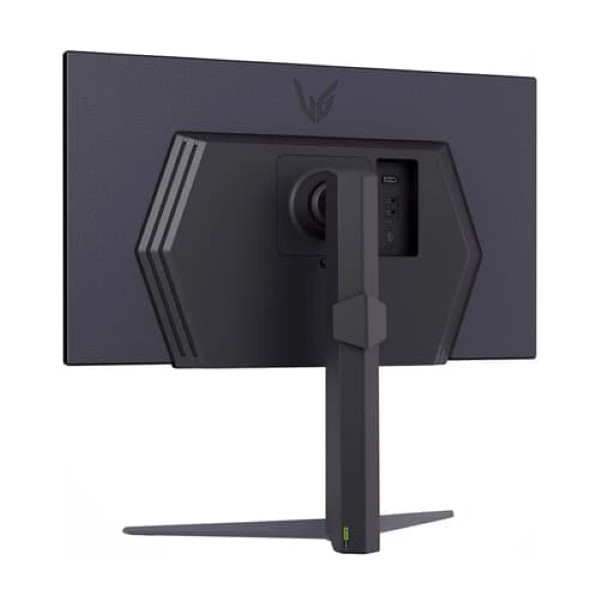


LG UltraGear Gaming Monitor
LG UltraGear 27GS75Q-B 27-inch QHD IPS Gaming Monitor
Experience fast, responsive gameplay and detailed QHD visuals with a 180Hz refresh rate, optional 200Hz overclocking, 1ms GtG response time and adaptive sync technology.
Product Overview
The LG UltraGear 27GS75Q-B is a 27-inch QHD IPS gaming monitor designed for players who want detailed visuals, fast refresh rates and responsive gameplay. Its 2560 × 1440 resolution provides more detail and workspace than Full HD, while the IPS panel delivers wide viewing angles and typical sRGB coverage of 99%.
With a native refresh rate of 180Hz and an optional overclocked 200Hz mode, the monitor is suited to fast-paced shooters, racing games, competitive multiplayer titles and other motion-intensive experiences. Its 1ms GtG response time in Faster mode, along with AMD FreeSync and NVIDIA G-SYNC Compatible support, helps create a smoother gaming experience when configured with compatible hardware.
HDR10 support, gaming-specific display controls and an ergonomic stand with height, tilt and pivot adjustments make the 27GS75Q-B a versatile option for a dedicated gaming setup.
Key Features
QHD IPS Display
The 2560 × 1440 resolution delivers detailed images and a larger workspace than Full HD. IPS technology provides wide viewing angles and consistent-looking colours across the screen.
180Hz with 200Hz Overclock
Enjoy smooth gameplay at up to 180Hz, with an optional 200Hz overclocked mode through DisplayPort when supported by the system and configured correctly.
1ms GtG Response Time
The advertised 1ms grey-to-grey response time is available in Faster mode, helping reduce pixel transition blur during fast-moving gameplay.
AMD FreeSync and G-SYNC Compatible
Adaptive sync technology helps coordinate the display refresh rate with a compatible graphics card to reduce screen tearing and stuttering.
HDR10 and sRGB 99%
HDR10 support enables compatible HDR input, while typical 99% sRGB coverage supports vibrant everyday gaming, entertainment and general content creation.
Ergonomic Stand
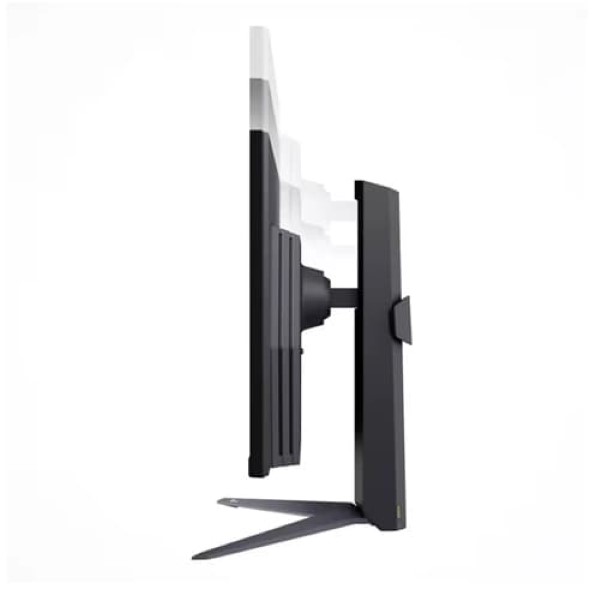
Adjust the height, tilt and pivot to find a comfortable viewing position. VESA 100 × 100mm mounting support also allows compatible monitor arms and wall mounts.
Fast and Fluid Gaming Performance
The 180Hz native refresh rate displays more frames per second than a conventional 60Hz monitor, making motion appear smoother when your PC can deliver sufficiently high frame rates. For supported setups, the optional 200Hz overclocked mode provides an additional refresh-rate option.
To use the 200Hz overclocked mode, LG specifies a graphics card supporting DisplayPort 1.4 and a suitable DisplayPort 1.4 cable. The feature must be enabled through the monitor's settings, and system compatibility can affect the available modes.
Responsive Visuals with IPS Technology
The IPS panel combines wide 178-degree horizontal and vertical viewing angles with a typical brightness of 300 cd/m² and a typical contrast ratio of 1000:1. Its QHD resolution is well suited to detailed game environments, maps, interfaces and everyday desktop tasks.
Typical sRGB coverage of 99% makes the monitor suitable for general content creation and web-oriented work. For colour-critical professional applications, calibration and a workflow-specific display may still be necessary.
Adaptive Sync for Smoother Gameplay
AMD FreeSync and NVIDIA G-SYNC Compatible support help reduce screen tearing and stuttering when the monitor and graphics card are configured to use compatible variable-refresh-rate features. Performance depends on the GPU, connection, driver and game settings.
These technologies are especially useful when frame rates fluctuate during demanding games, helping maintain a more consistent visual experience within the supported operating range.
Gaming Features and Display Controls
- Black Stabilizer: Adjusts visibility in darker game scenes to help reveal details in shadowed areas.
- Dynamic Action Sync: Helps reduce display processing delay for more immediate-feeling gameplay.
- Crosshair: Adds an on-screen aiming marker for supported gaming scenarios.
- FPS Counter: Displays a frame-rate counter on screen.
- HDR Effect: Provides an additional image-processing mode for selected content.
- Reader Mode and Flicker Safe: Offer viewing options for reading and everyday desktop use.
- Auto Input Switch: Helps switch inputs when supported connected devices become active.
Connectivity and Setup
The monitor provides two HDMI inputs and one DisplayPort 1.4 input, allowing you to connect a gaming PC and compatible additional devices. A three-pole headphone output is available for audio from a connected source.
For the highest refresh-rate options, use a compatible DisplayPort connection and cable. The actual refresh rate available over each connection depends on the source device, output capabilities and selected display settings.
Detailed Specifications
| General | |
|---|---|
| Brand | LG |
| Product Series | UltraGear |
| Model | 27GS75Q-B |
| Screen Size | 27 inches / approximately 68.4 cm |
| Display | |
| Panel Type | IPS |
| Resolution | 2560 × 1440 (QHD) |
| Aspect Ratio | 16:9 |
| Native Refresh Rate | Up to 180Hz |
| Overclocked Refresh Rate | Up to 200Hz via DisplayPort overclock mode |
| Response Time | 1ms GtG in Faster mode |
| Typical Brightness | 300 cd/m² |
| Minimum Brightness | 240 cd/m² |
| Typical Contrast Ratio | 1000:1 |
| Minimum Contrast Ratio | 700:1 |
| Colour Gamut | sRGB 99% typical, 95% minimum (CIE 1931) |
| Colour Depth | 16.7 million colours |
| Viewing Angles | 178° horizontal / 178° vertical |
| Pixel Pitch | 0.2331 × 0.2331 mm |
| HDR Support | HDR10, HDR Effect |
| Gaming and Display Features | |
| Adaptive Sync | AMD FreeSync, NVIDIA G-SYNC Compatible |
| Gaming Features | Black Stabilizer, Dynamic Action Sync, Crosshair, FPS Counter |
| Additional Features | Flicker Safe, Reader Mode, HDR Effect, Auto Input Switch, Color Weakness, Smart Energy Saving, factory colour calibration, User Defined Key |
| Bezel Design | Three-side virtually borderless |
| Connectivity | |
| HDMI | 2 × HDMI |
| DisplayPort | 1 × DisplayPort 1.4 |
| Headphone Output | 3-pole, sound only |
| USB Hub | No USB hub listed in the published specifications |
| Ergonomics and Mounting | |
| Stand Adjustments | Height, tilt and pivot |
| Tilt Range | -5° to +15° |
| Height Adjustment | 110mm |
| VESA Mount | 100 × 100 mm |
| Dimensions and Weight | |
| With Stand (W × H × D) | 613.5 × 577.7 × 253.7 mm (stand raised); 613.5 × 467.7 × 253.7 mm (stand lowered) |
| Without Stand (W × H × D) | 613.5 × 371.6 × 51.3 mm |
| Shipping Dimensions (W × H × D) | 691 × 498 × 184 mm |
| Weight with Stand | 6.0 kg |
| Weight without Stand | 4.1 kg |
| Shipping Weight | 8.4 kg |
| Power | |
| AC Input | 100–240V, 50/60Hz |
| Power Supply | External power adapter |
| Sleep Mode | Less than 0.5W |
| DC Off | Less than 0.3W |
Ideal Use Cases
- Competitive gaming: A high refresh rate for fast-paced shooters, racing games and multiplayer titles.
- QHD gaming: Detailed 2560 × 1440 visuals for modern games and immersive environments.
- Adaptive-sync gaming: Compatible FreeSync and G-SYNC Compatible features to help reduce tearing and stuttering.
- Streaming and entertainment: An IPS display with HDR10 input support for compatible content.
- Everyday productivity: Additional QHD workspace for documents, browsers and multitasking.
- Custom gaming setups: Height, tilt and pivot adjustments plus VESA mounting support.
Things to Know Before Buying
- The native resolution is QHD (2560 × 1440), not 4K.
- The monitor supports 180Hz natively; 200Hz requires enabling the overclocked mode and a compatible DisplayPort 1.4 setup.
- The advertised 1ms GtG response time uses Faster mode. Actual pixel response varies with operating conditions and settings.
- HDR10 support does not guarantee the brightness or contrast performance of a premium HDR display.
- The monitor includes two HDMI inputs and one DisplayPort input. Confirm your PC or console's connection requirements before purchase.
- VESA monitor arms and wall mounts are separate accessories unless included by the seller.
- Specifications and warranty coverage may differ by region or unit suffix. Confirm the exact model and India warranty with the seller.
Frequently Asked Questions
Does the LG UltraGear 27GS75Q-B support 200Hz?
It supports a native refresh rate of up to 180Hz and an optional overclocked mode of up to 200Hz. The overclocked mode requires a compatible DisplayPort 1.4 graphics output and cable.
Is this monitor compatible with NVIDIA graphics cards?
Yes. LG lists NVIDIA G-SYNC Compatible support, as well as AMD FreeSync. Available adaptive-sync functionality depends on the connected hardware and configuration.
Is the LG 27GS75Q-B a 4K monitor?
No. It has a native QHD resolution of 2560 × 1440 pixels, which offers more detail than Full HD but fewer pixels than 4K UHD.
Can the stand be adjusted?
Yes. The stand supports height adjustment, tilt and pivot. The monitor also supports a standard 100 × 100mm VESA mounting pattern.
Does this monitor have built-in speakers?
LG's published specifications list a three-pole headphone output but do not list built-in speakers. Use headphones or external speakers connected to a suitable audio source.
Is the LG UltraGear 27GS75Q-B suitable for work as well as gaming?
Yes. Its QHD IPS panel, wide viewing angles and ergonomic adjustments make it suitable for everyday productivity, browsing and entertainment alongside gaming.
Specifications are based on LG's published 27GS75Q-B product information. Refresh-rate availability, accessories, warranty and regional specifications may vary. Confirm details for the specific unit before purchase.
Build Your Next Gaming PC
Find the essential components for your next PC build with Clarion Computers. Explore quality components to create a setup that matches your performance goals and budget.