
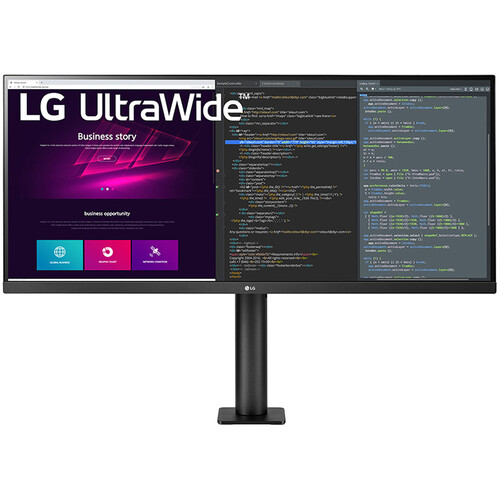
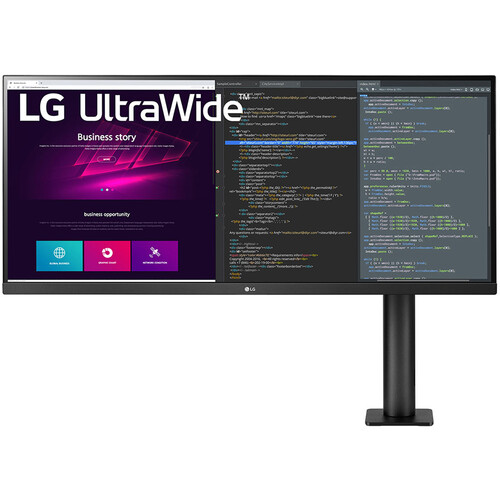
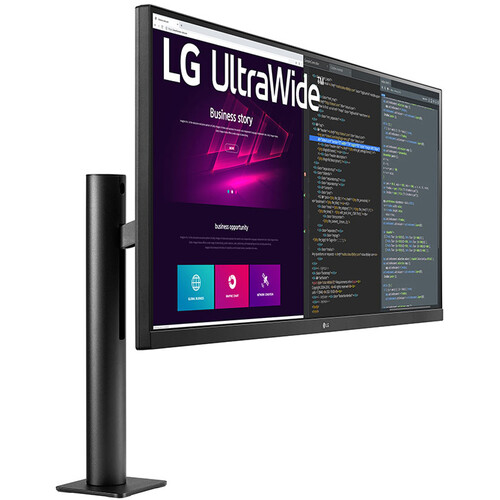


LG UltraWide Ergo Series
LG 34WN780-B 34-inch UltraWide QHD IPS Monitor
Expand your workspace with a 21:9 UltraWide QHD display and an innovative Ergo stand. Enjoy detailed visuals, wide viewing angles, HDR10 support and flexible positioning for productivity, creative work and entertainment.
Key Highlights
Product Overview
The LG 34WN780-B is a 34-inch UltraWide monitor designed for users who want more horizontal screen space and a flexible ergonomic setup. Its 3440 × 1440 resolution and 21:9 aspect ratio provide room for multiple applications, editing timelines, spreadsheets and browser windows without relying entirely on a dual-monitor arrangement.
The IPS panel delivers wide viewing angles and a manufacturer-rated 99% sRGB colour gamut. HDR10 support, factory colour calibration and a three-side virtually borderless design make it a versatile choice for office work, creative projects and entertainment.
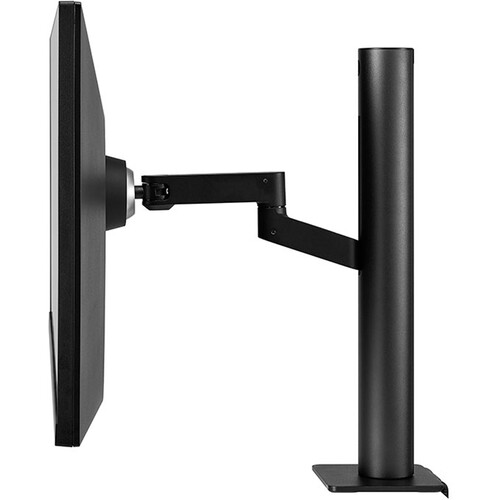
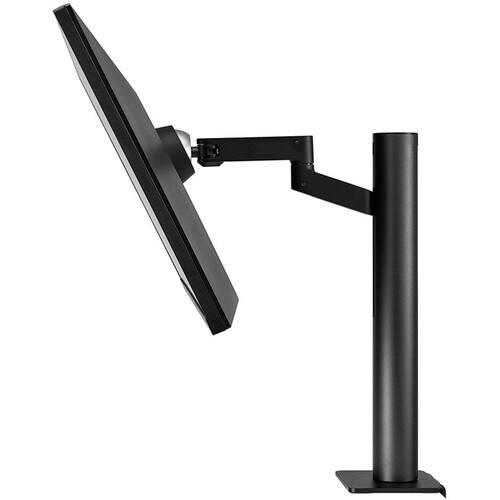
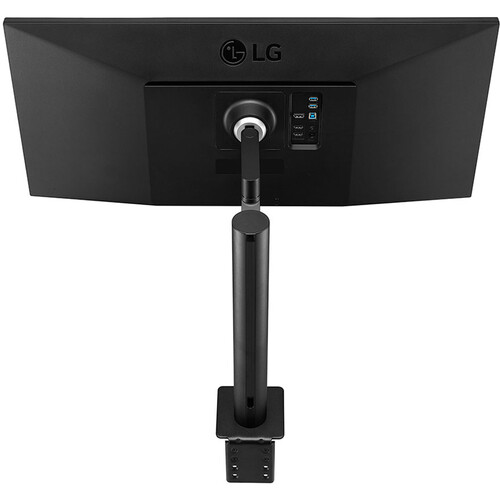
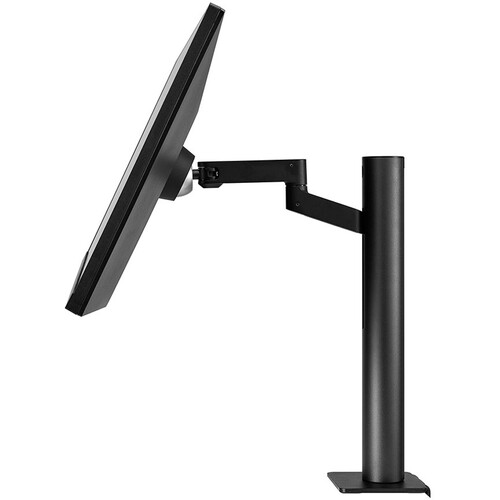
Its standout feature is the LG Ergo stand. Rather than a conventional desk-foot stand, the included arm-style mount uses a C-clamp or grommet mounting arrangement on a compatible desk. It supports height, tilt, swivel and extension adjustments, allowing the display to be positioned closer to the user or moved out of the way when needed.
Features and Benefits
1. Immersive 34-inch UltraWide QHD Display
The 3440 × 1440 resolution provides a wider desktop than a standard 16:9 QHD display. The extra horizontal space is useful for placing two windows side by side, viewing long spreadsheets, managing multiple documents and keeping editing timelines visible while working on content.
2. IPS Panel with Wide Viewing Angles
The IPS panel supports 178° horizontal and vertical viewing angles. This helps preserve the appearance of colours and contrast when viewing the screen from different positions, making it suitable for desk-based collaboration and general creative work.
3. 99% sRGB Colour Coverage
LG specifies typical 99% sRGB colour coverage, making the monitor suitable for everyday photo editing, web graphics, digital content and general colour-conscious tasks. It is factory colour calibrated. For professional colour-critical work, a calibrated workflow and appropriate colour-management settings are still recommended.
4. HDR10 Support
HDR10 compatibility allows the monitor to receive supported HDR content from compatible sources. The HDR Effect feature can also process standard dynamic range content for a different viewing presentation. With a typical brightness rating of 300 nits and no VESA DisplayHDR certification, this monitor should not be confused with a high-brightness, advanced local-dimming HDR display.
5. AMD FreeSync for Smoother Gaming
AMD FreeSync helps synchronise the monitor's refresh rate with compatible graphics hardware to reduce screen tearing and stuttering within its supported range. The 75Hz refresh rate is suitable for casual gaming and everyday use, though competitive gamers seeking high-refresh performance may prefer a faster gaming monitor.
6. LG Ergo Stand for Flexible Positioning
The arm-style Ergo stand allows the monitor to be extended, retracted, raised, lowered, tilted and swivelled. LG specifies up to 180mm of extension or retraction, 130mm of height adjustment and tilt adjustment of up to ±25°. The stand helps free up desk surface area compared with many conventional monitor bases.
7. Multiple Display and USB Connections
The monitor includes two HDMI inputs, one DisplayPort input, a USB upstream connection, two USB downstream ports and a headphone output. This supports connections to compatible desktop PCs, laptops, consoles and USB peripherals. USB upstream connectivity is required to use the monitor's USB hub with a computer.
8. Productivity and Eye Comfort Features
LG includes Reader Mode, Flicker Safe, Color Weakness, Super Resolution+ and Dynamic Action Sync among its software and display features. OnScreen Control provides access to supported screen-management options, while Dual Controller can help users work across compatible computers and shared peripherals on a supported network.
9. Built-in Stereo Speakers
The integrated stereo speakers use LG MaxxAudio processing for everyday audio playback. They are convenient for video calls, system sounds and casual viewing. Users who need stronger bass or a more immersive audio experience can connect external speakers or headphones.
Detailed Specifications
| General Information | |
|---|---|
| Brand | LG |
| Model | 34WN780-B |
| Product Series | LG UltraWide Ergo |
| Screen Size | 34 inches / 86.36cm |
| Panel Type | IPS LCD |
| Display Shape | Flat |
| Aspect Ratio | 21:9 |
| Native Resolution | 3440 × 1440 (UltraWide QHD) |
| Pixel Pitch | 0.2325 × 0.2325mm |
| Refresh Rate | 75Hz maximum |
| Response Time | 5ms GtG (at Faster setting, where specified) |
| Typical Brightness | 300 cd/m² (nits) |
| Minimum Brightness | 240 cd/m² |
| Typical Contrast Ratio | 1000:1 |
| Minimum Contrast Ratio | 700:1 |
| Colour Gamut | 99% sRGB (typical, CIE1931); 95% minimum listed on selected regional pages |
| Colour Depth | 16.7 million colours |
| Viewing Angles | 178° horizontal / 178° vertical |
| Surface Treatment | Anti-glare |
| Picture and Gaming Features | |
| HDR | HDR10, HDR Effect |
| VESA DisplayHDR Certification | Not certified |
| Adaptive Sync | AMD FreeSync |
| Dynamic Action Sync | Yes |
| Black Stabilizer | Yes |
| Super Resolution+ | Yes |
| Factory Colour Calibration | Yes |
| Flicker Safe | Yes |
| Reader Mode | Yes |
| Color Weakness | Yes |
| Connectivity | |
| HDMI | 2 × HDMI 2.0 |
| DisplayPort | 1 × DisplayPort 1.4 |
| USB Upstream | 1 × USB 3.0 |
| USB Downstream | 2 × USB 3.0 |
| Headphone Output | Yes |
| USB-C Display Input | No |
| Audio | |
| Built-in Speakers | Yes, 2-channel stereo |
| Audio Technology | MaxxAudio |
| Ergonomics and Mounting | |
| Stand Type | LG Ergo arm-style stand |
| Extension / Retraction | Up to 180mm |
| Height Adjustment | Up to 130mm |
| Tilt | Up to ±25° |
| Swivel | Flexible arm swivel; range as specified in the regional manual |
| Desk Mounting | C-clamp and grommet mounting options |
| VESA Mount | 100 × 100mm |
| Dimensions and Weight | |
| Dimensions with Stand (W × H × D) | 817.88 × 614.68 × 406.4mm (raised); 817.88 × 480.6 × 406.4mm (lowered) |
| Dimensions without Stand (W × H × D) | 817.88 × 365.76 × 45.72mm |
| Weight with Stand | 10.79kg |
| Weight without Stand | 6.89kg |
| Power and Software | |
| AC Input | 100–240V AC, 50/60Hz |
| Power Supply | External adapter |
| Typical Power Consumption | 45W |
| Maximum Power Consumption | 67W |
| Sleep Mode Consumption | Less than 0.5W |
| DC Off Consumption | Less than 0.3W |
| Software Support | LG OnScreen Control, Dual Controller |
| Included Accessory | HDMI cable; DC extension cable and mounting accessories may vary by package |
Who Should Choose the LG 34WN780-B?
- Office professionals: The 21:9 screen provides room for multiple documents, browser windows and productivity applications.
- Programmers and developers: The wide workspace is useful for viewing code, terminals, documentation and browser previews together.
- Content creators: The UltraWide QHD canvas and 99% sRGB coverage support general editing and web-content workflows.
- Remote workers: The Ergo arm makes it easier to position the screen for long work sessions and free up desk space.
- Casual gamers: The UltraWide aspect ratio, HDR10 support and FreeSync can make compatible games more immersive.
- Multitaskers: Multiple inputs and USB hub connectivity support a flexible desk setup with compatible devices and peripherals.
Things to Know Before Buying
- Check your desk before purchasing: The Ergo stand requires a suitable desk edge or grommet hole. Confirm desk thickness, clearance and mounting compatibility before installation.
- Refresh rate is 75Hz: This is a productivity-focused UltraWide monitor, not a high-refresh esports display.
- HDR has limitations: HDR10 compatibility does not guarantee the brightness, contrast or local-dimming performance of premium HDR monitors.
- No USB-C video input: The USB ports are for the USB hub. For display output, use HDMI or DisplayPort, with a compatible adapter if required.
- USB hub needs an upstream connection: Connect the monitor's USB upstream cable to your computer to use the downstream USB ports.
- Check graphics compatibility: Ensure your computer supports 3440 × 1440 at the desired refresh rate through the selected output and cable.
- Colour-critical workflows: Factory calibration and sRGB coverage are useful, but users working to strict colour standards may need a dedicated calibration process.
Frequently Asked Questions
1. What is the resolution of the LG 34WN780-B?
It has a native resolution of 3440 × 1440 pixels, commonly referred to as UltraWide QHD, with a 21:9 aspect ratio.
2. Does this monitor support 75Hz?
Yes. The maximum listed refresh rate is 75Hz. The available refresh rate depends on the source device, connection and display settings.
3. Is the LG 34WN780-B suitable for office work?
Yes. Its wide 21:9 display, QHD resolution and flexible Ergo stand make it useful for spreadsheets, documents, coding, video calls and multitasking.
4. Does the monitor support HDR?
Yes. It supports HDR10 and includes an HDR Effect feature. It does not carry a VESA DisplayHDR certification, so HDR performance is more limited than that of higher-end HDR displays.
5. Does it support AMD FreeSync?
Yes. AMD FreeSync is supported for compatible graphics hardware and supported refresh-rate configurations.
6. Can the monitor be mounted on a monitor arm?
Yes. The display supports a 100 × 100mm VESA mount. It also comes with an Ergo arm-style stand designed for compatible desk-edge or grommet mounting.
7. Does the LG 34WN780-B have built-in speakers?
Yes. It includes two-channel stereo speakers with MaxxAudio processing for everyday audio playback.
8. Can I connect a laptop using USB-C?
The monitor does not list USB-C DisplayPort Alt Mode input. Connect a compatible laptop using HDMI or DisplayPort, with a suitable adapter where needed.
9. What is the benefit of the Ergo stand?
The arm-style stand provides extension, retraction, height, tilt and swivel adjustment. It helps users position the screen more flexibly and can free up desk space compared with a conventional monitor base.
Build Your Next Gaming PC
Find the essential components for your next PC build with Clarion Computers. Explore quality components to create a setup that matches your performance goals and budget.