


COOLER MASTER Q300L V3
Cooler Master Q300L V3 Black Micro-ATX Mini Tower PC Case
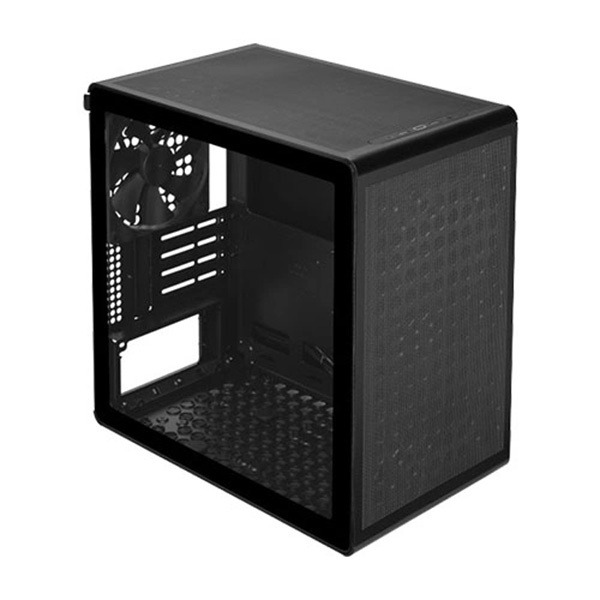
Build a compact yet capable PC with the Cooler Master Q300L V3. Featuring a high-airflow mesh design, tempered-glass side panel, flexible cooling support and a repositionable I/O panel, it brings practical flexibility to modern Micro-ATX and Mini-ITX builds.
Key Highlights
Compact Micro-ATX Design
Supports Micro-ATX and Mini-ITX motherboards in a compact mini-tower chassis.
High-Airflow Mesh Construction
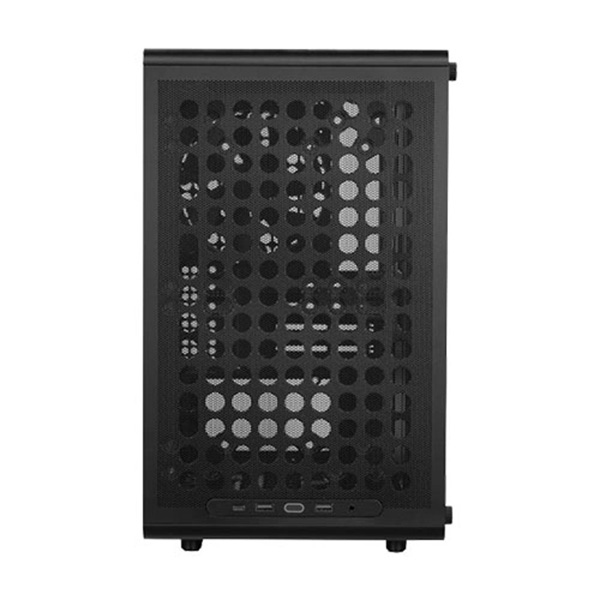
Mesh ventilation and multiple fan mounting locations help maintain airflow throughout the system.
Tempered-Glass Side Panel
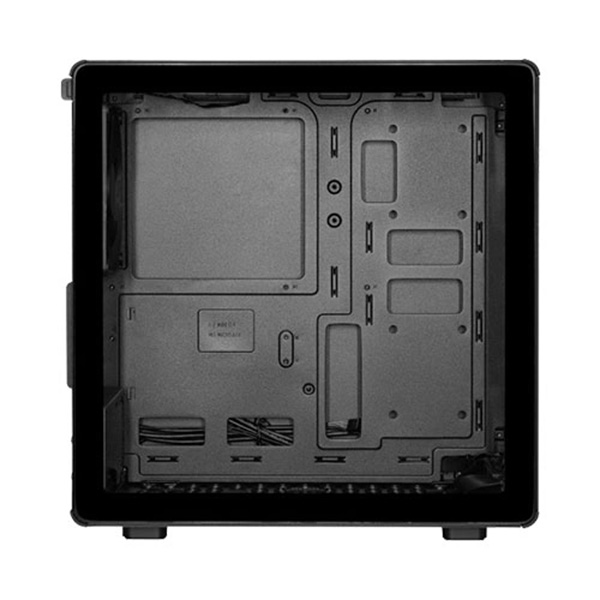
Showcase your components and internal build through the tempered-glass side panel.
Flexible Cooling Support
Supports multiple 120mm and 140mm fans, along with radiators up to 240mm at the top and front.
Compact PC Building with Flexible Cooling and Hardware Support
The Cooler Master Q300L V3 Black is a compact mini-tower PC case designed for users who want a space-conscious system without giving up essential hardware compatibility. Supporting both Micro-ATX and Mini-ITX motherboards, it provides a flexible foundation for gaming PCs, home workstations and everyday desktop systems.
Its combination of SGCC steel, tempered glass and mesh construction brings together structural durability, component visibility and ventilation. The high-airflow design is complemented by mounting locations for multiple case fans, helping builders configure cooling according to their hardware and workload requirements.
The Q300L V3 offers up to 366mm of graphics card clearance when a front fan is not installed, along with up to 178mm of CPU cooler clearance. It also supports ATX power supplies and offers top and front radiator mounting options of up to 240mm, making it suitable for a range of compact performance-oriented builds.
With a repositionable I/O panel, USB Type-C connectivity and support for vertical or horizontal placement, the Q300L V3 offers practical flexibility for different desk setups and system configurations.
Features and Technologies
High-Airflow Mesh Design
The mesh ventilation design supports airflow through the chassis. Combined with multiple fan mounting points, it allows builders to configure cooling for their selected components.
Tempered-Glass Side Panel
The tempered-glass side panel provides a clear view of the internal components, making it suitable for builds where component presentation matters.
Flexible Fan Mounting
Fan mounting support across the front, top, rear and bottom gives builders flexibility when planning airflow for their system.
240mm Liquid Cooling Support
The top and front radiator mounts support up to 240mm radiators, with a 120mm radiator option at the rear.
Repositionable I/O Panel
The adjustable I/O panel can be repositioned to suit different case orientations and desk arrangements, keeping connections accessible.
USB Type-C Connectivity
The front I/O includes a USB 3.2 Gen 2x2 Type-C port alongside two USB 3.2 Gen 1 Type-A ports and a 3.5mm audio/microphone combo jack.
Long Graphics Card Clearance
With up to 366mm of graphics card clearance when no front fan is installed, the chassis can accommodate many full-length graphics cards. Check the dimensions of the selected GPU and cooling setup.
Vertical and Horizontal Placement
The chassis design supports vertical or horizontal orientation, giving users additional flexibility when arranging their desktop space.
Small Footprint, Flexible Performance Builds
The Cooler Master Q300L V3 combines Micro-ATX and Mini-ITX motherboard support with generous component clearance for its compact form factor. Support for graphics cards up to 366mm, CPU coolers up to 178mm and radiators up to 240mm gives builders room to plan capable gaming and productivity systems. Actual component compatibility depends on the dimensions of the graphics card, power supply, fans and radiator installed together.
Technical Specifications
Product and Design Specifications
Cooler Master Q300L V3
Q300LV3-KGNN-S00
QUBE Series
Lite Version
Black
Mini Tower
SGCC Steel + Tempered Glass / Mesh
386.1 × 230 × 388.5mm (L × W × H)
374 × 230 × 374mm (L × W × H)
34.5L
32.17L
Motherboard and Component Compatibility
Mini-ITX, Micro-ATX
4
178mm
366mm (without front fan installed)
ATX
200mm (without bottom fan installed); 140mm (with bottom fan installed)
30mm behind motherboard tray
Drive Bays and Storage
Not Available
1
1
2 (maximum 4)
Cooling and Fan Support
2 × 120mm / 2 × 140mm
2 × 120mm / 2 × 140mm
1 × 120mm / 1 × 140mm
1 × 120mm / 1 × 140mm
1 × 140mm non-ARGB Black (Rear)
120mm / 240mm
120mm / 240mm
120mm
Not Available
Not Available
Front I/O and Additional Features
2 × USB 3.2 Gen 1
1 × USB 3.2 Gen 2x2
1 × 3.5mm Mic / Audio Combo Jack
Top / Front / Bottom
Adjustable / Repositionable
Vertical / Horizontal
Not specified for this version
2 Years (manufacturer-listed)
Specifications are based on Cooler Master's official QUBE 340 / Q300L V3 product listing. Component clearance can vary depending on the combination of fans, radiator and power supply installed. The listed 366mm graphics card clearance is specified without a front fan installed.
Ideal Use Cases
Compact Gaming PCs
Build a space-efficient gaming desktop with a compatible Micro-ATX motherboard, full-length graphics card and suitable cooling configuration.
Home and Office Desktops
Create a compact everyday desktop for productivity, browsing, office applications and general computing.
Entry-Level Workstations
Configure a compact workstation for compatible professional applications, development tasks and multitasking workloads.
Space-Conscious Setups
Its compact footprint and vertical or horizontal placement options make it suitable for different desk and workspace arrangements.
Before You Buy / Install
- Confirm that your motherboard is Micro-ATX or Mini-ITX. ATX motherboards are not listed as supported.
- Check the graphics card length carefully. The maximum listed clearance is 366mm without a front fan installed; installing a front fan can reduce the available space.
- Verify CPU cooler height does not exceed 178mm.
- Check PSU length against the available clearance: up to 200mm without a bottom fan installed or 140mm with a bottom fan installed.
- Plan radiator and fan placement before installation. The top and front support radiators up to 240mm, while the rear supports a 120mm radiator.
- The case includes one 140mm non-ARGB rear fan. Additional fans are sold separately.
- Check that your motherboard has the required internal USB headers for the front USB Type-A and Type-C ports.
- Confirm the required cable lengths and connector compatibility when choosing a motherboard, PSU and cooling components.
Frequently Asked Questions
Which motherboard sizes are supported by the Cooler Master Q300L V3?
The Q300L V3 supports Micro-ATX and Mini-ITX motherboards.
What is the maximum graphics card length supported?
It supports graphics cards up to 366mm in length when a front fan is not installed. Check the actual available clearance for your chosen cooling configuration.
Does the Q300L V3 support liquid cooling?
Yes. It supports 120mm and 240mm radiators at the front and top, along with a 120mm radiator at the rear.
How many fans are included with this case?
The manufacturer lists one pre-installed 140mm non-ARGB black fan at the rear. Additional fans can be installed separately.
Does the Cooler Master Q300L V3 have a USB Type-C port?
Yes. Its front I/O panel includes one USB 3.2 Gen 2x2 Type-C port, two USB 3.2 Gen 1 Type-A ports and a 3.5mm microphone/audio combo jack.
What is the maximum CPU cooler height?
The maximum supported CPU cooler height is 178mm.
Can the case use a standard ATX power supply?
Yes. The Q300L V3 supports ATX power supplies. The available PSU length is up to 200mm without a bottom fan installed and 140mm with a bottom fan installed.
Can the Q300L V3 be placed horizontally?
Yes. The manufacturer lists support for both vertical and horizontal placement, offering flexibility for different workspace arrangements.
Build Your PC with Confidence
Pair your Cooler Master Q300L V3 with compatible processors, motherboards, graphics cards and cooling components to create a compact, capable desktop PC. Explore PC components at Clarion Computers and plan your next build.