
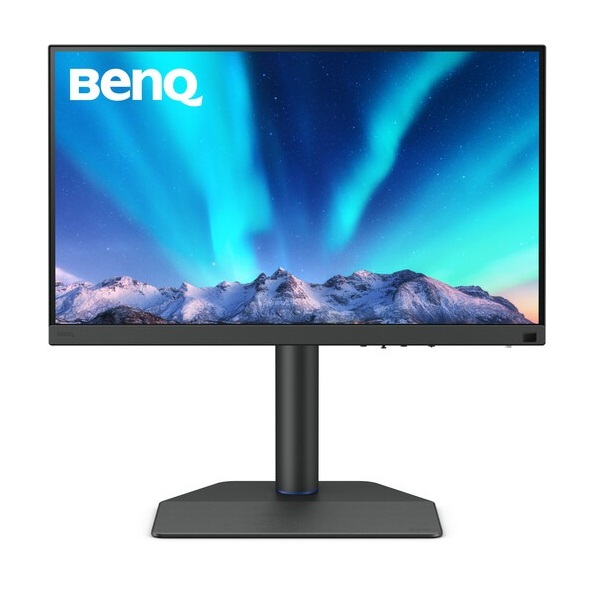
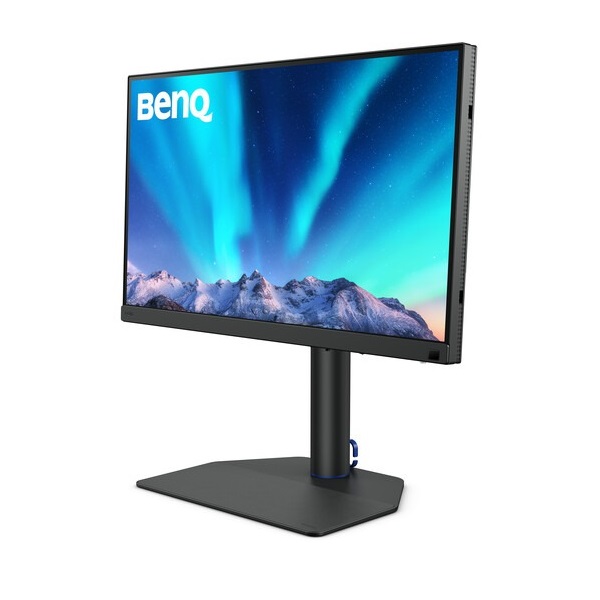
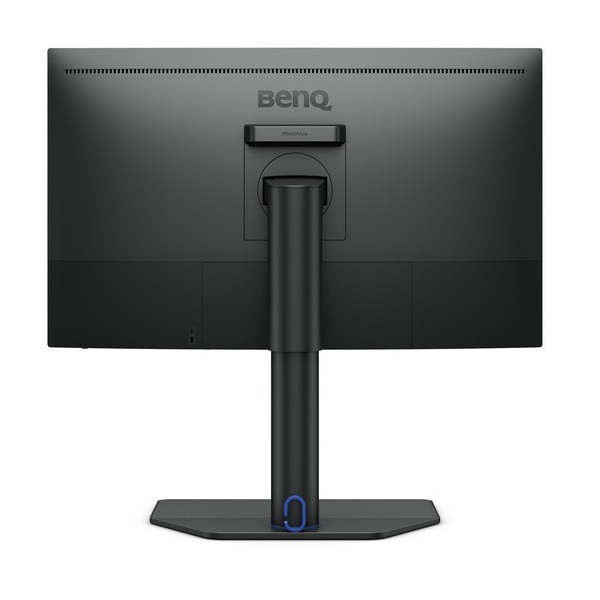


BenQ PhotoVue Professional Monitor
BenQ SW272Q 27-inch QHD Adobe RGB Photographer Monitor
Bring precision to your photography and creative workflow with the BenQ SW272Q. This 27-inch QHD monitor combines a Nano Matte panel, wide Adobe RGB and P3 colour coverage, hardware calibration, and USB-C connectivity with up to 90W power delivery for a professional photo-editing workstation.
Key Highlights of BenQ SW272Q
QHD IPS Display
2560 × 1440 resolution provides a detailed workspace for photography, retouching and design.
Wide Colour Gamut
99% Adobe RGB and 98% P3 coverage support colour-critical creative work.
Precision Calibration
Average Delta E ≤ 1.5, hardware calibration and a 16-bit 3D LUT support accurate colour reproduction.
USB-C Convenience
Transfer video and data while supplying up to 90W of power to a compatible laptop through one cable.
Product Overview
The BenQ SW272Q is a professional 27-inch monitor from BenQ's PhotoVue range, designed for photographers, retouchers and creative professionals who require reliable colour reproduction. Its QHD resolution provides room for detailed images and editing tools, while its wide colour gamut supports work across photography and digital content creation.
With hardware calibration, a 16-bit 3D LUT, multiple colour modes and Paper Color Sync, the SW272Q helps creative users maintain a consistent colour workflow. The Nano Matte panel and included shading hood are designed to help manage reflections and distracting ambient light during image editing.
27-inch QHD IPS Display
The 2560 × 1440 QHD resolution delivers detailed images and crisp text across a 16:9 screen. With approximately 109 pixels per inch, the display provides a practical balance between workspace and image detail for photography, graphic design and general professional use.
- 27-inch IPS panel with LED backlight
- 2560 × 1440 QHD resolution
- 16:9 aspect ratio
- 60Hz refresh rate
- 5ms GtG response time
- 300 nits typical brightness
- 1000:1 native contrast ratio
- 178° horizontal and vertical viewing angles
- HDR10 support
- 1.07 billion display colours
- 109 PPI pixel density
Professional Colour Accuracy
The SW272Q is designed for colour-conscious creative workflows, with broad coverage of commonly used professional colour spaces. Its factory calibration report and low average Delta E rating support colour consistency from the start, while hardware calibration allows users to maintain colour performance over time with compatible equipment and software.
- 99% Adobe RGB colour gamut
- 98% P3 colour gamut
- 100% sRGB and 100% Rec.709 coverage
- Average Delta E ≤ 1.5
- 16-bit 3D LUT
- Hardware calibration support
- Factory calibration report
- Calman Verified and Calman Ready
- Pantone Validated and Pantone SkinTone Validated
- Uniformity Technology
- GamutDuo for side-by-side colour-space comparison
Supported colour modes include Adobe RGB, DCI-P3, Display P3, Rec.709, sRGB, HDR, M-Book, Black & White, Paper Color Sync, DICOM, Custom and Calibration 1, 2 and 3. The available modes make it easier to select the appropriate display settings for different creative tasks.
Nano Matte Panel and Shading Hood
The Nano Matte panel is designed to reduce distracting reflections and help maintain a comfortable viewing experience in varied lighting environments. BenQ lists TÜV anti-reflection certification for the panel.
The included shading hood helps limit stray ambient light reaching the screen, making it useful for photographers and editors working in controlled colour-review environments. Check the included accessories and hood configuration against the regional product package when purchasing.
USB-C Connectivity with 90W Power Delivery
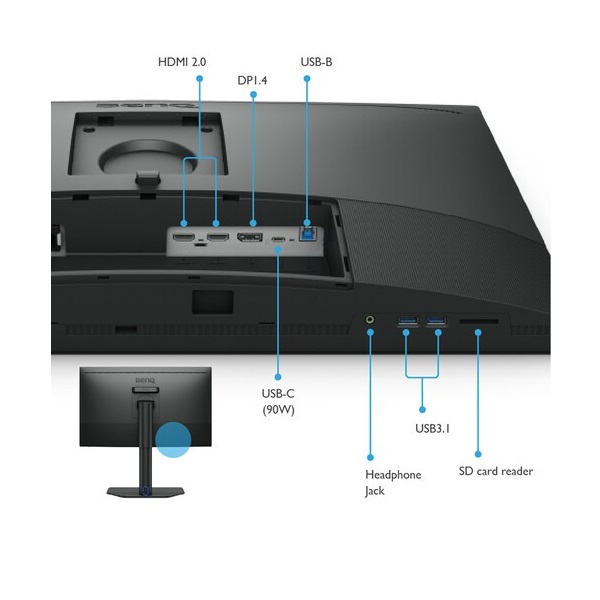
The SW272Q supports an all-in-one USB-C connection for compatible laptops, carrying display signals and data while delivering up to 90W of power. It also includes HDMI, DisplayPort and USB connectivity for a flexible desktop setup.
- 2 × HDMI 2.0
- 1 × DisplayPort 1.4
- 1 × USB-C with DisplayPort Alt Mode, data and up to 90W power delivery
- 1 × USB Type-B upstream
- 2 × USB downstream ports
- SD/SDHC/SDXC/MMC card reader
- 3.5mm headphone jack
The integrated USB hub and card reader help simplify workflows involving compatible peripherals and memory cards. USB-C power delivery depends on the connected device and cable compatibility.
Hardware Calibration and Creative Software
For users who need repeatable colour results, the SW272Q supports hardware calibration and BenQ's Palette Master Ultimate software. These tools can help maintain a monitor's colour performance when used with compatible calibration equipment and supported workflows.
- Hardware calibration: adjust the monitor's colour response using compatible calibration equipment.
- 16-bit 3D LUT: supports precise internal colour processing.
- Paper Color Sync: helps simulate the appearance of printed output with supported printer and paper combinations.
- GamutDuo: compare colour spaces side by side using supported modes.
- ICCsync: helps coordinate compatible colour profiles and monitor settings.
- KVM switch: allows compatible connected computers to share a keyboard and mouse setup.
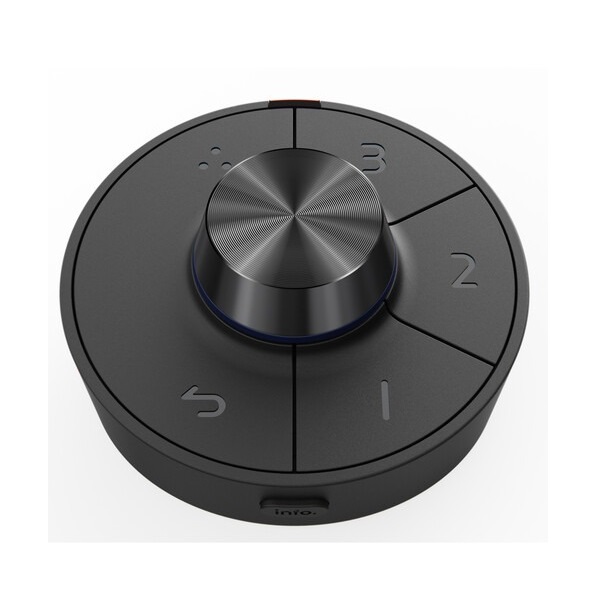
- Hotkey Puck: offers convenient access to frequently used monitor settings and colour modes.
Ergonomic Design
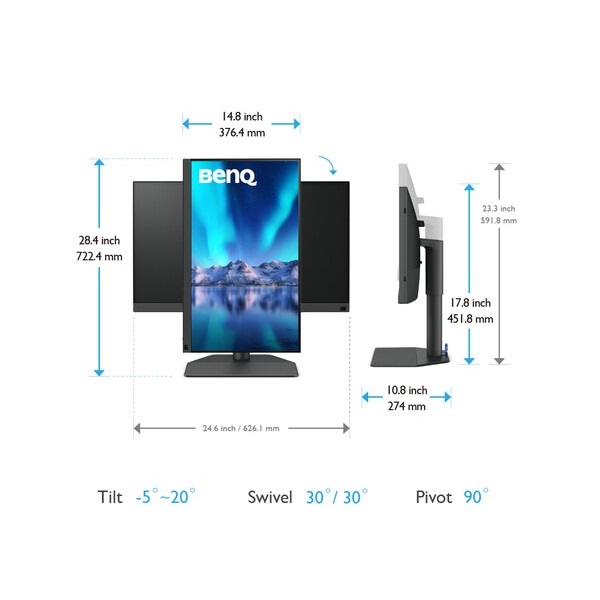
The adjustable stand makes it easier to position the display for a comfortable working posture. Pivot support is useful for portrait-oriented photography, long documents and vertical layouts.
- Height adjustment: 140mm
- Tilt: -5° to +20°
- Swivel: 30° left and 30° right
- Pivot: 90°
- VESA mounting: 100 × 100mm
- Built-in power supply
- 100–240V input voltage
Technical Specifications
| Display | |
|---|---|
| Model | BenQ SW272Q |
| Product Series | PhotoVue Photographer Monitor |
| Screen Size | 27 inches |
| Panel Type | IPS, LED backlight |
| Resolution | 2560 × 1440 (QHD) |
| Aspect Ratio | 16:9 |
| Refresh Rate | 60Hz |
| Response Time | 5ms GtG |
| Brightness | 300 nits typical |
| Native Contrast | 1000:1 |
| Viewing Angles | 178° / 178° |
| HDR | HDR10 |
| Display Colours | 1.07 billion |
| Pixel Density | 109 PPI |
| Screen Coating | Nano Matte |
| HDCP | 2.2 |
| Colour and Professional Features | |
| Adobe RGB | 99% |
| P3 Colour Gamut | 98% |
| sRGB / Rec.709 | 100% / 100% |
| Colour Accuracy | Average Delta E ≤ 1.5 |
| 3D LUT | 16-bit |
| Hardware Calibration | Supported |
| Colour Certifications | Calman Verified, Calman Ready, Pantone Validated, Pantone SkinTone Validated |
| Professional Features | GamutDuo, KVM, Uniformity Technology, Paper Color Sync, ICCsync, Hotkey Puck |
| Connectivity | |
| HDMI | 2 × HDMI 2.0 |
| DisplayPort | 1 × DisplayPort 1.4 |
| USB-C | 1 × USB-C with DisplayPort Alt Mode, data and up to 90W power delivery |
| USB Type-B Upstream | 1 |
| USB Downstream | 2 × USB 3.1 |
| Card Reader | SD / SDHC / SDXC / MMC |
| Audio | Headphone jack |
| Ergonomics, Power and Dimensions | |
| Height Adjustment | 140mm |
| Tilt | -5° to +20° |
| Swivel | 30° left / 30° right |
| Pivot | 90° |
| VESA Mount | 100 × 100mm |
| Dimensions with Stand | 451.8–591.8 × 613.9 × 274mm (H × W × D) |
| Dimensions without Base, with Hood | 386.3 × 626.1 × 270.6mm (H × W × D) |
| Dimensions with Hood | 626.1 × 463.2–603.2 × 364.8mm (W × H × D) |
| Net Weight | 8.3kg |
| Weight without Base | 4.92kg |
| Weight with Shading Hood | 9.4kg |
| Power Supply | Built-in, 100–240V |
| Normal Power Consumption | 25W |
| Maximum Power Consumption | 160W |
| Sleep Power Consumption | 0.3W |
Ideal Uses for BenQ SW272Q
- Photography and retouching: edit high-resolution photographs with broad Adobe RGB coverage and colour calibration options.
- Graphic design: work with colour-sensitive layouts, illustrations and digital assets.
- Print preparation: use Paper Color Sync with supported printer and paper combinations to help preview print appearance.
- Video and digital content: use P3, Rec.709 and other supported modes for colour-conscious media workflows.
- Mac and laptop workstations: connect a compatible laptop through USB-C for video, data and power.
- Professional studios: use hardware calibration, a shading hood and the integrated card reader in a photography or design setup.
Things to Know Before Buying
- The native refresh rate is 60Hz, prioritising creative and productivity workflows rather than high-refresh gaming.
- The resolution is QHD (2560 × 1440), not 4K UHD.
- Hardware calibration requires compatible calibration equipment and software.
- USB-C power delivery of up to 90W depends on compatible devices and cables.
- HDR10 support does not by itself guarantee the brightness or HDR performance of higher-tier HDR displays.
- Included cables and accessory versions may vary by region; confirm the package with the seller.
Frequently Asked Questions
Is the BenQ SW272Q a 4K monitor?
No. The SW272Q is a 27-inch QHD monitor with a resolution of 2560 × 1440 pixels.
Is the SW272Q suitable for photo editing?
Yes. Its 99% Adobe RGB coverage, 98% P3 coverage, average Delta E ≤ 1.5, hardware calibration and Nano Matte panel make it well suited to colour-conscious photography workflows.
Does the monitor support USB-C charging?
Yes. Its USB-C port supports up to 90W power delivery for compatible laptops and devices.
Does the BenQ SW272Q include a shading hood?
Yes. BenQ lists a shading hood among the included accessories. Check the regional package for the exact hood configuration.
Can the monitor be hardware calibrated?
Yes. Hardware calibration is supported through compatible calibration equipment and BenQ's supported calibration software.
Does it include a card reader?
Yes. The monitor includes an SD, SDHC, SDXC and MMC-compatible card reader.
Build Your Next Gaming PC
Find the essential components for your next PC build with Clarion Computers. Explore quality components to create a setup that matches your performance goals and budget.