
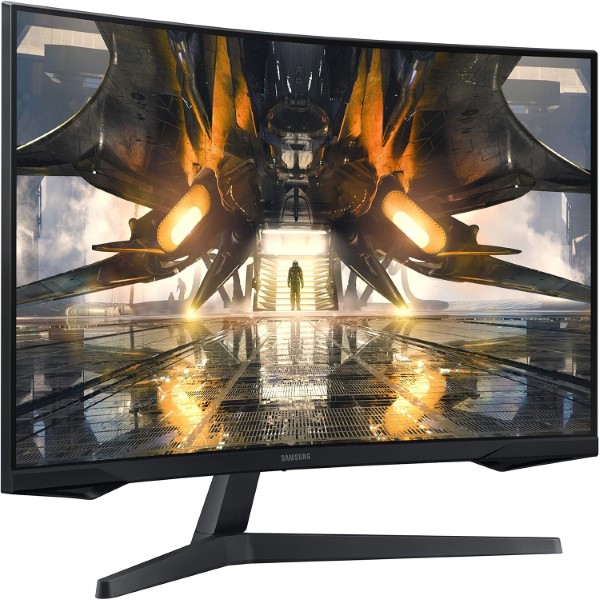
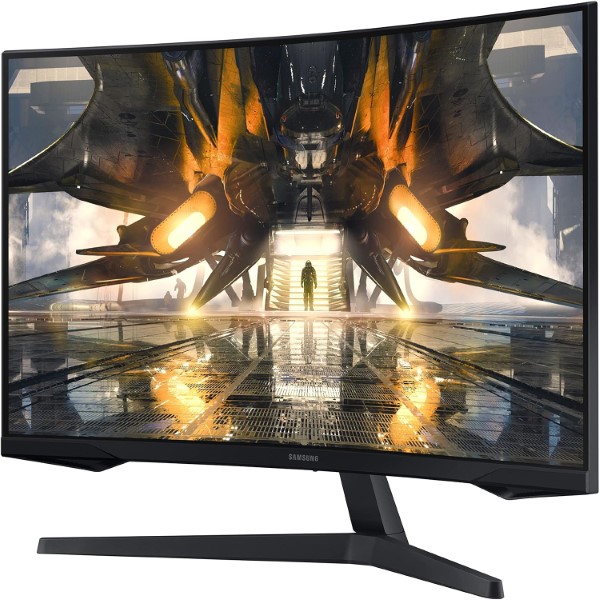

SAMSUNG ODYSSEY G5 GAMING MONITOR
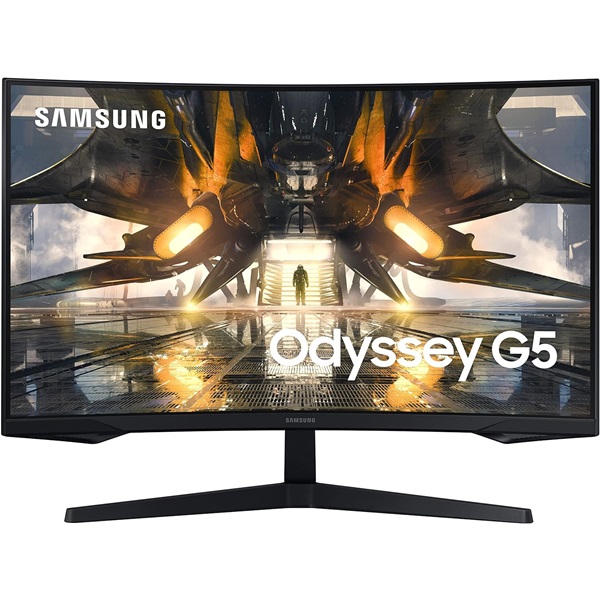
Samsung Odyssey G5 LS32CG550EWXXL 32-Inch QHD Curved Gaming Monitor
Experience immersive QHD gaming on a spacious 32-inch curved screen. The Odyssey G5 combines 1000R curvature, a 165Hz refresh rate, 1ms MPRT and AMD FreeSync for smooth, engaging gameplay.
Samsung Odyssey G5 LS32CG550EWXXL at a Glance
Introduction
The Samsung Odyssey G5 LS32CG550EWXXL 32-Inch QHD Curved Gaming Monitor is designed for gamers who want a large display, detailed visuals and responsive gameplay. Its QHD resolution of 2560 × 1440 delivers sharper detail than Full HD, while the 32-inch screen offers an expansive view for gaming, streaming and everyday desktop use.
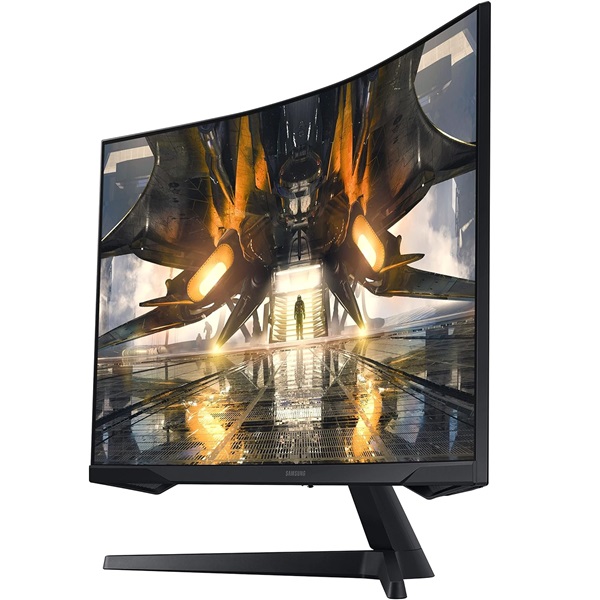
The monitor's 1000R curvature wraps the display around your field of view, creating an immersive viewing experience. Its VA panel provides a typical static contrast ratio of 2500:1, and the 165Hz maximum refresh rate enables smoother motion when paired with compatible hardware.
A 1ms MPRT response-time specification targets reduced perceived motion blur in supported settings. AMD FreeSync helps synchronise the monitor's refresh rate with compatible graphics hardware, while HDR10 allows compatible content to use HDR image information.
Additional features include Black Equalizer, Low Input Lag Mode, Virtual AIM Point, Refresh Rate Optimizer, Eye Saver Mode and Flicker Free technology. These features provide useful options for gaming and everyday viewing.
Key Features
32-Inch QHD Display
The 2560 × 1440 resolution delivers detailed images across a spacious 32-inch screen, making it suitable for compatible games, videos and multitasking.
165Hz Refresh Rate
A maximum refresh rate of 165Hz provides smoother motion and more frequent screen updates when your graphics hardware and connection support the selected settings.
Immersive 1000R Curvature
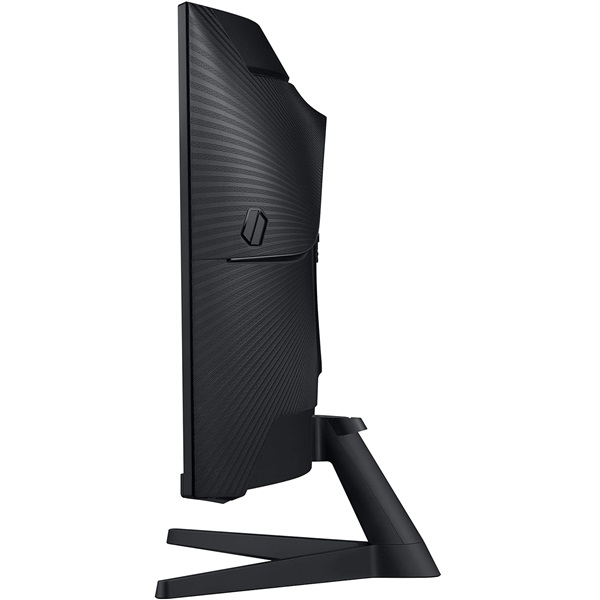
The pronounced 1000R curve brings the edges of the display closer into your field of view, creating an engaging experience for games and entertainment.
1ms MPRT Response Time
The 1ms MPRT specification is intended to minimise perceived motion blur in supported modes. Actual results depend on monitor settings and displayed content.
AMD FreeSync
FreeSync helps synchronise the monitor's refresh rate with compatible graphics hardware to reduce screen tearing and stuttering within supported operating ranges.
HDR10 Support
HDR10 compatibility lets supported games and video content use HDR image information. The visible effect depends on the content and the monitor's display capabilities.
Gaming and Eye-Care Technology
The Odyssey G5 combines its large curved QHD display and high refresh rate with gaming features designed to give users more control over their experience. Black Equalizer helps adjust visibility in dark game scenes, while Low Input Lag Mode is designed to reduce display processing delay.
Virtual AIM Point provides an on-screen aiming-point feature for supported gaming scenarios. Refresh Rate Optimizer and Super Arena Gaming UX add further gaming-oriented controls and picture options.
AMD FreeSync helps coordinate the display refresh rate with compatible graphics hardware. For the best results, confirm that your graphics card, cable and chosen resolution support the refresh rate you want to use.
Eye Saver Mode reduces blue-light output, while Flicker Free technology is designed to reduce screen flicker. These features may support viewing comfort during extended use, although individual experiences vary.
Technical Specifications
Specifications are based on Samsung India's published information for model LS32CG550EWXXL. Check the exact model number, included accessories, local availability and warranty terms with the seller before purchase.
Ideal Use Cases
PC Gaming
The QHD resolution, large curved display, 165Hz refresh rate and FreeSync support make this monitor suitable for compatible gaming PCs.
Fast-Paced Gameplay
The high refresh rate, 1ms MPRT specification and Low Input Lag Mode support responsive gameplay when configured with compatible hardware.
Movies and Entertainment
The 32-inch curved QHD screen provides an expansive viewing experience for compatible video, streaming and HDR10 content.
Home and Multitasking
The large display offers useful screen space for documents, browsing, study and multitasking. QHD resolution provides detailed desktop visuals.
Before You Buy
- Confirm that your graphics card supports QHD resolution at the refresh rate you intend to use.
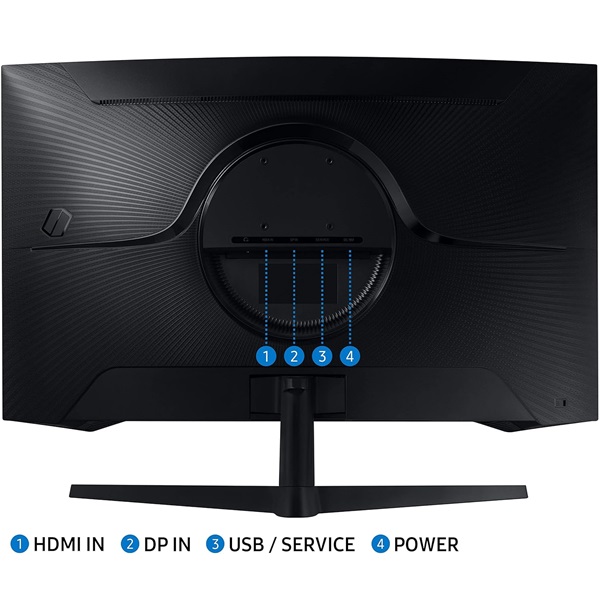
- This model has one HDMI input and one DisplayPort input. Check the connection and cable requirements for your computer or console.
- The advertised 1ms response time is MPRT, not a grey-to-grey response-time specification. Results vary with monitor settings.
- The 1000R curvature is pronounced. Consider your desk depth, viewing distance and preference for curved screens.
- The listed VESA mounting pattern is 75 × 75 mm. Confirm that your monitor arm or wall mount supports this pattern and the monitor's weight.
- Samsung lists a headphone output but does not list built-in speakers in the specifications. Plan for separate audio equipment if required.
- Check current stock, pricing, included accessories and local warranty coverage with Clarion Computers before ordering.
Frequently Asked Questions
What is the resolution of the Samsung Odyssey G5 LS32CG550EWXXL?
It features QHD resolution of 2560 × 1440 pixels with a 16:9 aspect ratio.
What is the maximum refresh rate?
The monitor supports a maximum refresh rate of 165Hz. The available refresh rate depends on the connected device, cable and selected settings.
Does this monitor support AMD FreeSync?
Yes. Samsung lists AMD FreeSync support to help reduce screen tearing and stuttering with compatible graphics hardware.
Does the Samsung Odyssey G5 have built-in speakers?
Built-in speakers are not listed in Samsung's specifications for this model. A headphone output is provided for compatible audio equipment.
What does the 1000R curve mean?
1000R describes the screen's curvature radius. It indicates a pronounced curve designed to wrap the display more closely around the viewer's field of view.
Can I mount the monitor on a monitor arm?
Yes, provided the monitor arm supports the 75 × 75 mm VESA mounting pattern and is rated for the monitor's weight.
Does it support HDR?
Yes. The monitor supports HDR10-compatible content. The visible HDR effect depends on the source content and the display's capabilities.
Which ports are available?
Samsung lists one HDMI 2.0 input, one DisplayPort 1.2 input and a headphone output.
Build Your Next Gaming PC
Find compatible power supplies, graphics cards and motherboards for your next PC build at Clarion Computers.