
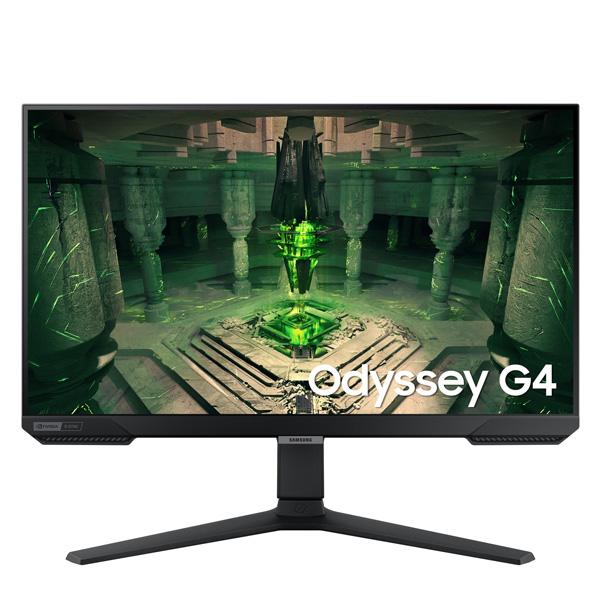
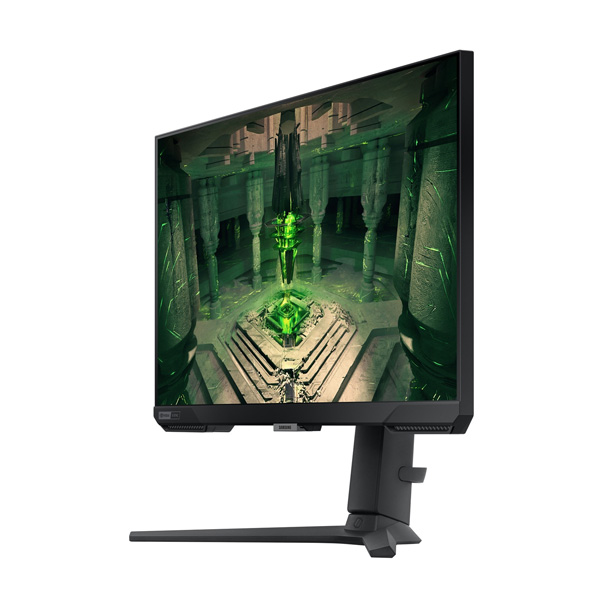

Samsung Odyssey G4
Samsung LS25BG400EWXXL 25-Inch 240Hz Gaming Monitor
Enjoy fast-paced gaming with a 240Hz IPS display, 1ms response time, Full HD clarity and an ergonomic stand designed for comfortable play.
25-Inch
Full HD IPS Display
240Hz
Refresh Rate
1ms
GTG Response Time
99% sRGB
Colour Coverage
Product Overview
The Samsung Odyssey G4 LS25BG400EWXXL is a 25-inch Full HD gaming monitor designed for smooth, responsive gameplay. Its IPS panel combines a 1920 × 1080 resolution with a 240Hz refresh rate and 1ms GTG response time, helping deliver clear motion during fast-paced gaming. HDR10 support and 99% sRGB coverage add colour and contrast to compatible content.
AMD FreeSync Premium and NVIDIA G-Sync Compatible support help synchronise the display with compatible graphics hardware to reduce screen tearing and stuttering. The black monitor also features an ergonomic stand with height, tilt, swivel and pivot adjustments, allowing you to position the screen for your gaming setup.
25-Inch Full HD IPS Display
The flat IPS panel provides a Full HD resolution of 1920 × 1080 and wide viewing angles. Its 16:9 aspect ratio is suited to everyday gaming, entertainment and general desktop use, while the 99% sRGB coverage supports vivid colours in compatible content.
- 25-inch class display: A compact screen size for dedicated gaming setups.
- Full HD resolution: 1920 × 1080 pixels.
- IPS panel: Consistent viewing from different angles.
- 178° viewing angles: Wide horizontal and vertical viewing angles.
- HDR10: Supports compatible high-dynamic-range content.
- 99% sRGB: Broad sRGB colour coverage.
- 400 cd/m² typical brightness: Designed for clear viewing in suitable lighting conditions.
- 1,000:1 typical static contrast ratio: Helps distinguish light and dark areas.
240Hz Gaming Performance
With a maximum refresh rate of 240Hz, the Odyssey G4 can display up to 240 frames per second when the connected system and content support it. Its 1ms GTG response-time rating helps pixels transition quickly, making the monitor suitable for competitive shooters, racing games and other fast-moving titles.
- 240Hz refresh rate: Smooth motion with compatible hardware.
- 1ms GTG response time: Fast pixel transitions under Samsung's specified test conditions.
- Low Input Lag Mode: A gaming setting designed to improve responsiveness.
- Black Equalizer: Adjusts visibility in darker game scenes.
- Virtual Aim Point: On-screen aiming assistance.
- Refresh Rate Optimizer: Gaming display setting for supported use.
- Super Arena Gaming UX: Samsung gaming interface features.
- Ultrawide Game View: Offers a wider 21:9 viewing mode where supported; the physical panel remains 16:9.
AMD FreeSync Premium and G-Sync Compatibility
Adaptive synchronisation helps coordinate the monitor's refresh rate with compatible graphics hardware. AMD FreeSync Premium and NVIDIA G-Sync Compatible support can help reduce screen tearing and stutter, providing smoother gameplay when the feature is enabled and supported by the connected system.
- AMD FreeSync Premium: Adaptive sync support for compatible AMD graphics hardware.
- NVIDIA G-Sync Compatible: Supports compatible NVIDIA graphics hardware.
- Auto Source Switch+: Automatically switches to a newly activated input source.
- Adaptive Picture: Adjusts picture settings for supported viewing conditions.
Eye Care and Viewing Features
The Odyssey G4 includes viewing and energy-saving features designed to make everyday monitor use more convenient. Eye Saver Mode helps reduce blue-light exposure, while Flicker Free technology is designed to reduce visible screen flicker.
- Eye Saver Mode: A viewing mode designed to reduce eye strain.
- Flicker Free: Samsung flicker-reduction technology.
- Eco Saving Plus: Energy-saving picture settings.
- Eco Light Sensor: Ambient-light sensing for supported brightness adjustments.
- Off Timer Plus: Configurable automatic shut-off functionality.
- Windows certification: Samsung lists Windows 10 certification for this model.
Connectivity and Compatibility
The monitor provides three video inputs, allowing you to connect compatible gaming PCs, consoles and other supported devices. DisplayPort 1.2 and HDMI 2.0 support high-refresh Full HD gaming when the connected device, cable and display settings are compatible.
- 1 × DisplayPort 1.2
- 2 × HDMI 2.0
- Headphone output: Connect compatible headphones or audio equipment.
- No USB-C: USB-C connectivity is not provided.
- No built-in speakers: Use headphones or an external audio solution.
- HDCP 2.2: Listed for HDMI connectivity.
Ergonomic Stand and Black Design
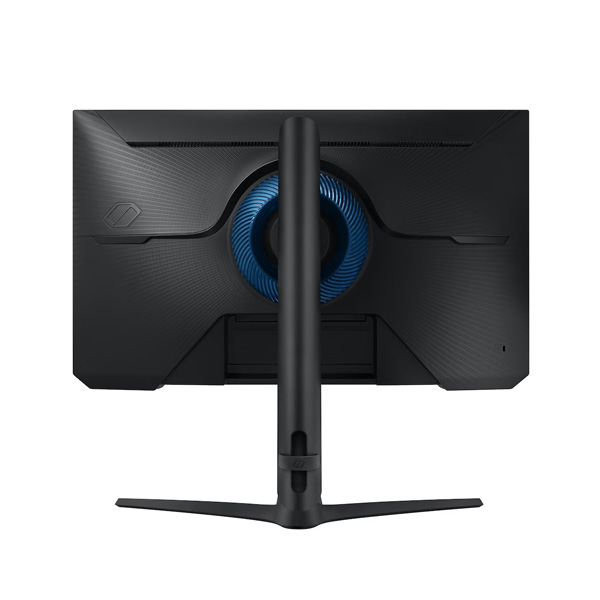
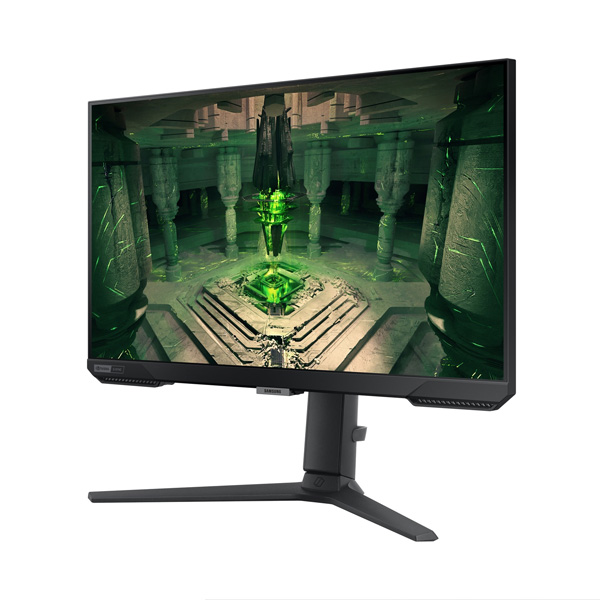
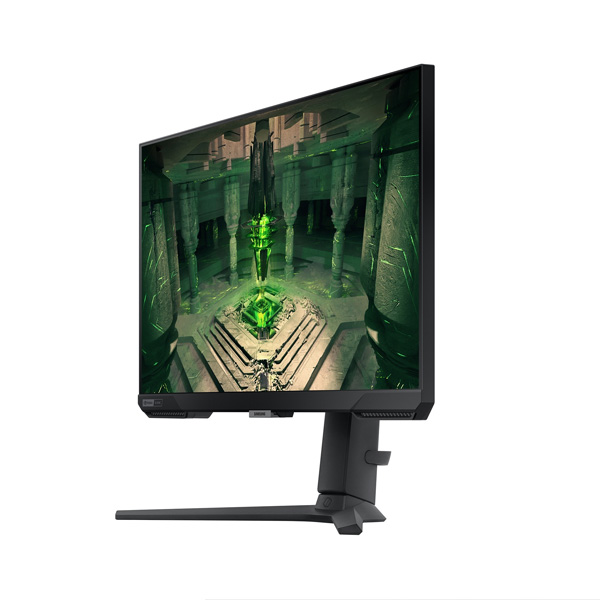
The Odyssey G4 features a black finish and a height-adjustable stand designed to support a more comfortable gaming position. You can adjust the screen height, tilt, swivel and pivot to suit your desk arrangement and viewing preference.
- Front, rear and stand colour: Black.
- Stand type: Height Adjustable Stand (HAS) with pivot.
- Height adjustment: 12cm ± 0.5cm.
- Tilt: Approximately -3° to +22°.
- Swivel: Approximately -15° to +15°.
- Pivot: Approximately -92° to +92°.
- VESA mounting: 100 × 100mm.
Samsung LS25BG400EWXXL Specifications
| Brand | Samsung |
| Series | Odyssey G4 G40B |
| Model | LS25BG400EWXXL |
| Screen Size | 25-inch class (62.2cm) |
| Panel Type | IPS |
| Screen Shape | Flat |
| Aspect Ratio | 16:9 |
| Resolution | Full HD, 1920 × 1080 |
| Refresh Rate | Up to 240Hz |
| Response Time | 1ms GTG |
| Brightness | 400 cd/m² typical; 320 cd/m² minimum |
| Static Contrast Ratio | 1,000:1 typical |
| HDR | HDR10 |
| Viewing Angle | 178° horizontal / 178° vertical |
| Colour Support | Maximum 16.7 million colours |
| sRGB Coverage | 99% |
| Adaptive Sync | AMD FreeSync Premium; NVIDIA G-Sync Compatible |
| DisplayPort | 1 × DisplayPort 1.2 |
| HDMI | 2 × HDMI 2.0 |
| HDCP | HDCP 2.2 over HDMI |
| Headphone Output | Yes |
| Built-in Speakers | No |
| USB-C | No |
| Stand | Height adjustable with pivot, tilt and swivel |
| VESA Mount | 100 × 100mm |
| Dimensions with Stand (W × H × D) | 55.85 × 55.29 × 24.48cm |
| Dimensions without Stand (W × H × D) | 55.85 × 34.11 × 8.54cm |
| Package Dimensions (W × H × D) | 62.80 × 16.30 × 42.90cm |
| Weight with Stand | 4.5kg |
| Weight without Stand | 2.8kg |
| Package Weight | 6.0kg |
| Maximum Power Consumption | 35W |
| Power Supply | AC 100–240V, external adapter |
| Power Cable Length | 1.5m |
| In-Box HDMI Cable | Yes |
| Country of Origin | Vietnam |
Who Should Choose the Samsung Odyssey G4?
- Competitive gamers: The 240Hz refresh rate and fast response time suit fast-paced gaming.
- FPS players: Black Equalizer, Virtual Aim Point and low-input-lag settings offer useful gaming options.
- Gaming PC builders: DisplayPort and dual HDMI inputs support compatible PC and console setups.
- Space-conscious setups: The 25-inch screen offers a dedicated gaming display without requiring a very large desk footprint.
Things to Know Before Buying
- A compatible graphics card and connection are required to use the full 240Hz refresh rate.
- The monitor is Full HD rather than QHD or 4K, so choose a higher-resolution model if pixel density is your main priority.
- The 1ms GTG rating is based on Samsung's stated test conditions and may depend on the selected response-time setting.
- There are no built-in speakers or USB-C ports. Plan for external audio if required.
- Check the desk clearance needed for the stand's height, swivel and pivot adjustments before purchasing.
Frequently Asked Questions
What is the resolution of the Samsung LS25BG400EWXXL?
It features Full HD resolution of 1920 × 1080 pixels with a 16:9 aspect ratio.
What is the maximum refresh rate?
The monitor supports a refresh rate of up to 240Hz.
Does it support AMD FreeSync and NVIDIA G-Sync?
Yes. It supports AMD FreeSync Premium and is listed as NVIDIA G-Sync Compatible.
Does the monitor have built-in speakers?
No. It includes a headphone output, but built-in speakers are not provided.
Can the stand be adjusted?
Yes. The stand supports height adjustment, tilt, swivel and pivot positioning.
Can it be wall-mounted?
Yes. It supports a 100 × 100mm VESA mount. Confirm that your mounting hardware is compatible with the monitor's weight and mounting pattern.
Build Your Next Gaming PC
Find the essential components for your next PC build with Clarion Computers. Explore quality components to create a setup that matches your performance goals and budget.