

<div style="font-family:Arial,Helvetica,sans-serif; margin:30px 0; color:#222;">
<div style="border:1px solid #e5e7eb; border-radius:12px; overflow:hidden;">
<div style="background:linear-gradient(135deg,#111827,#1f2937); padding:18px 22px; border-radius:12px 12px 0 0; color:#fff;">
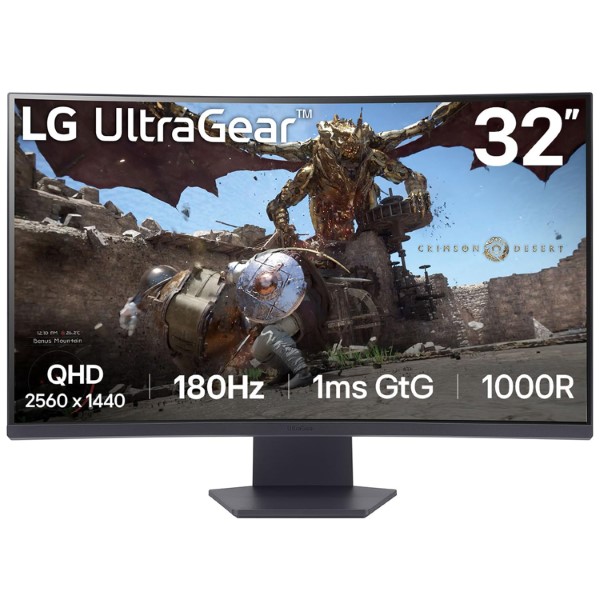
<h2 style="margin:0; font-size:24px; line-height:1.4;">LG UltraGear 32GS60QC-B 31.5-Inch Curved QHD Gaming Monitor</h2>
<p style="margin:6px 0 0; font-size:14px; line-height:1.6; color:#e5e7eb;">31.5-Inch QHD VA Display | 180Hz Refresh Rate | 1ms GtG | 1000R Curvature | HDR10 | AMD FreeSync</p>
</div>
<div style="padding:20px 22px;">
<h3 style="margin:0 0 12px; font-size:19px; color:#111827;">Technical Specifications</h3>
<table style="width:100%; border-collapse:collapse; font-size:14px; line-height:1.6;">
<tbody>
<tr style="background:#f3f4f6;"><td style="width:38%; padding:10px;"><strong>Brand</strong></td><td style="padding:10px;">LG</td></tr>
<tr style="background:#ffffff;"><td style="padding:10px;"><strong>Series</strong></td><td style="padding:10px;">UltraGear</td></tr>
<tr style="background:#f9fafb;"><td style="padding:10px;"><strong>Model</strong></td><td style="padding:10px;">32GS60QC-B</td></tr>
<tr style="background:#ffffff;"><td style="padding:10px;"><strong>Screen Size</strong></td><td style="padding:10px;">31.5 Inches (80 cm)</td></tr>
<tr style="background:#f3f4f6;"><td style="padding:10px;"><strong>Panel Type</strong></td><td style="padding:10px;">VA (Vertical Alignment)</td></tr>
<tr style="background:#ffffff;"><td style="padding:10px;"><strong>Screen Shape</strong></td><td style="padding:10px;">Curved, 1000R</td></tr>
<tr style="background:#f9fafb;"><td style="padding:10px;"><strong>Resolution</strong></td><td style="padding:10px;">2560 × 1440 (QHD)</td></tr>
<tr style="background:#ffffff;"><td style="padding:10px;"><strong>Aspect Ratio</strong></td><td style="padding:10px;">16:9</td></tr>
<tr style="background:#f3f4f6;"><td style="padding:10px;"><strong>Refresh Rate</strong></td><td style="padding:10px;">180Hz (Maximum)</td></tr>
<tr style="background:#ffffff;"><td style="padding:10px;"><strong>Response Time</strong></td><td style="padding:10px;">1ms GtG (Faster mode)</td></tr>
<tr style="background:#f9fafb;"><td style="padding:10px;"><strong>Brightness</strong></td><td style="padding:10px;">300 cd/m² (Typical)</td></tr>
<tr style="background:#ffffff;"><td style="padding:10px;"><strong>Contrast Ratio</strong></td><td style="padding:10px;">3000:1 (Typical)</td></tr>
<tr style="background:#f3f4f6;"><td style="padding:10px;"><strong>Color Gamut</strong></td><td style="padding:10px;">sRGB 99% (Typical, CIE1931)</td></tr>
<tr style="background:#ffffff;"><td style="padding:10px;"><strong>Color Depth</strong></td><td style="padding:10px;">16.7 Million Colors; 8-bit (6-bit + FRC)</td></tr>
<tr style="background:#f9fafb;"><td style="padding:10px;"><strong>Viewing Angle</strong></td><td style="padding:10px;">178° Horizontal / 178° Vertical</td></tr>
<tr style="background:#ffffff;"><td style="padding:10px;"><strong>HDR Support</strong></td><td style="padding:10px;">HDR10, HDR Effect</td></tr>
<tr style="background:#f3f4f6;"><td style="padding:10px;"><strong>Adaptive Sync</strong></td><td style="padding:10px;">AMD FreeSync and VESA AdaptiveSync</td></tr>
</tbody>
</table>
<h3 style="margin:24px 0 12px; font-size:19px; color:#111827;">Features & Technology</h3>
<table style="width:100%; border-collapse:collapse; font-size:14px; line-height:1.6;">
<tbody>
<tr style="background:#f3f4f6;"><td style="width:38%; padding:10px;"><strong>180Hz Refresh Rate</strong></td><td style="padding:10px;">Delivers smooth motion and responsive gameplay for fast-paced gaming.</td></tr>
<tr style="background:#ffffff;"><td style="padding:10px;"><strong>1ms GtG Response Time</strong></td><td style="padding:10px;">Helps reduce motion blur when Faster response-time mode is selected.</td></tr>
<tr style="background:#f9fafb;"><td style="padding:10px;"><strong>1000R Curvature</strong></td><td style="padding:10px;">A deeply curved display designed to create an immersive viewing experience.</td></tr>
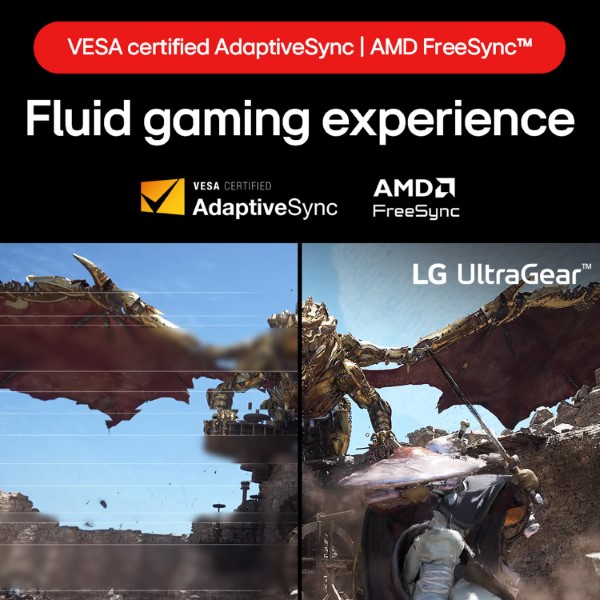
<tr style="background:#ffffff;"><td style="padding:10px;"><strong>AMD FreeSync</strong></td><td style="padding:10px;">Helps reduce screen tearing and stuttering during compatible gameplay.</td></tr>
<tr style="background:#f3f4f6;"><td style="padding:10px;"><strong>VESA AdaptiveSync</strong></td><td style="padding:10px;">Supports variable refresh rate for smoother compatible gaming and video playback.</td></tr>
<tr style="background:#ffffff;"><td style="padding:10px;"><strong>HDR10</strong></td><td style="padding:10px;">Supports HDR-compatible content for enhanced picture presentation.</td></tr>
<tr style="background:#f9fafb;"><td style="padding:10px;"><strong>Black Stabilizer</strong></td><td style="padding:10px;">Improves visibility in darker areas of games.</td></tr>
<tr style="background:#ffffff;"><td style="padding:10px;"><strong>Dynamic Action Sync</strong></td><td style="padding:10px;">Helps reduce input lag for more responsive gaming.</td></tr>
<tr style="background:#f3f4f6;"><td style="padding:10px;"><strong>Crosshair</strong></td><td style="padding:10px;">Displays an on-screen aiming point for supported gaming scenarios.</td></tr>
<tr style="background:#ffffff;"><td style="padding:10px;"><strong>FPS Counter</strong></td><td style="padding:10px;">Displays an on-screen frames-per-second counter.</td></tr>
<tr style="background:#f9fafb;"><td style="padding:10px;"><strong>Reader Mode</strong></td><td style="padding:10px;">Provides a reading-oriented picture setting.</td></tr>
<tr style="background:#ffffff;"><td style="padding:10px;"><strong>Flicker Safe</strong></td><td style="padding:10px;">Helps reduce screen flicker during use.</td></tr>
<tr style="background:#f3f4f6;"><td style="padding:10px;"><strong>OnScreen Control</strong></td><td style="padding:10px;">Allows supported monitor settings to be adjusted through LG software.</td></tr>
</tbody>
</table>
<h3 style="margin:24px 0 12px; font-size:19px; color:#111827;">Connectivity</h3>
<table style="width:100%; border-collapse:collapse; font-size:14px; line-height:1.6;">
<tbody>
<tr style="background:#f3f4f6;"><td style="width:38%; padding:10px;"><strong>HDMI</strong></td><td style="padding:10px;">2 × HDMI</td></tr>
<tr style="background:#ffffff;"><td style="padding:10px;"><strong>DisplayPort</strong></td><td style="padding:10px;">1 × DisplayPort 1.4</td></tr>
<tr style="background:#f9fafb;"><td style="padding:10px;"><strong>Headphone Output</strong></td><td style="padding:10px;">3-Pole Headphone Out (Audio Only)</td></tr>
<tr style="background:#ffffff;"><td style="padding:10px;"><strong>Audio Speakers</strong></td><td style="padding:10px;">No built-in speakers listed in the official specifications.</td></tr>
</tbody>
</table>
<h3 style="margin:24px 0 12px; font-size:19px; color:#111827;">Design</h3>
<table style="width:100%; border-collapse:collapse; font-size:14px; line-height:1.6;">
<tbody>
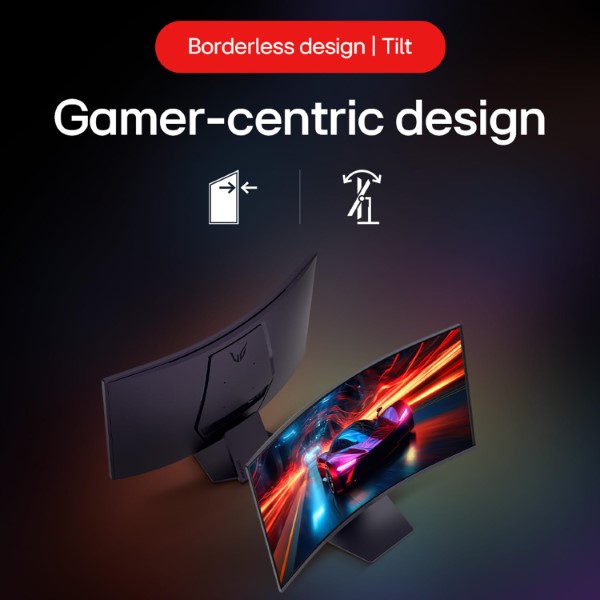
<tr style="background:#f3f4f6;"><td style="width:38%; padding:10px;"><strong>Design</strong></td><td style="padding:10px;">Three-Side Virtually Borderless</td></tr>
<tr style="background:#ffffff;"><td style="padding:10px;"><strong>Color</strong></td><td style="padding:10px;">Black</td></tr>
<tr style="background:#f9fafb;"><td style="padding:10px;"><strong>Stand Adjustment</strong></td><td style="padding:10px;">Tilt: -5° to +15°</td></tr>
<tr style="background:#ffffff;"><td style="padding:10px;"><strong>VESA Mounting</strong></td><td style="padding:10px;">100 × 100 mm</td></tr>
<tr style="background:#f3f4f6;"><td style="padding:10px;"><strong>Screen Surface</strong></td><td style="padding:10px;">Anti-Glare</td></tr>
</tbody>
</table>
<h3 style="margin:24px 0 12px; font-size:19px; color:#111827;">Dimensions & Power</h3>
<table style="width:100%; border-collapse:collapse; font-size:14px; line-height:1.6;">
<tbody>
<tr style="background:#f3f4f6;"><td style="width:38%; padding:10px;"><strong>Dimensions with Stand (W × H × D)</strong></td><td style="padding:10px;">699.9 × 508.1 × 226.5 mm</td></tr>
<tr style="background:#ffffff;"><td style="padding:10px;"><strong>Dimensions without Stand (W × H × D)</strong></td><td style="padding:10px;">699.9 × 421.2 × 111.9 mm</td></tr>
<tr style="background:#f9fafb;"><td style="padding:10px;"><strong>Weight with Stand</strong></td><td style="padding:10px;">5.9 kg</td></tr>
<tr style="background:#ffffff;"><td style="padding:10px;"><strong>Weight without Stand</strong></td><td style="padding:10px;">4.6 kg</td></tr>
<tr style="background:#f3f4f6;"><td style="padding:10px;"><strong>Power Input</strong></td><td style="padding:10px;">100–240V AC, 50/60Hz</td></tr>
<tr style="background:#ffffff;"><td style="padding:10px;"><strong>Power Supply</strong></td><td style="padding:10px;">External Power Adapter</td></tr>
<tr style="background:#f9fafb;"><td style="padding:10px;"><strong>Power Consumption (On Mode)</strong></td><td style="padding:10px;">24W (Typical)</td></tr>
<tr style="background:#ffffff;"><td style="padding:10px;"><strong>Power Consumption (Sleep / DC Off)</strong></td><td style="padding:10px;">Less than 0.3W</td></tr>
<tr style="background:#f3f4f6;"><td style="padding:10px;"><strong>In the Box</strong></td><td style="padding:10px;">Monitor, power adapter, power cord and video cable/accessories as supplied by region.</td></tr>
</tbody>
</table>
<h3 style="margin:24px 0 12px; font-size:19px; color:#111827;">Recommended Use Cases</h3>
<table style="width:100%; border-collapse:collapse; font-size:14px; line-height:1.6;">
<tbody>
<tr style="background:#f3f4f6;"><td style="width:38%; padding:10px;"><strong>Competitive Gaming</strong></td><td style="padding:10px;">The 180Hz refresh rate and 1ms GtG response-time mode are suited to fast-paced games.</td></tr>
<tr style="background:#ffffff;"><td style="padding:10px;"><strong>Immersive Gaming</strong></td><td style="padding:10px;">The 1000R curved screen and QHD resolution create a more immersive gaming setup.</td></tr>
<tr style="background:#f9fafb;"><td style="padding:10px;"><strong>Action and Racing Games</strong></td><td style="padding:10px;">High refresh rate and adaptive sync support smooth, responsive motion.</td></tr>
<tr style="background:#ffffff;"><td style="padding:10px;"><strong>Movies and Entertainment</strong></td><td style="padding:10px;">The large curved screen and HDR10 support are suitable for everyday entertainment.</td></tr>
<tr style="background:#f3f4f6;"><td style="padding:10px;"><strong>Everyday Computing</strong></td><td style="padding:10px;">QHD resolution provides room for multitasking, browsing and general desktop work.</td></tr>
</tbody>
</table>
<h3 style="margin:24px 0 12px; font-size:19px; color:#111827;">Frequently Asked Questions</h3>
<div style="margin-bottom:12px; border:1px solid #e5e7eb; border-radius:8px; overflow:hidden;">
<div style="background:#1f2937; color:#fff; padding:10px 12px; font-size:14px;"><strong>1. What is the resolution of the LG UltraGear 32GS60QC-B?</strong></div>
<div style="padding:12px; font-size:14px; line-height:1.6;">It has a QHD resolution of 2560 × 1440 pixels, providing more detail than Full HD.</div>
</div>
<div style="margin-bottom:12px; border:1px solid #e5e7eb; border-radius:8px; overflow:hidden;">
<div style="background:#1f2937; color:#fff; padding:10px 12px; font-size:14px;"><strong>2. Does this monitor support 180Hz gaming?</strong></div>
<div style="padding:12px; font-size:14px; line-height:1.6;">Yes. The monitor supports a maximum refresh rate of 180Hz. Actual refresh rate depends on the connected device, selected resolution and connection configuration.</div>
</div>
<div style="margin-bottom:12px; border:1px solid #e5e7eb; border-radius:8px; overflow:hidden;">
<div style="background:#1f2937; color:#fff; padding:10px 12px; font-size:14px;"><strong>3. What does the 1ms response time mean?</strong></div>
<div style="padding:12px; font-size:14px; line-height:1.6;">LG specifies 1ms Gray-to-Gray response time when Faster mode is selected. This setting is designed to improve motion response.</div>
</div>
<div style="margin-bottom:12px; border:1px solid #e5e7eb; border-radius:8px; overflow:hidden;">
<div style="background:#1f2937; color:#fff; padding:10px 12px; font-size:14px;"><strong>4. Is the LG 32GS60QC-B a curved monitor?</strong></div>
<div style="padding:12px; font-size:14px; line-height:1.6;">Yes. It features a 1000R curved VA panel with a 31.5-inch screen size.</div>
</div>
<div style="margin-bottom:12px; border:1px solid #e5e7eb; border-radius:8px; overflow:hidden;">
<div style="background:#1f2937; color:#fff; padding:10px 12px; font-size:14px;"><strong>5. Does it support AMD FreeSync?</strong></div>
<div style="padding:12px; font-size:14px; line-height:1.6;">Yes. AMD FreeSync and VESA AdaptiveSync are listed to help reduce tearing and stuttering with compatible hardware.</div>
</div>
<div style="margin-bottom:12px; border:1px solid #e5e7eb; border-radius:8px; overflow:hidden;">
<div style="background:#1f2937; color:#fff; padding:10px 12px; font-size:14px;"><strong>6. Does the monitor have built-in speakers?</strong></div>
<div style="padding:12px; font-size:14px; line-height:1.6;">LG's official specifications list a headphone output but do not list built-in speakers. Use external speakers or headphones for audio.</div>
</div>
<div style="margin-bottom:12px; border:1px solid #e5e7eb; border-radius:8px; overflow:hidden;">
<div style="background:#1f2937; color:#fff; padding:10px 12px; font-size:14px;"><strong>7. Can this monitor be wall-mounted?</strong></div>
<div style="padding:12px; font-size:14px; line-height:1.6;">Yes. It supports a 100 × 100 mm VESA mount. Check the mount's weight rating and compatibility before installation.</div>
</div>
<div style="margin-top:24px; padding:16px; background:#fff7ed; border-left:4px solid #f97316; border-radius:6px;">
<h3 style="margin:0 0 8px; font-size:16px; color:#9a3412;">Before You Buy</h3>
<p style="margin:0; font-size:14px; line-height:1.7; color:#7c2d12;">The LG UltraGear 32GS60QC-B combines a 31.5-inch QHD curved VA panel, 180Hz refresh rate and adaptive sync for gaming. For the advertised 180Hz refresh rate, confirm your graphics card and cable support the required output. HDR performance depends on the content and settings. Included cables and accessories may vary by region; verify the local package contents and warranty before purchase.</p>
</div>
</div>
<div style="background:#f9fafb; padding:18px 22px; border-top:1px solid #e5e7eb; text-align:center;">
<p style="margin:0 0 12px; font-size:14px; line-height:1.6;">Explore the official LG UltraGear 32GS60QC-B product page for complete specifications, support and availability.</p>
<a href="https://www.lg.com/in/monitors/gaming/32gs60qc-b/" target="_blank" style="display:inline-block; background:#111827; color:#fff; padding:11px 20px; border-radius:6px; text-decoration:none; font-size:14px; font-weight:bold;">View Official Product Page</a>
</div>
</div>
</div>
LG UltraGear Gaming Monitor
LG UltraGear 32GS60QC-B 31.5-inch QHD Curved Gaming Monitor
Experience immersive gaming with a large curved QHD display, a 180Hz refresh rate and a 1ms GtG response time in Faster mode. The LG UltraGear 32GS60QC-B combines a high-contrast VA panel with 1000R curvature, HDR10 support and adaptive sync technology for smooth, detailed gameplay.
Key Highlights
Screen Size
31.5-inch
Large curved display
Resolution
2560 × 1440
QHD resolution
Refresh Rate
180Hz
Smooth high-refresh gaming
Response Time
1ms GtG
In Faster mode
Product Overview
The LG UltraGear 32GS60QC-B is a curved gaming monitor designed for players who want a larger viewing area, detailed QHD visuals and a high refresh rate. Its 31.5-inch VA panel delivers a 2560 × 1440 resolution, making it suitable for PC gaming, entertainment and everyday desktop tasks.
The 1000R curve creates an enveloping viewing experience, while the panel's typical 3000:1 contrast ratio helps provide defined differences between dark and bright areas. With a maximum refresh rate of 180Hz, this UltraGear display is designed for fluid motion in compatible games and applications.
Large QHD Display with 1000R Curvature
The 31.5-inch curved screen combines a QHD resolution with a pronounced 1000R curvature. The additional screen area offers an expansive view of game environments, while 2560 × 1440 resolution provides more detail than Full HD.
- 31.5-inch-class VA panel
- 2560 × 1440 QHD resolution
- 16:9 aspect ratio
- 1000R screen curvature
- Typical 3000:1 contrast ratio
- Typical brightness of 300 cd/m²
- Typical 99% sRGB colour gamut
- 16.7 million colours
180Hz Refresh Rate for Smooth Gameplay
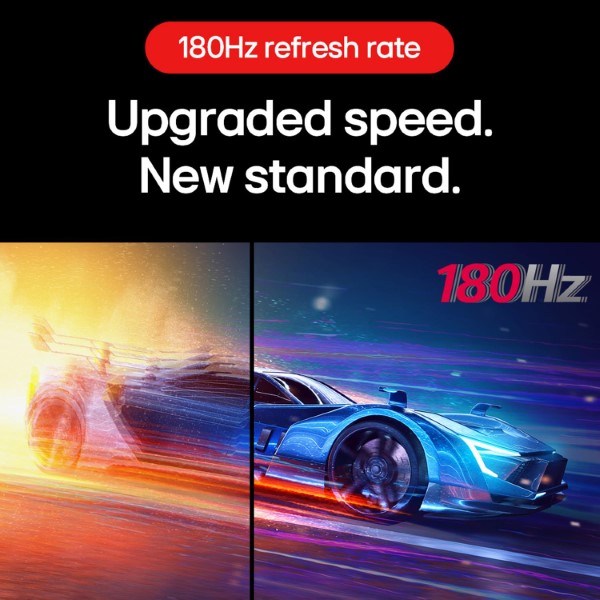
The monitor supports a maximum refresh rate of 180Hz, allowing it to update the displayed image up to 180 times per second. Compared with conventional 60Hz displays, a higher refresh rate can make fast movement appear smoother and provide more frequent visual updates during competitive gaming.
To use 180Hz, the graphics card, connected device, cable, resolution and selected display settings must support the required refresh rate. Actual gaming frame rates depend on your system and the game being played.
1ms GtG Response Time
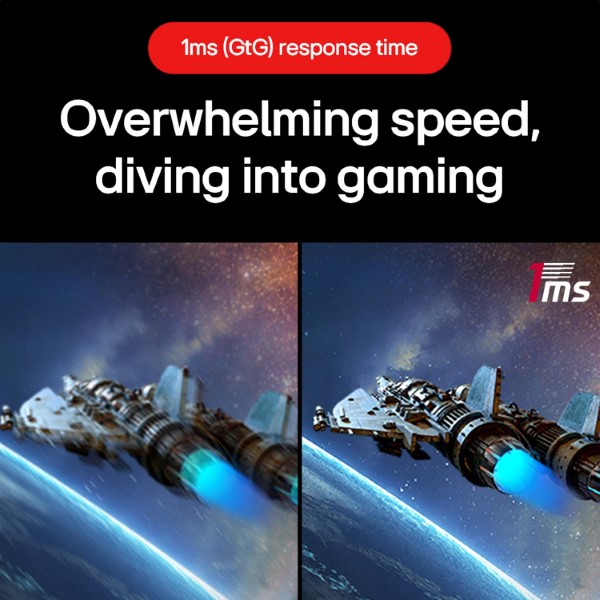
LG specifies a 1ms grey-to-grey response time when the monitor is set to Faster mode. This setting is intended to improve pixel response during fast-moving scenes and help reduce visible trailing. Motion clarity can vary depending on the selected response-time setting and the content being displayed.
AMD FreeSync and VESA AdaptiveSync
AMD FreeSync and VESA-certified AdaptiveSync support compatible variable-refresh-rate setups. When used with supported graphics hardware, these technologies can help reduce screen tearing and stuttering by synchronising the display refresh rate with the rendered frame rate.
HDR10 Support and Colour Reproduction
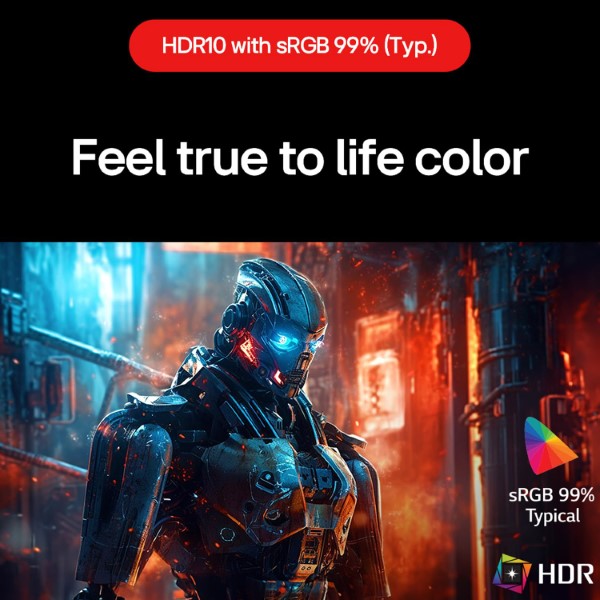
The LG UltraGear 32GS60QC-B supports HDR10 content and includes an HDR Effect feature. LG specifies a typical 99% sRGB colour gamut, making the monitor suitable for general gaming, entertainment and everyday visual work.
HDR performance depends on the source content and display capabilities. HDR10 compatibility does not, by itself, guarantee the peak brightness or local-dimming performance of higher-end HDR monitors.
Gaming Features and Display Controls
LG includes a selection of gaming tools designed to help players customise the picture and access useful on-screen information.
- Dynamic Action Sync: Helps reduce input lag in supported configurations.
- Black Stabilizer: Adjusts visibility in darker scenes to help reveal shadow details.
- Crosshair: Adds a central aiming marker for supported gaming setups.
- FPS Counter: Displays a frames-per-second reading on the screen.
- Flicker Safe: LG's flicker-reduction feature.
- Reader Mode: Provides a display setting intended for reading.
- Color Weakness: Offers a picture option intended to help users with colour-vision differences.
- Auto Input Switch: Helps switch inputs when a new signal is detected.
- Factory Calibration: The monitor is factory colour-calibrated according to LG's specifications.
- OnScreen Control: Compatible software for adjusting supported monitor settings.
Note that LG indicates the Crosshair feature is unavailable while the FPS Counter is activated.
Connectivity for Gaming Setups
The monitor provides two HDMI ports and one DisplayPort 1.4 connection. These interfaces give you options for connecting a compatible gaming PC, console or other supported video source. A 3-pole headphone output is available for connecting compatible headphones or audio equipment.
- 2 × HDMI
- 1 × DisplayPort 1.4
- 1 × 3-pole headphone output
Tilt Adjustment and VESA Mounting
The included stand supports tilt adjustment from approximately -5° to +15°, allowing you to angle the screen for a more comfortable viewing position. For a different mounting arrangement, the monitor supports a 100 × 100 mm VESA mounting pattern.
The supplied stand does not provide height adjustment. A compatible monitor arm or mount can be considered if you need additional positioning flexibility.
Detailed Specifications
| General Information | |
|---|---|
| Brand | LG |
| Product Series | UltraGear |
| Model | 32GS60QC-B |
| Model Year | 2024 (Y24) |
| Display | |
| Screen Size | 31.5-inch / approximately 80 cm |
| Panel Type | VA |
| Resolution | 2560 × 1440 (QHD) |
| Aspect Ratio | 16:9 |
| Curvature | 1000R |
| Pixel Pitch | 0.272 × 0.272 mm |
| Maximum Refresh Rate | 180Hz |
| Response Time | 1ms GtG in Faster mode |
| Typical Brightness | 300 cd/m² |
| Minimum Brightness | 250 cd/m² |
| Typical Contrast Ratio | 3000:1 |
| Minimum Contrast Ratio | 2400:1 |
| Colour Gamut (Typical) | sRGB 99% (CIE 1931) |
| Colour Gamut (Minimum) | sRGB 95% (CIE 1931) |
| Colour Depth | 16.7 million colours |
| Viewing Angle | 178° horizontal / 178° vertical (CR ≥ 10) |
| Gaming and Picture Features | |
| HDR | HDR10, HDR Effect |
| Variable Refresh Rate | AMD FreeSync, VESA AdaptiveSync |
| Gaming Tools | Dynamic Action Sync, Black Stabilizer, Crosshair, FPS Counter |
| Additional Features | Flicker Safe, Reader Mode, Color Weakness, Factory Calibration, Smart Energy Saving, Auto Input Switch, User Defined Key |
| Connectivity | |
| HDMI | 2 ports |
| DisplayPort | 1 × DisplayPort 1.4 |
| Headphone Output | 3-pole audio output |
| Physical Design | |
| Stand Adjustment | Tilt, approximately -5° to +15° |
| VESA Mount | 100 × 100 mm |
| Dimensions with Stand (W × H × D) | 699.9 × 508.1 × 226.5 mm |
| Dimensions without Stand (W × H × D) | 699.9 × 421.2 × 111.9 mm |
| Weight with Stand | 5.9 kg |
| Weight without Stand | 4.6 kg |
| Power | |
| Power Input | 100–240V AC, 50/60Hz |
| Power Adapter | External adapter |
| On-Mode Power Consumption | 24W typical |
| On-Mode Power Consumption (ErP) | 22W |
| Sleep / DC-Off Consumption | Less than 0.3W |
| Software and Accessories | |
| Supported Software | OnScreen Control, Dual Controller |
| Included Cables | HDMI cable and DisplayPort cable listed by LG; verify included accessories for the exact retail package |
Who Should Buy the LG UltraGear 32GS60QC-B?
Competitive Gaming
The 180Hz refresh rate and 1ms GtG specification in Faster mode suit players looking for responsive gameplay in compatible titles.
Immersive Gaming
The large 31.5-inch screen and 1000R curve create an expansive viewing experience for racing, action and adventure games.
Entertainment
QHD resolution and HDR10 compatibility make the monitor suitable for supported video content, streaming and everyday media use.
High-Contrast Visuals
The VA panel's typical 3000:1 contrast ratio is useful for users who appreciate defined dark and bright image areas.
Things to Know Before Buying
- Graphics card requirements: Gaming at QHD and high frame rates requires a suitable graphics card and system configuration.
- Maximum refresh rate: Achieving 180Hz depends on the source device, cable, resolution and supported settings.
- Response time: The 1ms GtG specification applies in Faster mode; actual motion appearance can vary with settings and content.
- HDR expectations: HDR10 support does not guarantee the peak brightness or local-dimming performance of premium HDR displays.
- Stand ergonomics: The included stand provides tilt adjustment, not height adjustment or swivel.
- Audio: The specifications list a headphone output. Built-in speakers are not listed.
- Mounting: A compatible 100 × 100 mm VESA mount is required for a monitor arm or wall mount.
- Desk space: Allow sufficient space for the curved display and its stand, which has a listed depth of 226.5 mm.
- Regional specifications: Check the complete model number, package contents and warranty terms for the unit being purchased.
Frequently Asked Questions
1. What is the resolution of the LG UltraGear 32GS60QC-B?
It has a QHD resolution of 2560 × 1440 pixels on a 31.5-inch-class curved VA panel.
2. Does the LG UltraGear 32GS60QC-B support 180Hz?
Yes. It supports a maximum refresh rate of 180Hz when used with compatible hardware, connection and display settings.
3. Is this monitor curved?
Yes. It features 1000R curvature designed to create a more immersive viewing experience.
4. What does the 1ms GtG response time mean?
LG specifies 1ms grey-to-grey response time when Faster mode is selected. This setting is intended to improve pixel response in fast-moving scenes.
5. Does the monitor support AMD FreeSync?
Yes. AMD FreeSync and VESA-certified AdaptiveSync are supported for compatible variable-refresh-rate configurations.
6. Which ports are available?
The monitor includes two HDMI ports, one DisplayPort 1.4 connection and a 3-pole headphone output.
7. Can I mount the monitor on a wall or monitor arm?
Yes. It supports a 100 × 100 mm VESA mounting pattern. Use a compatible mount rated for the monitor's weight and dimensions.
8. Does it have built-in speakers?
LG's listed specifications include a headphone output but do not list built-in speakers. Plan to use headphones or a separate audio system.
Build Your Next Gaming PC
Find the essential components for your next PC build with Clarion Computers. Explore quality components to create a setup that matches your performance goals and budget.