

BenQ Creative Pro Series
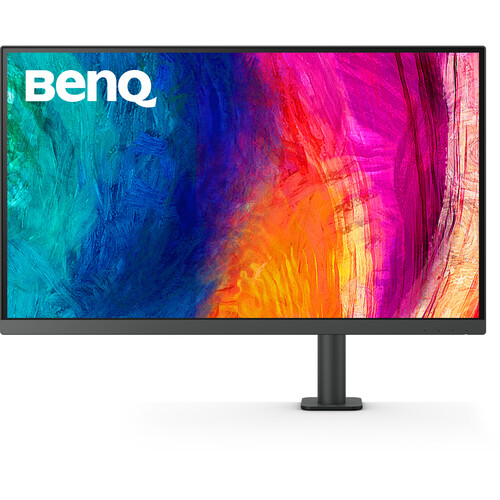
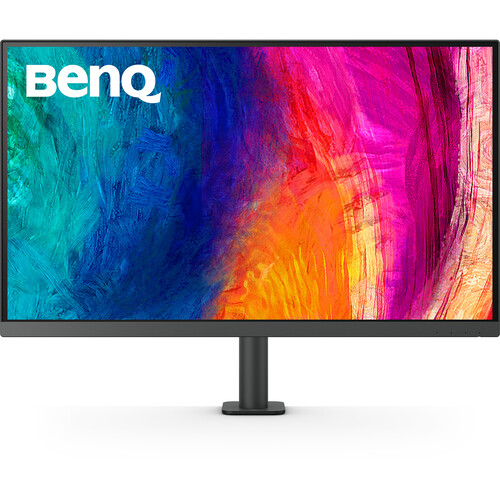
BenQ PD3205UA 32-Inch 4K UHD Designer Monitor
Experience detailed 4K visuals, dependable colour reproduction and a flexible ergonomic workspace with the BenQ PD3205UA. Featuring an IPS panel, HDR10, USB-C connectivity with 90W power delivery and an adjustable monitor arm, it is built for demanding creative and professional workflows.
BenQ PD3205UA Key Features
4K UHD Clarity
3840 × 2160 resolution provides detailed visuals and generous workspace for design and productivity.
Accurate Colour
99% sRGB and 99% Rec.709 coverage support colour-conscious creative work.
USB-C Convenience
Connect compatible laptops for video, data and up to 90W power delivery through one cable.
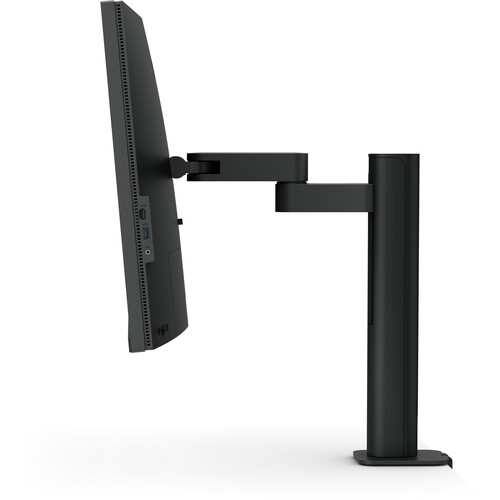
Ergonomic Monitor Arm
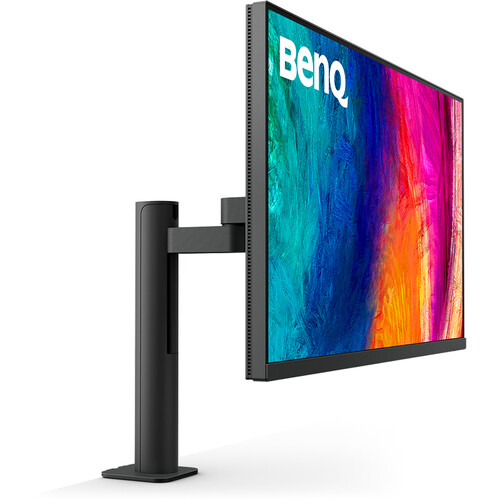
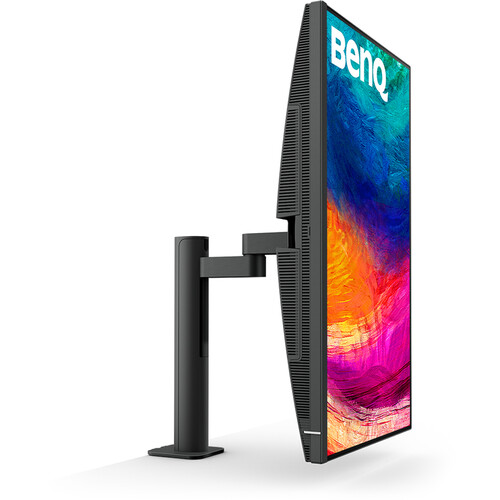
Adjust screen height, tilt, swivel and pivot to create a more comfortable working position.
Overview of the BenQ PD3205UA
The BenQ PD3205UA is a professional monitor from BenQ's Creative Pro range, designed for users who need a large, high-resolution display and practical tools for creative production. Its 31.5-inch IPS screen delivers 4K UHD resolution, while its factory-calibrated colour performance and dedicated picture modes help support design, illustration, animation and video-related tasks.
The included ergonomic monitor arm offers flexible positioning and integrated cable management. USB-C connectivity with up to 90W power delivery can simplify a compatible laptop workstation, while the built-in KVM switch and Hotkey Puck G2 help streamline daily work.
31.5-Inch 4K UHD IPS Display
The 3840 × 2160 resolution delivers fine detail across a spacious 16:9 screen. IPS technology provides 178° horizontal and vertical viewing angles, while the matte coating helps manage reflections in everyday work environments.
- 31.5-inch IPS panel with LED backlighting
- 4K UHD resolution of 3840 × 2160
- 60Hz refresh rate and 5ms GtG response time
- Typical brightness of 250 nits and HDR peak brightness of 350 nits
- 1000:1 native contrast ratio
- 1.07 billion display colours
Professional Colour and HDR10
The PD3205UA is designed around BenQ AQCOLOR colour technology and offers 99% sRGB and 99% Rec.709 colour coverage. Its factory calibration report and average Delta E of 3 or less support colour-conscious workflows. HDR10 compatibility allows supported HDR content to be viewed, while dedicated colour and production modes provide settings for different creative tasks.
- 99% sRGB and 99% Rec.709 colour coverage
- Average Delta E ≤ 3
- Calman Verified and Pantone Validated
- Pantone SkinTone Validated
- HDR10 support
- Rec.709, sRGB, HDR, M-Book, DICOM, CAD/CAM, Animation, Darkroom and Low Blue Light modes
Ergonomic Monitor Arm for a Flexible Workspace
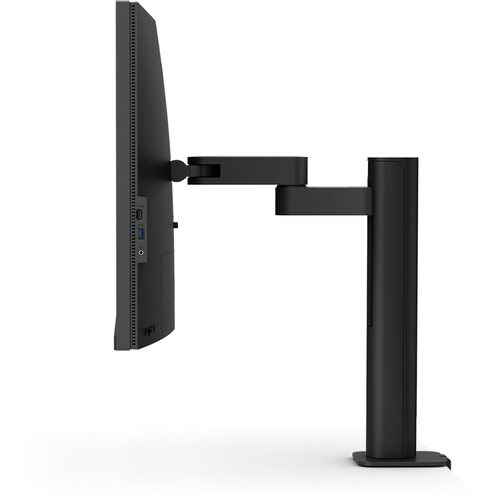
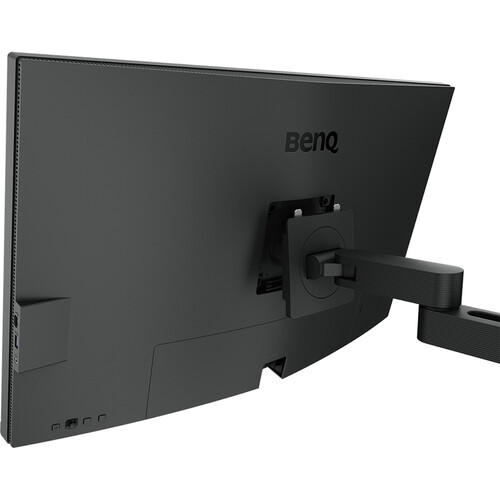
The included PD Ergo Arm gives users more freedom to position the monitor for focused work, collaboration or presentations. Its adjustment range helps accommodate different desk setups, and the arm's cable-management design keeps connected cables organised.
- Height adjustment up to 150mm
- Tilt adjustment from -5° to +30°
- Swivel adjustment up to 275° in either direction
- 90° pivot for portrait orientation
- Integrated cable management in the monitor arm
Desk compatibility matters: follow BenQ's installation guidance and avoid clamping the arm to glass surfaces or desks that are not sturdy enough.
USB-C Connectivity and Port Selection
USB-C supports DisplayPort Alt Mode, data transfer and up to 90W power delivery for compatible laptops. The additional display and USB connections make it practical for a multi-device desktop setup.
| Connection | Quantity / Capability |
|---|---|
| HDMI 2.0 | 1 port |
| DisplayPort 1.4 | 1 port |
| USB-C upstream | 1 port, DisplayPort Alt Mode, data and up to 90W power delivery |
| USB-C downstream | 1 port |
| USB Type-B upstream | 2 ports |
| USB 3.2 downstream | 3 ports |
| Headphone jack | Available |
Creative Workflow and Productivity Tools
Beyond image quality, the PD3205UA includes features designed to simplify a professional workstation. The KVM switch supports control of compatible connected computers using one keyboard and mouse, while PIP and PBP can display content from multiple sources. The Hotkey Puck G2 offers convenient access to frequently used monitor settings.
- KVM switch for compatible multi-computer workflows
- Picture-in-Picture (PIP) and Picture-by-Picture (PBP)
- Hotkey Puck G2 for convenient setting adjustments
- Uniformity Technology for consistent colour and luminance across the screen
- Auto Pivot and ICCsync
- Display Pilot 2, Palette Master Ultimate and Display ColorTalk software support
- Flicker-Free technology and Low Blue Light mode
Built-In Audio
Two built-in 2.5W speakers provide convenient audio for video calls, tutorials and everyday media playback. A headphone jack is also available for private listening or connecting compatible audio equipment.
BenQ PD3205UA Specifications
| Specification | Details |
|---|---|
| Model | BenQ PD3205UA |
| Product Type | Professional designer monitor with ergonomic arm |
| Screen Size | 31.5 inches (marketed as 32-inch class) |
| Panel Type | IPS, LED backlight |
| Resolution | 3840 × 2160 (4K UHD) |
| Aspect Ratio | 16:9 |
| Refresh Rate | 60Hz |
| Response Time | 5ms GtG |
| Brightness | 250 nits typical; 350 nits peak HDR |
| Native Contrast | 1000:1 |
| HDR | HDR10 |
| Colour Coverage | 99% sRGB, 99% Rec.709 |
| Display Colours | 1.07 billion |
| Pixel Density | 140 PPI |
| Screen Coating | Matte |
| USB-C Power Delivery | Up to 90W |
| Speakers | 2 × 2.5W |
| Height Adjustment | 150mm |
| Tilt | -5° to +30° |
| Swivel | Up to 275° left/right |
| Pivot | 90° |
| VESA Mount | 100 × 100mm |
| Dimensions with Arm (H × W × D) | 581.2–731.2 × 714.7 × 459.4mm |
| Dimensions without Base (H × W × D) | 422 × 714.7 × 82.4mm |
| Net Weight | 10.1kg |
| Weight without Base | 6.3kg |
| Power Consumption (Typical) | 31.5W |
| Power Consumption (Maximum) | 168W |
| Sleep Power Consumption | Less than 0.5W |
Who Should Choose the BenQ PD3205UA?
- Graphic and UI/UX designers: benefit from the 4K workspace and dedicated colour modes.
- Video editors and content creators: can work with detailed timelines and Rec.709-focused settings.
- CAD and technical professionals: can use the dedicated CAD/CAM picture mode.
- MacBook and laptop users: can simplify their desk setup with compatible USB-C video, data and power delivery.
- Multi-system workstations: can take advantage of KVM and PIP/PBP features for supported setups.
Things to Know Before Buying
- The panel's native refresh rate is 60Hz; this model is focused on professional design and productivity rather than high-refresh-rate gaming.
- HDR10 support is provided, but the listed peak HDR brightness is 350 nits.
- USB-C's 90W power delivery requires a compatible laptop and USB-C connection supporting the necessary features.
- For best results, confirm your desk is suitable for the included clamped ergonomic arm before installation.
- Port functionality can depend on the connected computer, cable and selected input configuration.
Frequently Asked Questions
Does the BenQ PD3205UA support 4K resolution?
Yes. It supports 3840 × 2160 4K UHD resolution at a native refresh rate of 60Hz.
Is the PD3205UA suitable for professional design?
Yes. Its 99% sRGB and 99% Rec.709 coverage, factory calibration report, dedicated colour modes and professional workflow features are intended for creative work.
Does it support USB-C laptop charging?
Yes. The USB-C port supports up to 90W power delivery, along with DisplayPort Alt Mode and data, when used with a compatible laptop and cable.
Does the monitor include an ergonomic arm?
Yes. The PD3205UA is supplied with an ergonomic monitor arm that supports height, tilt, swivel and pivot adjustment.
Can it be used for gaming?
It can display compatible games at 4K and 60Hz, but its professional design features and 60Hz refresh rate make it primarily suited to creative work and general productivity rather than competitive high-refresh gaming.
Build Your Next Gaming PC
Find the essential components for your next PC build with Clarion Computers. Explore quality components to create a setup that matches your performance goals and budget.