
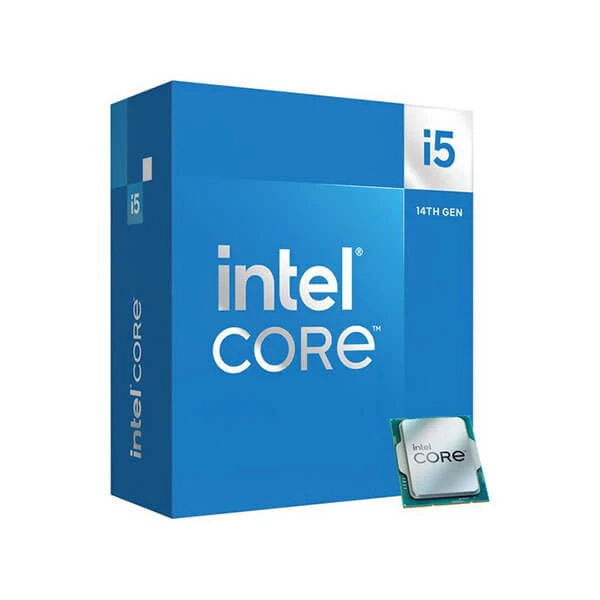

Intel Core i5-14400F
A 10-core, 16-thread 14th Gen desktop processor with 6 Performance-cores and 4 Efficient-cores, speeds up to 4.7 GHz, DDR5 and DDR4 memory support, and PCIe 5.0 connectivity for gaming, productivity and dedicated GPU desktop builds.
Intel Core i5-14400F: 14th Gen Performance for Dedicated GPU Builds
The Intel Core i5-14400F is a 14th Gen desktop processor based on Intel's Raptor Lake architecture and Intel 7 process technology. It combines 6 Performance-cores with 4 Efficient-cores for a total of 10 cores and 16 threads.
With a 2.5 GHz Performance-core base frequency and maximum turbo frequency of 4.7 GHz, along with 20MB of Intel Smart Cache and 9.5MB of total L2 cache, the Core i5-14400F is designed for gaming, productivity, multitasking and general-purpose desktop workloads.
The "F" suffix means this processor does not include Intel Processor Graphics. A dedicated graphics card is therefore required for display output, making the Core i5-14400F a practical choice for systems built around a discrete GPU.
Key Features & Technologies
10-Core Hybrid Architecture
Six Performance-cores handle demanding workloads while four Efficient-cores provide additional processing capacity for background and parallel tasks.
Up to 4.7 GHz Turbo
Intel Turbo Boost 2.0 dynamically increases processor frequency up to 4.7 GHz when workload, power and thermal conditions allow.
20MB Intel Smart Cache
The processor features 20MB of Intel Smart Cache along with 9.5MB of total L2 cache for frequently accessed processor data.
DDR5 & DDR4 Support
Build flexibility comes from support for DDR5 memory up to 4800 MT/s or DDR4 memory up to 3200 MT/s, depending on the motherboard platform.
Dedicated Graphics Required
The Core i5-14400F has no integrated Intel Processor Graphics, so a compatible discrete graphics card is required for display output.
PCIe 5.0 Connectivity
Up to 20 PCIe lanes with PCIe 5.0 and PCIe 4.0 support provide connectivity for modern graphics cards, storage and expansion devices.
Intel F-Series: Built for Dedicated Graphics
The Core i5-14400F removes integrated processor graphics while retaining the same 10-core, 16-thread CPU configuration and 4.7 GHz maximum turbo frequency as the standard Core i5-14400. This makes it suited to systems where a dedicated graphics card is already part of the build.
Platform Technologies
The Core i5-14400F uses the LGA1700 socket and supports compatible Intel 600-series and 700-series desktop chipsets, with both DDR4 and DDR5 motherboard options.
Technical Specifications
Intel Core i5-14400F Use Cases
Gaming PCs
Suitable for gaming systems paired with a dedicated graphics card, with 10 cores and 16 threads providing CPU resources for modern games and background applications.
Value-Focused Builds
The F-series design removes integrated graphics, making it a natural fit for builds where a discrete graphics card is already part of the configuration.
Productivity & Multitasking
The 10-core, 16-thread configuration can handle office applications, browsing, communication software and multiple simultaneous workloads.
Content Creation
Its hybrid CPU architecture can be used for photo editing, video editing, encoding, rendering and other multi-threaded workloads when paired with suitable supporting hardware.
Before You Build
- LGA1700 motherboard required: The Core i5-14400F uses Intel's LGA1700 socket.
- Dedicated graphics card required: The 14400F has no integrated Intel Processor Graphics, so a discrete GPU is required for display output.
- DDR4 or DDR5: The processor supports both memory standards, but the motherboard determines which memory type can be installed.
- Compatible platforms: Choose a motherboard with a compatible Intel 600-series or 700-series chipset and appropriate BIOS support.
- Cooling: Boxed versions of the Core i5-14400F use Intel's PCG 2020C thermal solution specification.
- Plan the GPU: Because there is no integrated graphics, make sure your build includes a suitable dedicated graphics card before purchasing this processor.
Frequently Asked Questions
What is the difference between Intel Core i5-14400 and i5-14400F?
The main difference is integrated graphics. The Core i5-14400 includes Intel UHD Graphics 730, while the i5-14400F has no integrated graphics and requires a dedicated graphics card.
How many cores and threads does the Intel Core i5-14400F have?
The Intel Core i5-14400F has 10 cores in total: 6 Performance-cores and 4 Efficient-cores, providing 16 total threads.
What is the maximum clock speed of the Core i5-14400F?
The processor has a 2.5 GHz Performance-core base frequency and can reach up to 4.7 GHz using Intel Turbo Boost Technology 2.0.
Does Intel Core i5-14400F have integrated graphics?
No. The Core i5-14400F does not include Intel Processor Graphics. A dedicated graphics card is required for display output.
Does the Core i5-14400F support DDR5 RAM?
Yes. It supports DDR5 memory up to 4800 MT/s and DDR4 memory up to 3200 MT/s, with the motherboard determining the memory standard.
Does Intel Core i5-14400F support PCIe 5.0?
Yes. The processor supports PCIe 5.0 and PCIe 4.0 with up to 20 PCIe lanes, depending on the platform configuration.
Is Intel Core i5-14400F good for gaming?
It can be used for gaming with a suitable dedicated graphics card. The appropriate GPU depends on the games, resolution, refresh rate and overall system configuration.
Does the Intel Core i5-14400F support Intel Quick Sync Video?
No. Quick Sync Video is not available on the Core i5-14400F because the processor does not include integrated Intel graphics.
Is the Intel Core i5-14400F unlocked?
No. The Core i5-14400F is a locked desktop processor and is not designed for traditional CPU multiplier overclocking.
Building Around the Intel Core i5-14400F?
Don't stop at the processor. Pair your Core i5-14400F with the right LGA1700 motherboard, DDR4 or DDR5 memory, CPU cooling and a dedicated graphics card that matches your workload. If you're unsure about the right combination, Clarion Computers can help you put the complete system together.
Need help choosing the right motherboard, RAM, cooler or GPU? Talk to Clarion Computers and build the system around your actual workload and budget.