


ASUS PROART DISPLAY SERIES
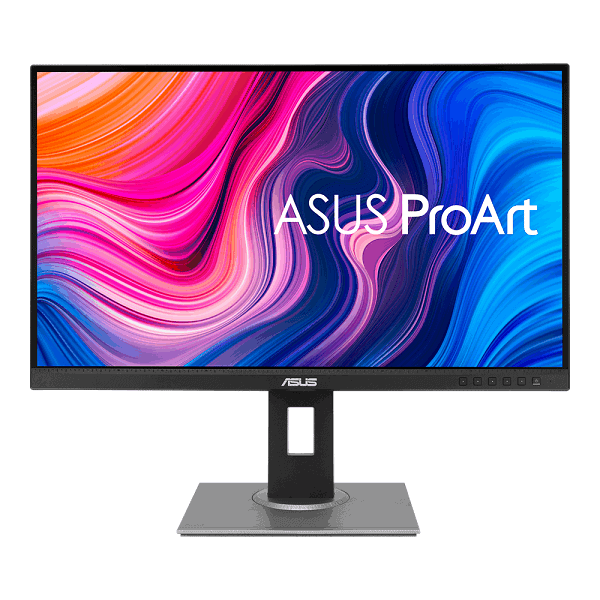
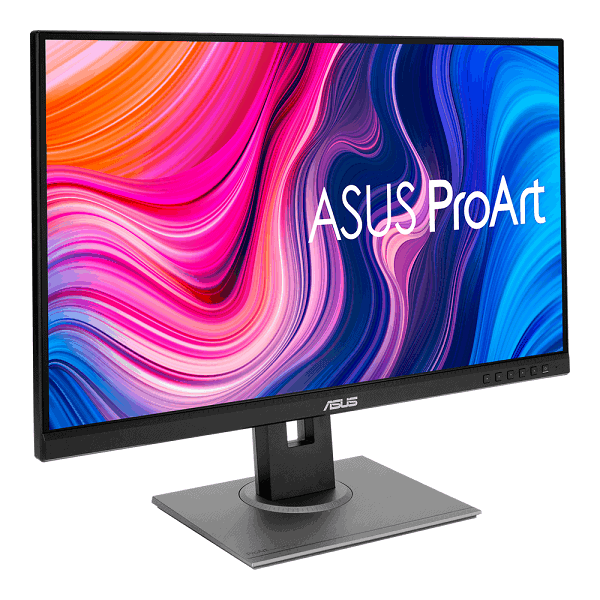
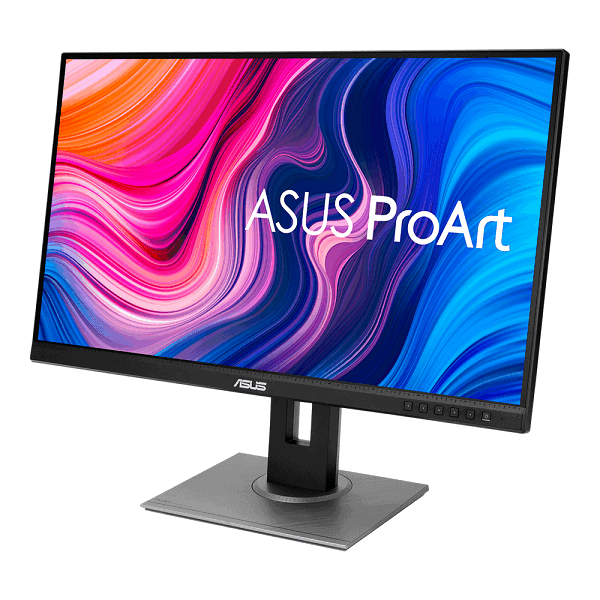
ASUS ProArt Display PA278QV 27-Inch QHD Professional Monitor
Create with confidence on a professional QHD IPS display designed for accurate colour reproduction and a comfortable working experience. With factory-calibrated Delta E < 2 colour accuracy, 100% sRGB and Rec. 709 coverage, ProArt colour tools and an ergonomic stand, the PA278QV is built for creative professionals and productive workspaces.
Key Highlights
QHD IPS Display
A 2560 × 1440 resolution delivers detailed visuals and a spacious workspace for professional applications.
Accurate Colour
100% sRGB and 100% Rec. 709 coverage support consistent colour reproduction for creative work.
Calman Verified
Factory-calibrated Delta E < 2 colour accuracy helps deliver reliable out-of-the-box colour.
Ergonomic Design
Adjust height, tilt, swivel and pivot to create a comfortable and flexible workstation.
Introduction
The ASUS ProArt Display PA278QV is a 27-inch professional monitor designed for creators who need accurate colours, clear images and a versatile desktop workspace. Its QHD resolution of 2560 × 1440 provides more screen space than Full HD, making it useful for image editing, design applications, document work and multitasking.
The IPS panel offers wide 178-degree viewing angles, while its 100% sRGB and 100% Rec. 709 colour coverage supports colour-conscious design and video workflows. Calman Verified factory calibration and Delta E < 2 accuracy help ensure colours are reproduced consistently.
With ProArt Preset, ProArt Palette, QuickFit, Adaptive-Sync, a built-in USB hub and a fully adjustable stand, the PA278QV combines professional display features with practical connectivity and everyday usability.
Features and Technologies
27-Inch QHD Resolution
The 2560 × 1440 resolution provides detailed images and additional workspace for creative applications, spreadsheets, documents and multi-window workflows.
IPS Wide Viewing Angles
IPS technology delivers 178-degree horizontal and vertical viewing angles, helping maintain consistent image appearance when viewing the display from different positions.
100% sRGB and Rec. 709
Full sRGB and Rec. 709 colour coverage supports accurate colour representation for digital artwork, web graphics, photography and standard-definition video production workflows.
Calman Verified Calibration
Factory calibration and Delta E < 2 colour accuracy help produce colour-consistent images from the start. A colour pre-calibration report is listed among the included accessories.
ASUS ProArt Preset
Dedicated display modes, including sRGB, Rec. 709, Scenery, Reading, Darkroom and Rapid Rendering, let users select settings suited to different tasks.
ProArt Palette
Adjust colour temperature, gamma and six-axis colour parameters to fine-tune the display according to your creative workflow and viewing requirements.
75Hz Refresh Rate
The 75Hz refresh rate provides smoother desktop movement than a standard 60Hz display, making everyday navigation and supported motion content feel more fluid.
Adaptive-Sync Technology
Adaptive-Sync supports variable refresh rates within the supported range to help reduce screen tearing and stuttering with compatible systems and content.
ASUS QuickFit
QuickFit overlays alignment guides and document-size previews on the screen, helping designers check layouts and dimensions before printing or exporting.
Extensive Connectivity
DisplayPort, Mini DisplayPort, HDMI, dual-link DVI-D, audio connections and four USB Type-A downstream ports provide flexible connectivity for compatible devices.
Ergonomic Stand
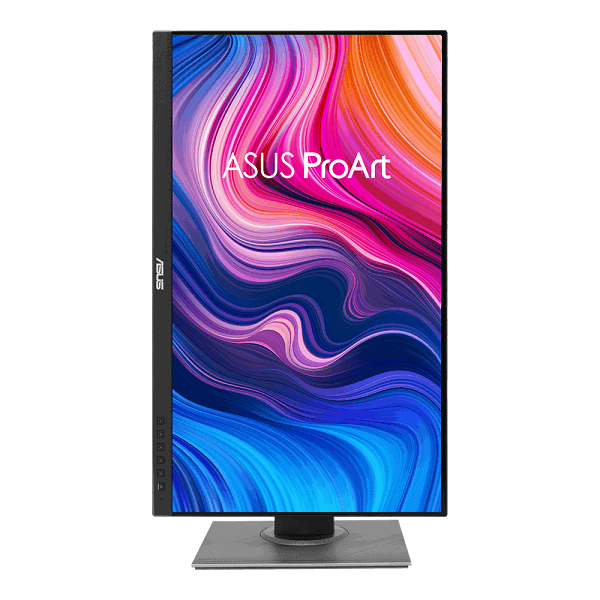
Height, tilt, swivel and pivot adjustments help position the screen comfortably. Portrait orientation is useful for long documents, coding and web pages.
ASUS Eye Care
Flicker-Free technology and Low Blue Light settings are designed to support more comfortable viewing during extended work sessions.
Professional Colour Accuracy for Creative Work
The PA278QV combines factory-calibrated Delta E < 2 accuracy with 100% sRGB and Rec. 709 colour coverage. These features make it a practical option for designers, photographers and video creators working with supported colour standards.
Use the ProArt Preset and ProArt Palette tools to select or fine-tune display settings for your workflow. For colour-critical output, maintain a colour-managed workflow and confirm the monitor is configured for the intended delivery standard.
Technical Specifications
Display Specifications
ASUS ProArt Display PA278QV
27 inches
IPS
2560 × 1440 (QHD)
16:9
Anti-glare
LED
109 PPI
0.233 mm
178° horizontal / 178° vertical
75Hz
5ms GTG
350 cd/m²
1000:1
16.7 million
596.74 × 335.66 mm
Colour and Image Technologies
100%
100%
Delta E < 2
Calman Verified
sRGB, Rec. 709, Scenery, Reading, Darkroom, Rapid Rendering and more
Six-axis adjustment (R, G, B, C, M, Y)
1.8 / 2.0 / 2.2 / 2.4 / 2.6
Adaptive-Sync (48–75Hz)
Yes
Yes
Supported
Low Blue Light and Flicker-Free
Connectivity and Audio
1 × DisplayPort 1.2
1 × Mini DisplayPort
1 × HDMI 1.4
1 × Dual-Link DVI-D
4 × USB 3.2 Gen 1 Type-A
Supported
2 × 2W stereo speakers
Supported
Ergonomics and Mounting
-5° to +35°
-90° to +90°
-90° to +90°
0–150 mm
100 × 100 mm
Supported
Dimensions and Weight
61.50 × 53.20 × 22.60 cm
61.50 × 37.20 × 5.10 cm
82.80 × 48.50 × 16.20 cm (listed; regional packaging may vary)
7.56 kg
4.83 kg
10.74 kg
Power and Certifications
12.5W
<0.5W
0W (hard switch)
100–240V AC, 50/60Hz
TÜV Low Blue Light and TÜV Flicker-Free
Calman Verified
Mac Compliance listed by ASUS
3 years, subject to ASUS terms
Specifications are based on ASUS's published PA278QV information. Dimensions, package contents and warranty conditions may vary by region. Check the exact regional offer with the seller before purchase.
Ideal Use Cases
Graphic Design
Use accurate sRGB colour reproduction and QHD workspace for layouts, illustrations, branding and digital artwork.
Photo Editing
Review and edit high-resolution images with factory-calibrated colour accuracy and wide IPS viewing angles.
Video Production
Use Rec. 709 coverage and dedicated display presets for supported standard video-editing workflows.
Office Productivity
The QHD resolution offers useful space for documents, spreadsheets, presentations and multitasking.
Programming
Pivot the screen into portrait orientation for long code files, documentation and extended web pages.
Home and Studio Workstations
Flexible connections, integrated speakers and ergonomic adjustments make it suitable for a wide range of workspaces.
Before You Buy / Install
- Check that your computer supports QHD 2560 × 1440 output through the connection you plan to use.
- The maximum refresh rate is 75Hz. Confirm your operating system and graphics settings are configured to use the supported refresh rate.
- For colour-critical work, select the appropriate ProArt Preset mode and maintain a consistent colour-managed workflow.
- The monitor supports older connection types such as Mini DisplayPort and dual-link DVI-D; check which ports are available on your computer and whether adapters are needed.
- The USB hub requires the appropriate upstream connection to the computer for peripheral data connectivity.
- For VESA mounting, use a compatible 100 × 100 mm mount with a suitable load rating.
- Confirm the included cables, package contents and local warranty terms with the seller before purchase.
Frequently Asked Questions
What is the resolution of the ASUS ProArt PA278QV?
The PA278QV features a 27-inch IPS display with QHD resolution of 2560 × 1440 pixels and a 16:9 aspect ratio.
Does the PA278QV support 75Hz?
Yes. ASUS lists a maximum refresh rate of 75Hz, with Adaptive-Sync support within the specified 48–75Hz range.
Is this monitor suitable for graphic design and photo editing?
Yes. Its 100% sRGB and 100% Rec. 709 coverage, Calman Verified factory calibration and Delta E < 2 colour accuracy make it suitable for many colour-conscious design and editing workflows.
What connectivity options are available?
The PA278QV includes DisplayPort 1.2, Mini DisplayPort, HDMI 1.4, dual-link DVI-D, four USB 3.2 Gen 1 Type-A downstream ports, PC audio input and a headphone output.
Does the ASUS PA278QV have built-in speakers?
Yes. The monitor has two built-in 2W speakers for everyday audio playback.
Can the monitor be used in portrait orientation?
Yes. Its ergonomic stand supports height adjustment, tilt, swivel and 90-degree pivot rotation, allowing the screen to be positioned vertically.
Does the PA278QV support VESA mounting?
Yes. It supports a 100 × 100 mm VESA mounting pattern for compatible monitor arms and wall mounts.
What is ASUS ProArt Palette?
ProArt Palette is ASUS's display adjustment feature that provides control over colour parameters, including six-axis colour adjustment and gamma settings, for supported creative workflows.
Does the PA278QV support HDR?
The original PA278QV specification does not list HDR10 support. It should not be confused with the newer PA278QGV model, which adds HDR10 support and a 120Hz refresh rate.
Build Your Dream PC with Clarion Computers
Discover professional monitors, PC components and accessories at Clarion Computers. Find the right display for your creative workflow, office workstation or complete desktop setup.