


BenQ Creative Pro Series
BenQ PD2706UA 27-Inch 4K UHD Professional Designer Monitor
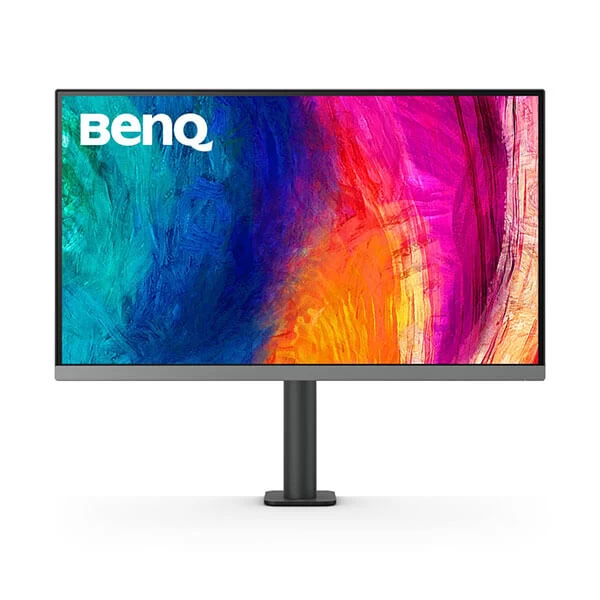
Experience detailed 4K visuals and reliable colour reproduction with the BenQ PD2706UA. Designed for creative professionals, this IPS monitor combines DisplayHDR 400, 95% P3 colour coverage, factory colour calibration, 90W USB-C connectivity, and a flexible ergonomic arm for a more adaptable workspace.
27"
IPS LED Display
4K UHD
3840 × 2160
95% P3
Wide Colour Gamut
90W
USB-C Power Delivery
Product Overview
The BenQ PD2706UA is a professional 27-inch 4K UHD monitor developed for designers and other creative users who need detailed visuals and consistent colour performance. Its 3840 × 2160 resolution provides a high level of detail for image editing, design layouts, illustration, video production, and everyday productivity.
The IPS panel supports 100% sRGB, 100% Rec.709, and 95% P3 colour coverage. Factory calibration with an average Delta E of ≤3, Calman Verified status, Pantone Validated certification, and Pantone SkinTone Validated certification make it a useful option for colour-conscious creative workflows.
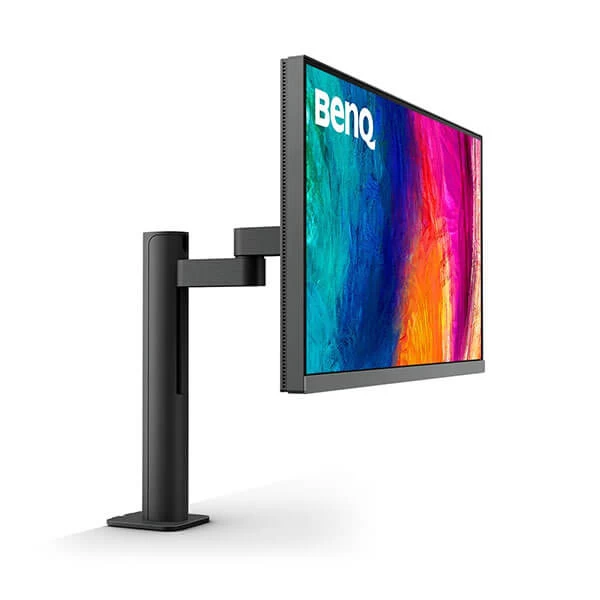
Its integrated ergonomic arm allows flexible positioning, while USB-C connectivity supports video, data, and up to 90W power delivery through one cable when used with a compatible device.
4K UHD Display with DisplayHDR 400
The 27-inch IPS display delivers 3840 × 2160 resolution, a 60Hz refresh rate, and a 5ms GtG response time. With typical brightness of 350 nits and peak HDR brightness of 400 nits, it supports HDR10 and VESA DisplayHDR 400 for compatible content.
- 27-inch IPS LED panel with a 16:9 aspect ratio.
- 4K UHD resolution of 3840 × 2160 pixels.
- 60Hz refresh rate and 5ms GtG response time.
- VESA DisplayHDR 400 and HDR10 support.
- Typical brightness of 350 nits and peak HDR brightness of 400 nits.
- Native contrast ratio of 1200:1.
- 178° horizontal and vertical viewing angles.
- Matte screen coating and approximately 163 pixels per inch.
Professional Colour Accuracy
BenQ's colour-focused display features are designed to help creative professionals work with consistent and predictable colours. The monitor covers 95% of the P3 colour space and 100% of both sRGB and Rec.709, making it suitable for a range of design, photography, and video workflows.
- 95% P3, 100% sRGB, and 100% Rec.709 colour coverage.
- Display support for approximately 1.07 billion colours.
- Factory calibration report with average Delta E ≤3.
- Calman Verified certification.
- Pantone Validated and Pantone SkinTone Validated certifications.
- BenQ Uniformity Technology for consistent colour and brightness across the screen.
- ICCsync to help coordinate colour profiles and display settings.
Dedicated Modes for Creative Work
Choose from multiple colour and workflow modes to suit different creative tasks. These presets help users adjust the display for specific applications and viewing preferences.
- CAD/CAM Mode: Helps make details in technical illustrations and design drawings easier to distinguish.
- Animation Mode: Provides a dedicated display mode for animation workflows.
- Darkroom Mode: Offers a display preset for working in darker environments.
- DualView: Allows supported workflows to compare two display modes side by side.
- M-Book Mode: Helps match the visual appearance of compatible MacBook displays.
- DCI-P3, Display P3, Rec.709 and sRGB: Colour modes for different content and production requirements.
Flexible Ergonomic Arm
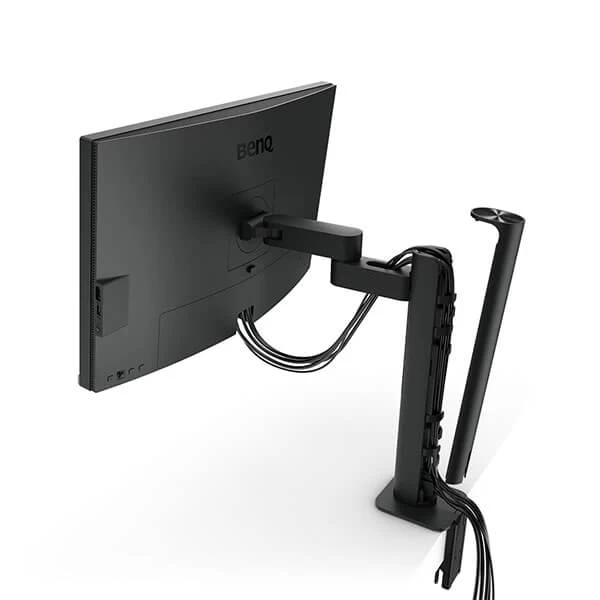
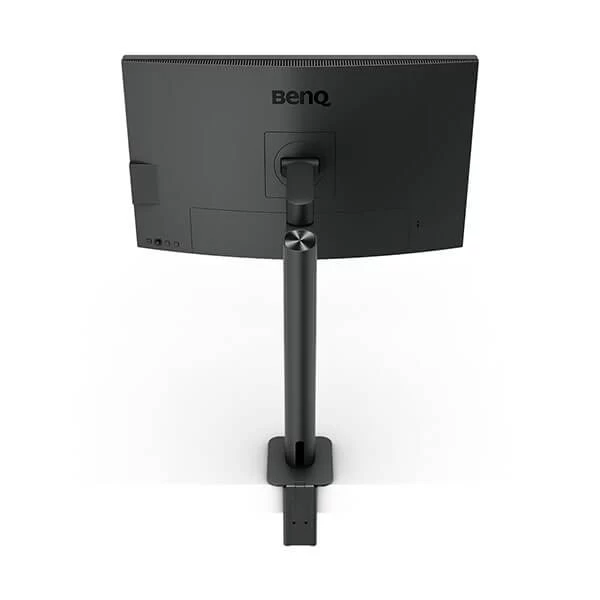
The PD2706UA includes an ergonomic arm designed to make it easier to position the screen for different working arrangements. Adjust the display to suit your desk, posture, and preferred viewing orientation.
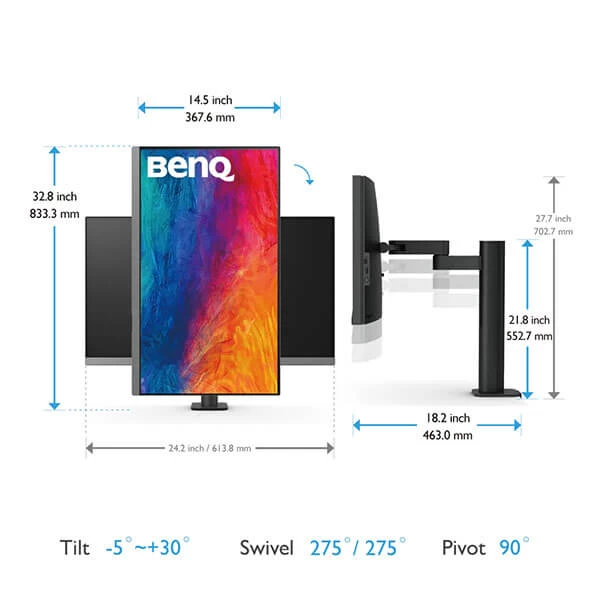
- Height adjustment up to 150mm.
- Tilt adjustment from -5° to +30°.
- Swivel adjustment up to 275° in either direction, as specified by BenQ.
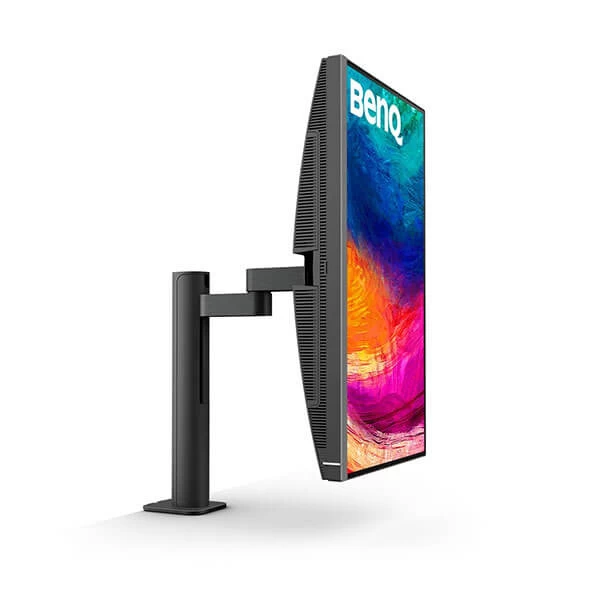
- 90° pivot for portrait or landscape orientation.
- Automatic pivot support.
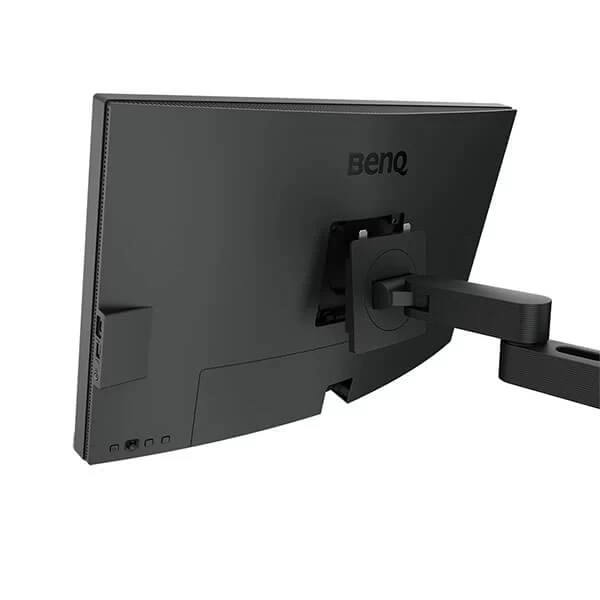
- 100 × 100mm VESA mounting compatibility.
USB-C Connectivity and KVM
Connect compatible laptops and desktop systems through a range of video and USB ports. The USB-C connection supports DisplayPort Alt Mode, data transfer, and up to 90W power delivery, helping reduce cable clutter on a compatible workstation.
- 1 × HDMI 2.0.
- 1 × DisplayPort 1.4.
- 1 × USB-C with DisplayPort Alt Mode, data, and up to 90W power delivery.
- 1 × USB-C downstream port.
- 1 × USB Type-B upstream port.
- 3 × USB 3.2 downstream ports.
- Built-in KVM switch for compatible multi-computer setups.
- Picture-in-Picture (PIP) and Picture-by-Picture (PBP) support.
- Hotkey Puck G2 for convenient access to display controls.
Eye-Care Features and Workflow Tools
For extended working sessions, the monitor includes Flicker-Free technology, Low Blue Light, and ePaper mode. BenQ also provides software tools to help users manage display settings and colour workflows.
- Flicker-Free technology.
- Low Blue Light technology.
- ePaper mode.
- Display Pilot 2.
- Palette Master Ultimate.
- Display ColorTalk.
- Display Quickit.
Built-In Audio
The monitor includes two built-in 2.5W speakers for basic audio playback and a headphone jack for private listening or connecting compatible audio equipment.
BenQ PD2706UA Specifications
| Model | BenQ PD2706UA |
| Product Type | Professional Designer Monitor with Ergonomic Arm |
| Screen Size | 27 inches |
| Panel Type | IPS LED |
| Resolution | 3840 × 2160 (4K UHD) |
| Aspect Ratio | 16:9 |
| Refresh Rate | 60Hz |
| Response Time | 5ms GtG |
| Typical Brightness | 350 nits |
| Peak HDR Brightness | 400 nits |
| HDR Support | HDR10, VESA DisplayHDR 400 |
| Contrast Ratio | 1200:1 |
| Viewing Angles | 178° / 178° |
| Colour Gamut | 100% sRGB, 100% Rec.709, 95% P3 |
| Display Colours | 1.07 billion |
| Pixel Density | 163 PPI |
| Colour Accuracy | Factory calibration report, average Delta E ≤3 |
| Certifications | Calman Verified, Pantone Validated, Pantone SkinTone Validated, TÜV Flicker-Free and Low Blue Light |
| Video Inputs | 1 × HDMI 2.0, 1 × DisplayPort 1.4, 1 × USB-C |
| USB Ports | 1 × USB-C downstream, 1 × USB-B upstream, 3 × USB 3.2 downstream |
| USB-C Power Delivery | Up to 90W |
| KVM | Yes |
| Speakers | 2 × 2.5W |
| Headphone Jack | Yes |
| Ergonomic Adjustment | Height, tilt, swivel, 90° pivot |
| Height Adjustment | 150mm |
| VESA Mount | 100 × 100mm |
| Dimensions with Arm (H × W × D) | 552.7–702.7 × 613.8 × 463.0mm |
| Dimensions without Base (H × W × D) | 367.6 × 613.8 × 87.7mm |
| Weight | 9.1kg |
| Weight without Base | 5.3kg |
| Normal Power Consumption | 45W |
| Maximum Power Consumption | 230W |
| Sleep Power Consumption | Less than 0.5W |
| Power Supply | Built-in, 100–240V |
Who Should Choose the BenQ PD2706UA?
- Graphic Designers: Benefit from 4K detail, wide colour coverage, and dedicated design modes.
- Photographers: Work with detailed images and colour-focused sRGB and P3 modes.
- Video Editors: Use the 4K workspace and Rec.709 and P3 colour modes for compatible editing workflows.
- CAD and Design Professionals: Take advantage of CAD/CAM mode and the high-resolution screen.
- MacBook and Laptop Users: Connect compatible devices using USB-C with up to 90W power delivery.
- Multi-Computer Workstations: Use the built-in KVM switch to manage compatible connected systems.
Things to Know Before Buying
- The monitor has a 60Hz refresh rate and is primarily designed for professional creative work rather than high-refresh-rate gaming.
- USB-C power delivery of up to 90W requires a compatible laptop or device.
- DisplayHDR 400 support does not mean the monitor delivers the same HDR experience as higher-end HDR displays.
- Actual colour performance can depend on calibration, software, connected hardware, and the colour profile used.
- Included cables and accessories may vary by region or package.
Frequently Asked Questions
1. What is the resolution of the BenQ PD2706UA?
It features a 27-inch IPS display with a 3840 × 2160 4K UHD resolution.
2. Does the BenQ PD2706UA support HDR?
Yes. It supports HDR10 and is certified for VESA DisplayHDR 400, with a specified peak HDR brightness of 400 nits.
3. Is the BenQ PD2706UA suitable for professional design work?
Yes. Its 4K resolution, 95% P3 colour coverage, factory calibration, average Delta E ≤3, and dedicated creative modes make it suitable for many professional design workflows.
4. Can the monitor charge a laptop through USB-C?
Yes. The USB-C port supports up to 90W power delivery, provided the connected laptop supports USB-C charging and the required functionality.
5. Does the BenQ PD2706UA include a KVM switch?
Yes. The integrated KVM switch helps control compatible computers connected to the monitor using a shared keyboard and mouse setup.
6. Does this monitor support portrait orientation?
Yes. Its ergonomic arm supports a 90° pivot, allowing the display to be positioned in portrait or landscape orientation.
Build Your Next Gaming PC
Find the essential components for your next PC build with Clarion Computers. Explore quality components to create a setup that matches your performance goals and budget.