

SHOP AT CLARION COMPUTERS
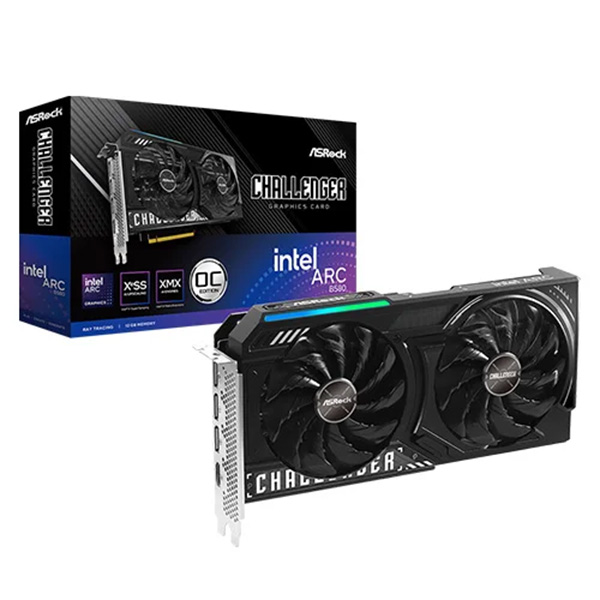
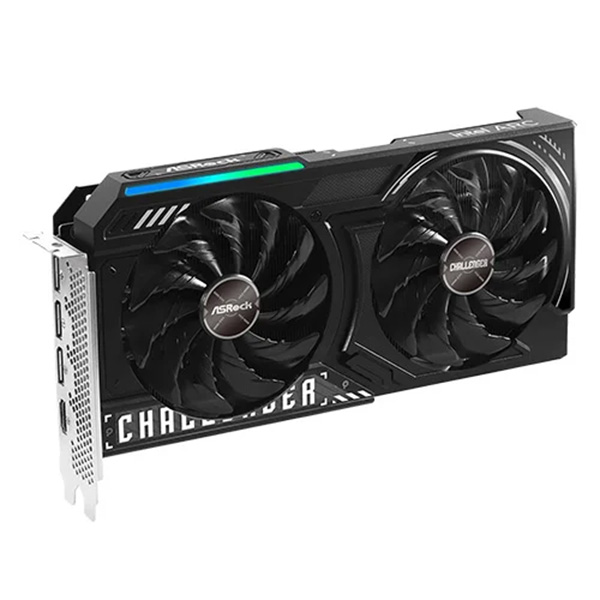
ASRock Intel Arc B580
Challenger 12GB OC
GDDR6 Graphics Card
Buy the ASRock Intel Arc B580 Challenger OC 12GB GDDR6 graphics card from Clarion Computers for your next compatible gaming desktop. Combining Intel Xe2-HPG architecture, dedicated graphics memory and a dual-fan cooler, this factory-overclocked card brings modern graphics features to a balanced PC build.
12GB GDDR6 · Factory OC · Dual-Fan Cooling · Intel XeSS 2
Shop at Clarion Computers →12GB
GDDR6 MEMORY
2740MHz
LISTED GPU CLOCK
192-bit
MEMORY INTERFACE
Dual Fan
CHALLENGER COOLING
BUILD AROUND YOUR GAMING GOALS
Dedicated graphics for 1080p and 1440p gaming
The Arc B580 is designed with 1440p gaming in mind, making the Challenger OC a candidate for players upgrading their desktop graphics. Choose settings around your preferred frame rate, resolution and image quality. Performance depends on the game, processor, driver and complete system configuration rather than video-memory capacity alone.
01 / COOLING DESIGN
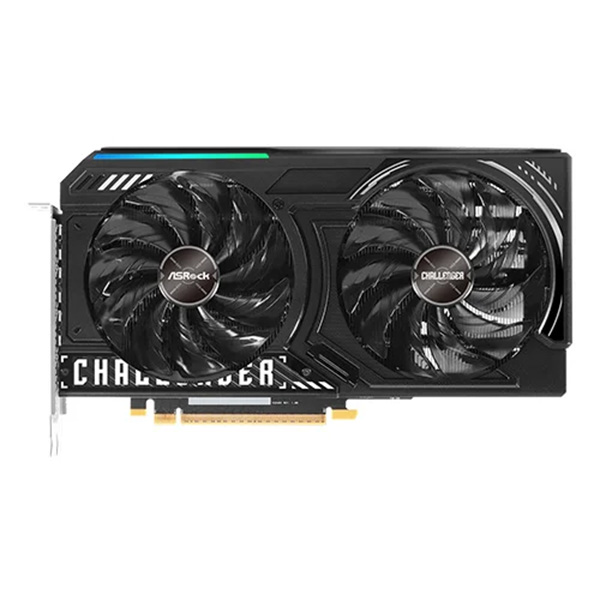
Dual fans with striped axial blades
ASRock’s dual-fan cooler uses Striped Axial Fans to direct airflow through the heatsink. The blade design supports heat dissipation while balancing cooling performance and operating noise.
02 / FAN-STOP OPERATION
0dB Silent Cooling
The fans can stop under suitable low-temperature conditions and resume as cooling demand increases. Fan-stop operation reduces graphics-card fan noise; overall PC noise still depends on other components.
03 / CONSTRUCTION
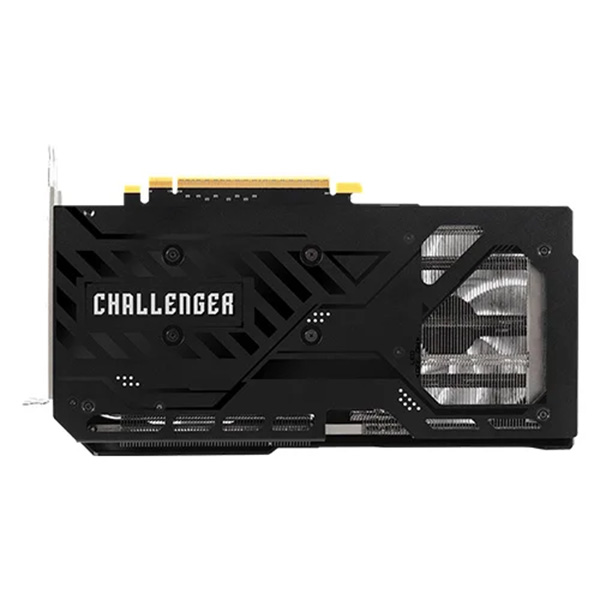
Stylish metal backplate
A metal backplate adds structural support and a finished appearance to the Challenger card. Backside thermal pads also contribute to the cooler’s thermal design.
04 / LIGHTING
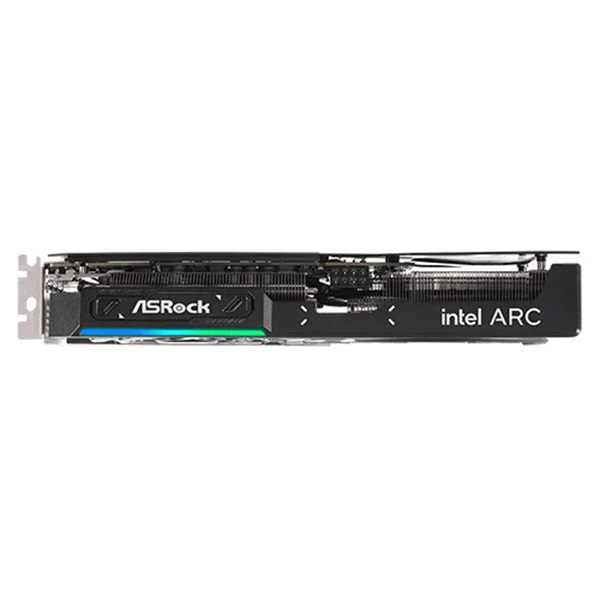
LED indicator with an on/off switch
The decorative LED indicator adds colour to your desktop build. Use the card’s LED switch to turn the lighting on or off to suit your setup.
05 / THERMAL ENGINEERING
Heatpipes and thermal contact
Nano thermal paste, Ultra-fit Heatpipes and high-density metal welding help transfer heat into the cooler. Controlled assembly screw torque supports appropriate cooler mounting pressure.
06 / GAMING TECHNOLOGY
Intel XeSS 2 in supported games
Explore XeSS upscaling and supported XeSS 2 features to tune image quality and perceived smoothness. Availability varies by game, and generated frames are different from native rendered frames.
ASRock Arc B580 Challenger OC specifications
| Graphics processor | Intel Arc B580 |
|---|---|
| Architecture | Intel Xe2-HPG |
| Memory | 12GB GDDR6 / 192-bit / 19Gbps |
| Listed GPU clock | 2740MHz |
| Bus interface | PCI Express 4.0 ×8 |
| Graphics APIs | DirectX 12 Ultimate / OpenGL 4.6 |
| Display connections | 3 × DisplayPort 2.1 / 1 × HDMI 2.1a |
| Power connector | 1 × 8-pin PCIe |
| Recommended PSU | 650W, as listed by ASRock |
| Dimensions / Slot size | 249 × 132 × 41mm / 2-slot |
| Cooling and lighting | Dual fans, 0dB fan-stop cooling, metal backplate and LED switch |
FIND THE RIGHT FIT
Practical use cases
1440p gaming builds
Pair the card with a QHD monitor and balanced PC hardware. Check benchmarks for your favourite games and adjust settings to meet your frame-rate target.
1080p high-refresh setups
Configure competitive games around responsive play. High frame rates also depend on CPU performance, game engine behaviour and graphics settings.
Creative desktop projects
Consider supported GPU acceleration for editing and creative applications. Confirm Intel Arc support in your software, plug-ins and rendering workflow.
Gaming and everyday productivity
Build a desktop for gaming alongside study, work and entertainment. Confirm display compatibility and available desk connections before purchase.
PLAN YOUR NEXT GRAPHICS UPGRADE
Buy ASRock Arc B580 Challenger from Clarion Computers
Choose the ASRock Challenger OC for your compatible gaming desktop. Review Clarion Computers for the current price, stock availability, regional warranty terms and delivery options before placing your order.
Visit Clarion Computers →BEFORE YOU BUY
Frequently asked questions
Where can I buy the ASRock Arc B580 Challenger OC?
Shop with Clarion Computers. Review the current listing for pricing, availability and purchase terms.
Is the Arc B580 suitable for 1440p gaming?
Intel positions the B580 for 1440p gaming. Results vary by title, settings and system configuration. Review game-specific benchmarks rather than assuming the same performance in every game.
What does OC mean?
OC identifies this factory-overclocked model. You do not need to apply a manual overclock to use its supplied factory configuration.
Does Intel Arc require an Intel processor?
No. A compatible AMD-based desktop can also use Intel Arc graphics. Check Intel’s platform guidance, motherboard firmware support and Resizable BAR availability.
Should I enable Resizable BAR?
Yes. Intel specifies Resizable BAR or Smart Access Memory for optimal B-Series performance. Follow your motherboard’s BIOS instructions and confirm that the feature is enabled.
Are stopped fans normal at low temperatures?
Yes, fan-stop behaviour can be normal under suitable conditions. The fans should resume when cooling is needed. Check temperatures and driver settings if operation appears abnormal.
Will XeSS 2 work in every game?
No. Games must support the relevant XeSS features. Check the game’s settings and documentation, and install an appropriate Intel graphics driver.
What should I check before ordering?
Confirm case clearance, power-supply suitability, the required PCIe power connection, motherboard compatibility and Resizable BAR support. Ask Clarion Computers about the supplied model and warranty terms.