
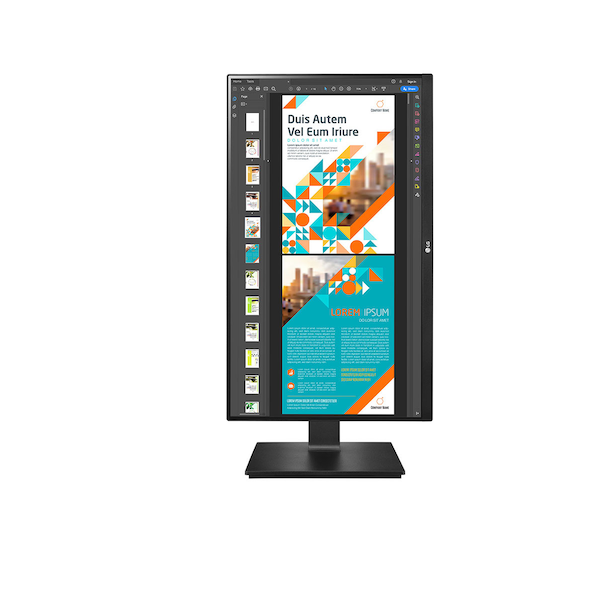


LG QHD IPS Monitor
LG 24QP550-B 23.8-inch QHD IPS Monitor
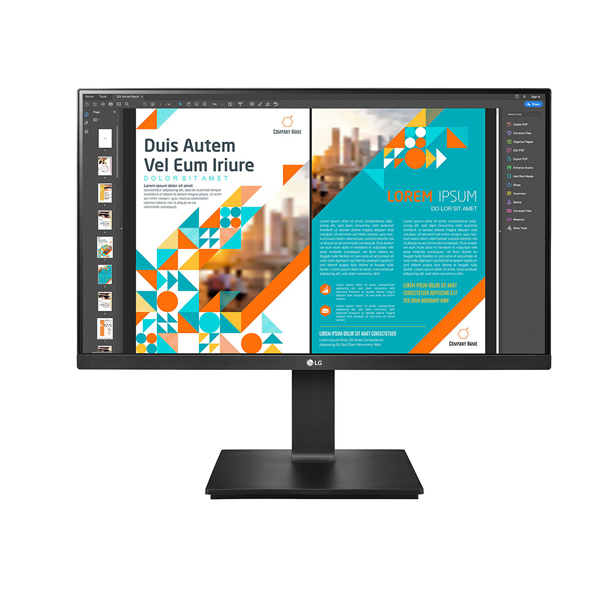
Enjoy sharp QHD visuals, accurate everyday colour and flexible ergonomic positioning with a monitor built for productive work, immersive entertainment and casual gaming.
Key Highlights
QHD Resolution
2560 × 1440 pixels provide detailed images and additional workspace for multitasking.
IPS Colour
IPS technology and up to 99% typical sRGB coverage support consistent colour and wide viewing angles.
Smooth Gameplay
A 75Hz refresh rate, AMD FreeSync and Dynamic Action Sync support responsive gaming.
Ergonomic Stand
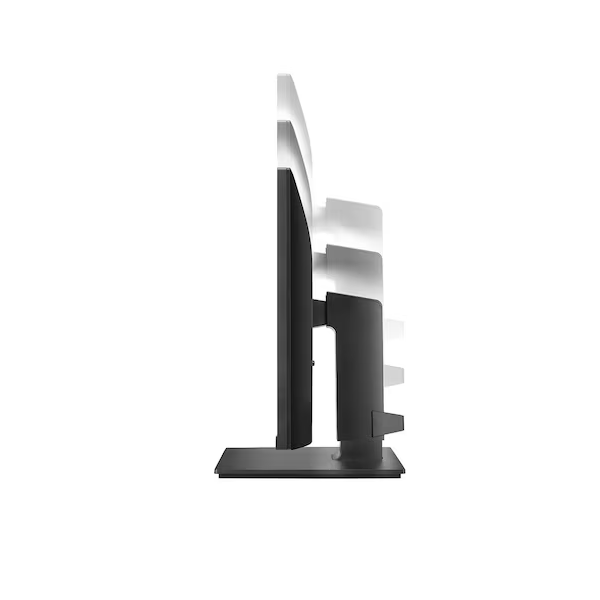
Adjust the height, tilt, swivel and pivot to find a comfortable viewing position.
Product Overview
The LG 24QP550-B QHD IPS monitor combines a compact 23.8-inch screen with a high-resolution 2560 × 1440 display. Compared with a Full HD screen of the same size, QHD provides more pixels for sharper text, detailed images and a more spacious desktop for work and multitasking.
Its IPS panel offers wide viewing angles, while HDR10 compatibility and a typical 99% sRGB colour gamut help deliver engaging visuals for supported content and everyday creative tasks. A 75Hz refresh rate and AMD FreeSync add smoother motion for compatible games.
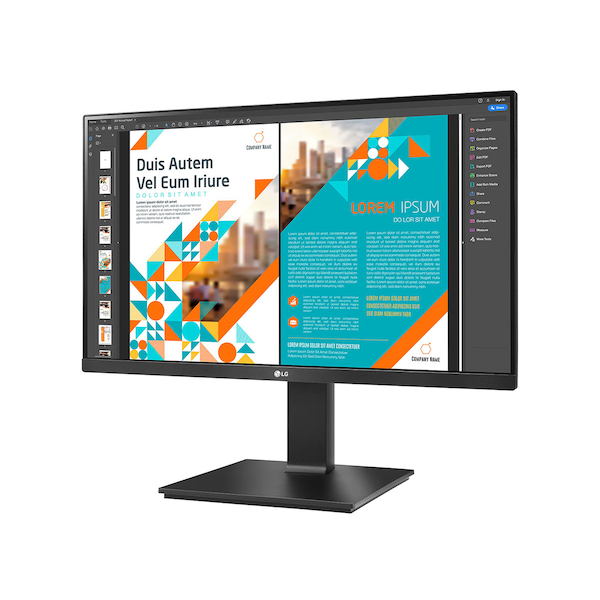
The adjustable stand, three-side virtually borderless design, Reader Mode and Flicker Safe technology make this monitor a practical choice for home offices, study desks and versatile PC setups.
Detailed QHD IPS Display
The 2560 × 1440 resolution brings extra detail to documents, spreadsheets, photos and high-resolution video. IPS technology helps maintain consistent colours when viewed from different positions, making the screen useful for individual work as well as shared viewing.
- 23.8-inch class display with 16:9 aspect ratio.
- QHD resolution for crisp text and detailed imagery.
- Typical 300 cd/m² brightness.
- Typical 1000:1 contrast ratio.
- Typical 99% sRGB colour gamut.
- 16.7 million displayable colours.
- 178-degree horizontal and vertical viewing angles.
- Three-side virtually borderless design.
HDR10 Support
HDR10 compatibility lets the monitor accept supported high-dynamic-range content. HDR Effect is also available to enhance the appearance of compatible or converted content. Actual HDR results depend on the source material and display capabilities; this model is not listed as VESA DisplayHDR certified.
Features for Casual Gaming
The LG 24QP550-B offers useful gaming features for players who also need a productivity monitor. Its 75Hz refresh rate provides a modest step up from conventional 60Hz displays, while AMD FreeSync helps coordinate the refresh rate with compatible graphics hardware.
- AMD FreeSync: Helps reduce screen tearing with compatible systems.
- Dynamic Action Sync: Helps reduce input lag.
- Black Stabilizer: Adjusts dark areas to improve visibility in shadowed scenes.
- Cross-device versatility: HDMI and DisplayPort inputs support compatible PCs and other devices.
This is a 75Hz monitor rather than a high-refresh-rate esports display. Supported refresh rates and adaptive-sync performance depend on the connected device, graphics hardware and settings.
Ergonomic Design for Everyday Comfort
The supplied ergonomic stand provides several adjustment options to help position the display for your desk and seating arrangement. Height adjustment can help align the screen with your eye level, while pivot functionality is useful when working with long documents or portrait-oriented content.
- Height adjustment.
- Tilt adjustment.
- Swivel adjustment.
- Bi-directional pivot.
- 100 × 100mm VESA wall-mount compatibility.
The three-side virtually borderless design also suits multi-monitor desks and modern workspaces.
Reader Mode and Flicker Safe
LG's Reader Mode adjusts the display appearance for reading-focused tasks, while Flicker Safe technology is designed to reduce visible screen flicker. These features can make long reading and office sessions more comfortable for some users, although individual comfort varies.
LG OnScreen Control software provides supported on-screen settings and screen-management options. Availability and compatibility depend on the operating system and software version.
Connectivity and Compatibility
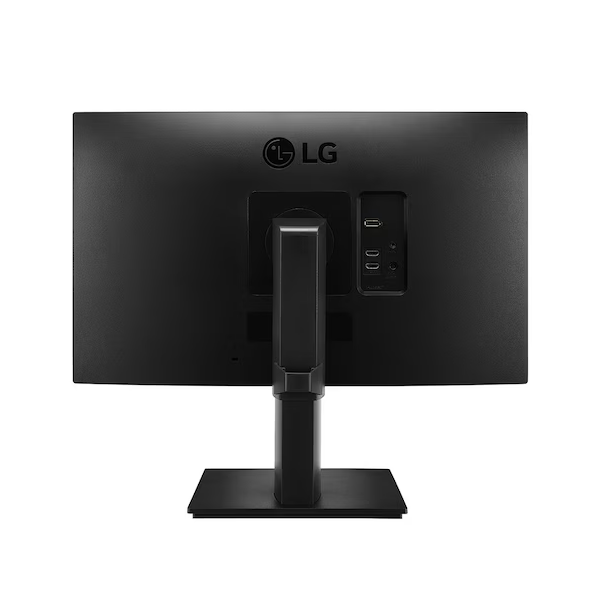
Connect a desktop PC, laptop or compatible gaming device using the monitor's HDMI or DisplayPort inputs. The headphone output allows connection to compatible external audio equipment.
- 2 × HDMI inputs.
- 1 × DisplayPort 1.4 input.
- 1 × 3-pole headphone output for audio.
- 100 × 100mm VESA mounting support.
The monitor does not have a listed USB-C video input or built-in USB hub. Check your computer's output ports and use a compatible cable for the desired resolution and refresh rate.
LG 24QP550-B Specifications
| Display | |
|---|---|
| Model | LG 24QP550-B |
| Screen Size | 23.8 inches (60.45 cm) |
| Panel Type | IPS |
| Resolution | 2560 × 1440 (QHD) |
| Aspect Ratio | 16:9 |
| Refresh Rate | Up to 75Hz |
| Response Time | 5ms GtG (Faster mode) |
| Brightness | 300 cd/m² typical; 240 cd/m² minimum |
| Contrast Ratio | 1000:1 typical; 700:1 minimum |
| Colour Gamut | 99% sRGB typical; 98% minimum |
| Colour Depth | 16.7 million colours |
| Viewing Angles | 178° horizontal / 178° vertical |
| HDR | HDR10; HDR Effect |
| Gaming and Convenience Features | |
| Adaptive Sync | AMD FreeSync |
| Gaming Features | Dynamic Action Sync, Black Stabilizer |
| Eye Comfort | Reader Mode, Flicker Safe |
| Other Features | Super Resolution+, Smart Energy Saving, Color Weakness mode |
| Connectivity | |
| HDMI | 2 inputs |
| DisplayPort | 1 × DisplayPort 1.4 |
| Audio Output | 3-pole headphone output (audio only) |
| USB-C Video Input | Not listed |
| Ergonomics and Mounting | |
| Stand Adjustments | Height, tilt, swivel and pivot |
| VESA Mount | 100 × 100mm |
| Dimensions with Stand | 809 × 568.3 × 260mm (W × H × D), maximum-height configuration |
| Dimensions without Stand | 540.1 × 321.1 × 41.9mm (W × H × D) |
| Weight with Stand | 5.5kg |
| Weight without Stand | 3.4kg |
| Power and Software | |
| Typical Power Consumption | 19W |
| Maximum Power Consumption | 22W |
| Sleep Mode | 0.5W |
| Power Supply | External adapter; 100–240V AC, 50/60Hz |
| Software | LG OnScreen Control, Dual Controller |
Who Should Choose the LG 24QP550-B?
Office and Productivity
Work with documents, spreadsheets, browser tabs and multiple windows at QHD resolution.
Study and Home Use
Enjoy a compact display with reading-oriented features and flexible stand adjustments.
Photo and Creative Work
Use the IPS panel and typical 99% sRGB coverage for general photo work and colour-aware tasks.
Casual Gaming
Play compatible games with QHD detail, 75Hz refresh and AMD FreeSync support.
Things to Know Before Buying
- The maximum refresh rate is 75Hz, not 144Hz or higher.
- HDR10 support does not mean the monitor is VESA DisplayHDR certified.
- The listed ports do not include a USB-C video input or USB hub.
- For QHD at 75Hz, confirm that your computer, graphics hardware and chosen cable support the required output mode.
- Dimensions, bundled cables, warranty and included accessories can vary by regional SKU or package. Confirm these details with the seller before purchase.
Frequently Asked Questions
1. What is the resolution of the LG 24QP550-B?
It has a QHD resolution of 2560 × 1440 pixels, providing more detail than a Full HD 1920 × 1080 display of the same size.
2. Does the LG 24QP550-B support 75Hz?
Yes. Its maximum refresh rate is 75Hz. The available refresh rate depends on the connected device, output settings and cable.
3. Is this monitor suitable for gaming?
Yes, it is suitable for casual gaming and general-purpose setups. AMD FreeSync, Dynamic Action Sync and Black Stabilizer provide useful gaming features, although competitive players seeking very high refresh rates may prefer another model.
4. Can the monitor be mounted on a monitor arm?
Yes. It supports a 100 × 100mm VESA mount. Use a compatible arm and verify its supported weight range and mounting hardware.
5. Can I connect a laptop to this monitor?
Yes, if the laptop has a compatible HDMI or DisplayPort output. A suitable adapter may be required for laptops with different video-output ports.
6. Does the LG 24QP550-B have built-in speakers?
Built-in speakers are not listed in the official specifications. Use compatible external speakers or headphones for audio.
Build Your Next Gaming PC
Find the essential components for your next PC build with Clarion Computers. Explore quality components to create a setup that matches your performance goals and budget.